ReShade Enhancement
⚪ Last updated 2024Preview
🔍 Analysis
- 👍 2.1% endorsement rate — high engagement, a strong quality signal
- 🏆 #168 of 486 Miscellaneous mods in this game by downloads
📋 About This Mod
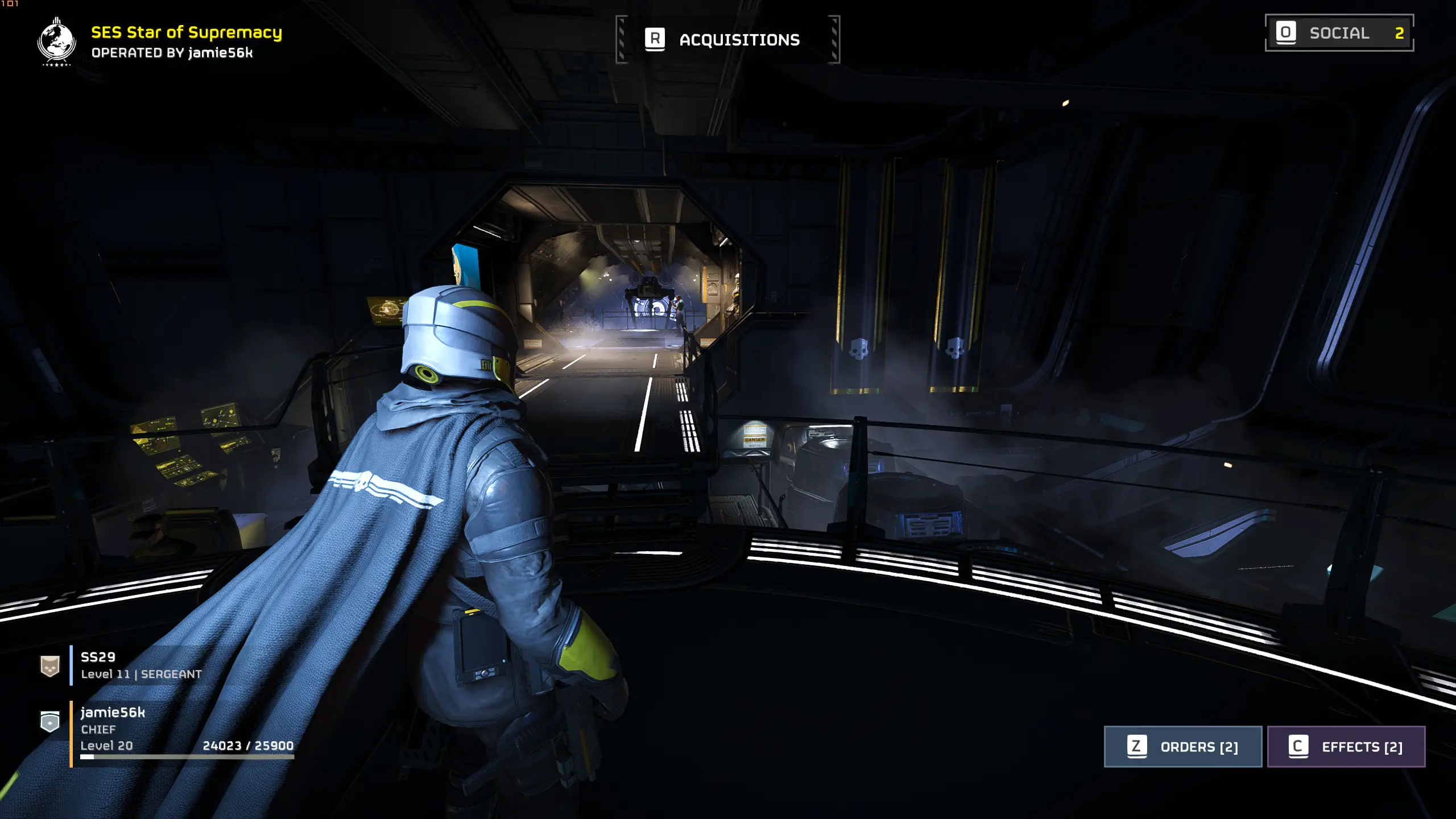
ReShade preset to enhance visual fidelity and remove some TAA blur.
Improves visual fidelity, sharpening, vibrancy, shaders and TAA blur improvements. This is meant for mid to high end graphics cards. If you're struggling for performance try turn off either iMMERSE MXAO or iMMERSE Anti Aliasing.
Installation:
To install, drop the j56kPreset.ini next to the games exe. Right click the game on Steam > Manage > Browse Local Files > Select 'bin' folder and drop it in there.
Run the ReShade installer you downloaded from ReShade.me (it's in the required files for the mod) and run through the set up. Select DX10/11/12 and choose the presets:
- SweetFX by CJ (should already be ticked)
- qUINT by Marty McFly
- iMMERSE by Marty McFly
Boot Helldivers 2 and press the Home key on your keyboard when prompted. Click skip tutorial and select the preset at the top from the drop down menu. Select preset named 'j56kPreset' and that's it, enjoy.
📊 Mod Details
- Game
- Helldivers2 Mods
- Author
- jamie56k
- Version
- 0.1
- Downloads
- 9,618
- Endorsements
- 203
- Category
- Miscellaneous
- Created
- 2/16/2024
- Updated
- 2/16/2024
🔧 How to Install Helldivers 2 Mods
Download from Nexus Mods.
📖 Full step-by-step install guide for Helldivers 2 →
Visit the official mod page for specific installation instructions for this mod.
🎮 Need cheat codes or console commands? Check ur gaming wiki for Helldivers 2 commands, item IDs, and more.
Keep browsing — more Helldivers 2 mods await