Toggle HUD - Fog - Capes - Datapad - Armor Accessories - Bloom - and MORE
🟡 Updated this yearPreview
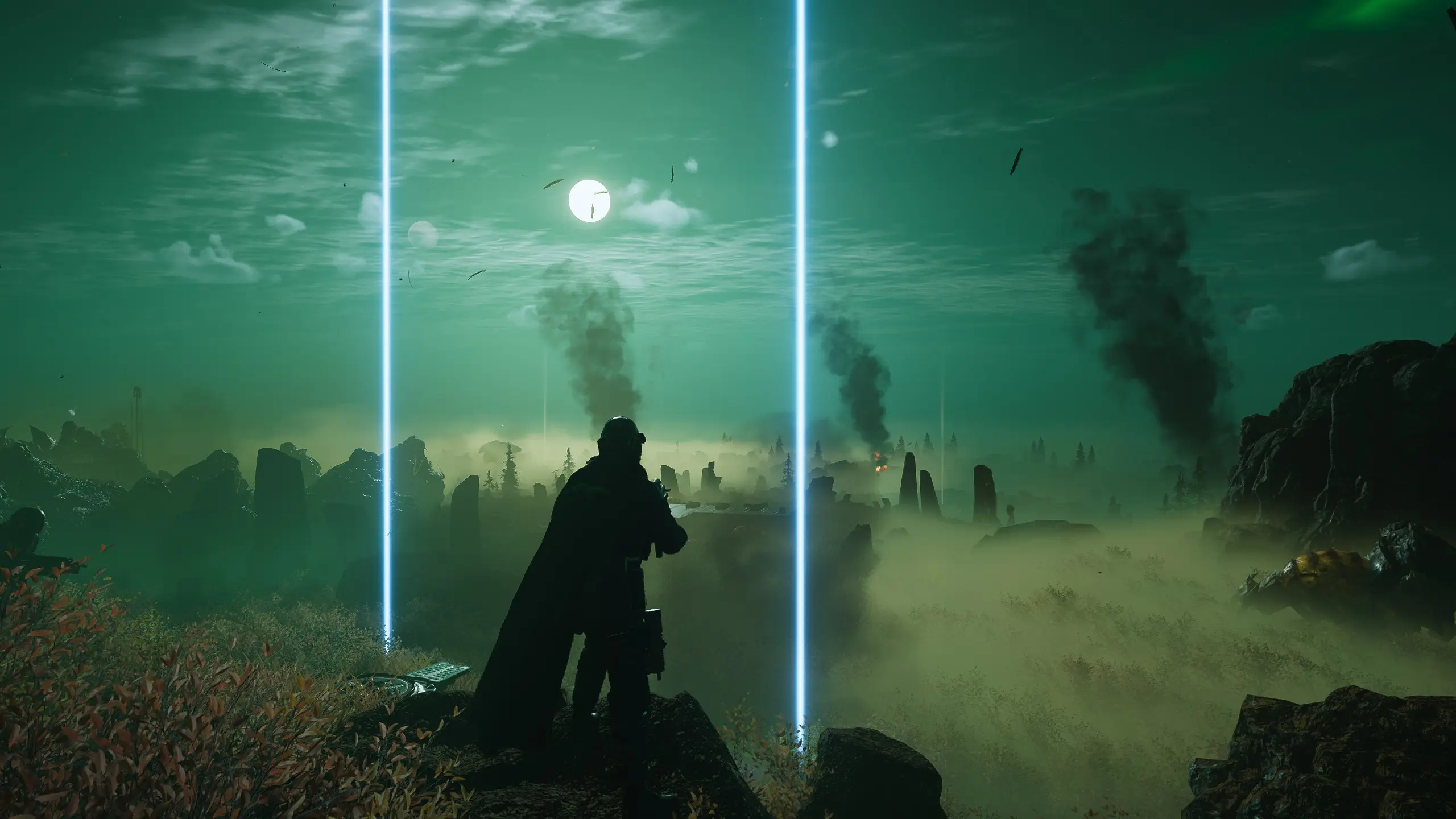
🔍 Analysis
- 👍 1.9% endorsement rate — high engagement, a strong quality signal
- ✅ Updated 3 days after the latest game patch — actively maintained
- 🏆 #37 of 362 Miscellaneous mods in this game by downloads
📋 About This Mod
Note 2: I avoided binding anything to F2, F5, or F6 because the game uses those three keys for showing performance info.
Note 3: You can set any of these toggles so that they're active when starting the game so you don't even need to press the keybind each time you play. See instructions how to do this further below.
This mod allows you to quickly toggle all HUD elements on/off with a single key press (Right Bracket by default, but this can be
changed). The game now has an official "Toggle HUD" keybind, but it doesn't work consistently for myself and a few others so I'm keeping this mod updated, plus this mod has evolved into more than just a HUD toggle now.
Other toggles:
-
[]Capes (including their shadows): F1[/]
[]Datapad that's on your character's waist: F3.[/]
[]Minimal-ish HUD: F4[/]
[]Various arm and shoulder accessories on some armors (see the example using the SC-37 Legionnaire in the images above): F7[/]
[]Some shoulder and leg accessories: F8[/]
[]The screen on your left arm in case you're using an outfit mod that looks weird with the screen floating there: F10[/]
[]Democracy Officer's head (very buggy, also hides some NPC models and dropship): F11[/]
[]Less Fog (two seperate toggles which can be combined together): Minus, and Plus[/]
[]Bloom and Lens Flare: Backslash "\"[/]
Update 1. 73: The Galactic Emergency update (Patch 1. 003. 000) sadly broke the Sample Container toggle, it's no longer possible to hide as it's tied to many other models.
Update 1. 74: Removed the weapon accessory toggle since it became very buggy with this patch, and you can just customize your gun officially now anyway.
WHAT YOU NEED:
- []Just my .zip file, everything is included![/]
-
[]Extract the contents of my Toggle HUD for HELLDIVERS 2.zip into:
steamapps\common\Helldivers 2\bin [/
][]Boot up the game and use Caps Lock to toggle the HUD on/off[/]
-
[]Press Home key[/]
[]Go to "Add-ons" tab[/]
[]Under ShaderToggler click the "Edit" button to the left of the toggle you want to rebind[/]
[]Click the box to the right of "Key Shortcut" and then press the key (or controller button) you want to use instead[/]
[]Click "OK" and then "Save all Toggle Groups"[/]
-
[]Press Home key[/]
[]Go to "Add-ons" tab[/]
[]Under ShaderToggler click the "Edit" button to the left of the toggle you want[/]
[]Checkmark "Is active at startup"[/]
[]Click "OK" and then "Save all Toggle Groups"[/]
A huge thank you to Frans Bouma, the creator of ShaderToggler! This wouldn't have been possible without them.
Toggle HUD and other visual elements like fog, bloom, capes, datapad, and armor accessories with a single key press in HELLDIVERS 2. A popular utility mod with 871 endorsements and frequent updates, ideal for players wanting cleaner screenshots or a more immersive experience.
✨ Key Features
📊 Pros & Cons
✅ Pros
- Community favorite with 871 endorsements and 47k downloads – clearly a lot of players use this.
- One-key toggle for HUD is super handy for screenshots or when you want a clean view.
- Extra toggles for fog and bloom give you more control over the game's look.
⚠️ Cons
- Toggling capes and armor accessories might hide gear you want to show off – make sure you know what you're hiding.
- Could conflict with other UI mods that alter HUD elements or keybinds.
- Since it's a utility mod, it might not be updated as frequently as the game itself, so watch for compatibility after patches.
For HELLDIVERS 2 players who want to quickly hide the HUD for cinematic screenshots or a more immersive experience. Also great for those who want to tweak visual effects like fog and bloom without digging into settings. Skip if you're happy with the default HUD and don't care about visual toggles.
💡 Beginner Tips
- Bind the HUD toggle to an easily accessible key like H or F1 for quick access during missions.
- Use the fog toggle to improve visibility on fog-heavy planets – it can give you a tactical edge.
- If you're using other UI mods, test the toggles in the ship first to avoid conflicts.
📊 Mod Details
- Game
- Helldivers 2 Mods
- Author
- Akelaphobia
- Version
- 1.87
- Downloads
- 47,381
- Endorsements
- 893
- Category
- Miscellaneous
- Created
- 2/12/2024
- Updated
- 8/15/2026
🔧 How to Install Helldivers 2 Mods
Use HD2 Mod Manager. Most mods are .pak file replacers.
📖 Full step-by-step install guide for Helldivers 2 →
Visit the official mod page for specific installation instructions for this mod.
🎮 Need cheat codes or console commands? Check ur gaming wiki for Helldivers 2 commands, item IDs, and more.
Keep browsing — more Helldivers 2 mods await