Back To Los Santos
⚪ Last updated 2024Preview
🔍 Analysis
- 👍 1.9% endorsement rate — high engagement, a strong quality signal
- 🏆 #59 of 68 Scripts mods in this game by downloads
📋 About This Mod
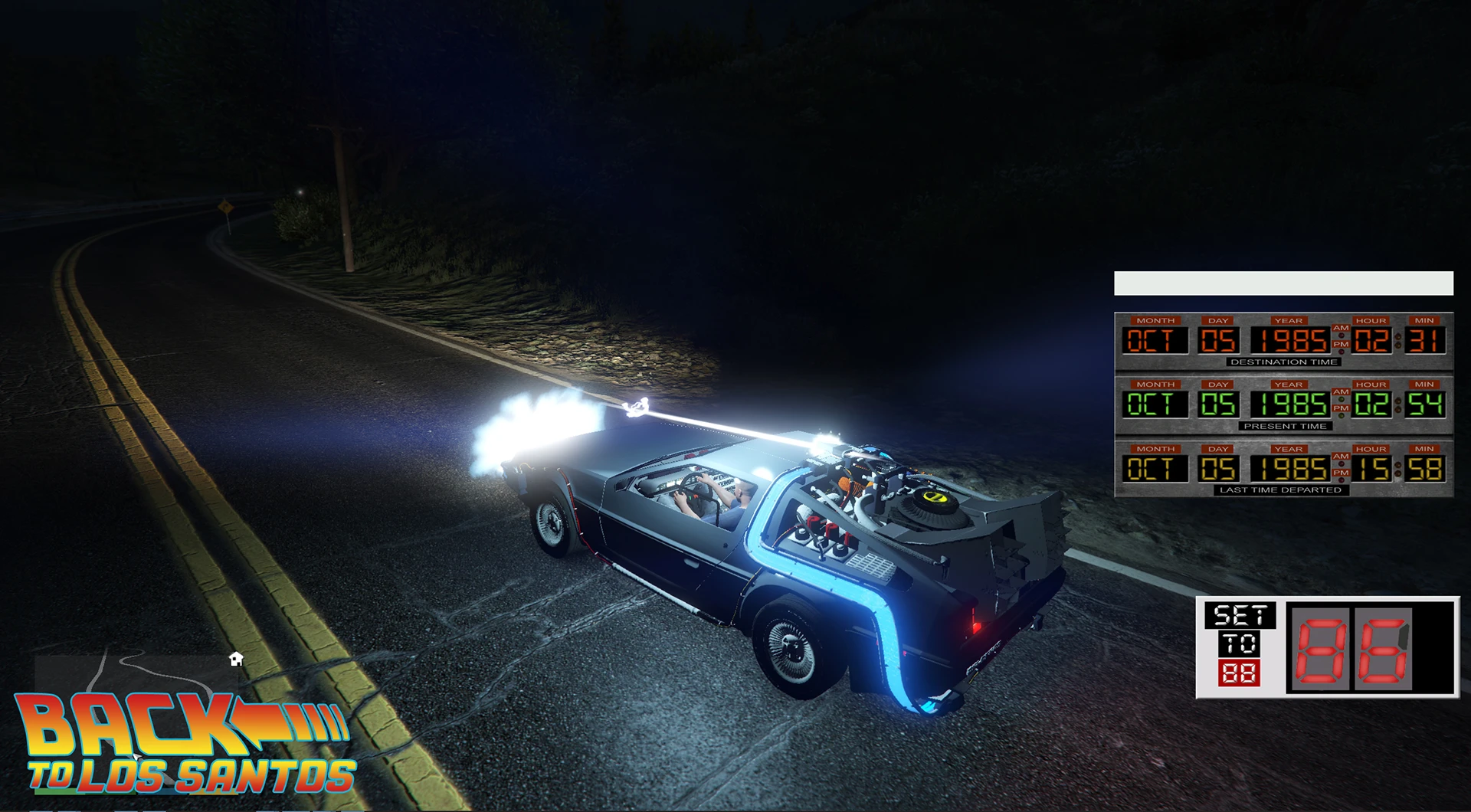
Welcome to Nexus Mods BTLS Mod Page! From the creators of Back To Liberty City comes the Epic Sequel, BACK TO LOS SANTOS, overcoming challenges for bigger plans. Initial release since April 10, 2020, featuring basic and advanced features.
Welcome to the GTA5-Mods BTLS Mod Page.
From the same people that brought you: Back To Liberty City, comes the Epic Sequel. With BIGGER Plans Than Previously Possible Due To A Badly Ported Game Making Things Incredibly Difficult. BACK TO LOS SANTOS.
This is the Initial Release of the mod. It has only been in development since the 10th of April 2020. This includes some basics and touches on some more advanced features we plan to implement in future versions.
Join Our DISCORD to report issues, or find out about news and suggest features.
Dependencies:
This mod makes use of NAudio.dll, ScriptHookV, ScripthookVDotNet3, Gameconfig & HeapAdjuster.
Links to these Dependencies:
ScriptHookV:
ScriptHookV
ScriptHookVDotNet:
HeapAdjuster:
HeapAdjuster
Gameconfig:
Version: 1. 0. 0. 1 Bug Fix Release:
-
[]Fix Tutorial Mission
[
]Fix In-Game Script Update System[]Shows Which Script Specifically Has An Update
[]Updated Read Me & Install Instruction Files File To Be More Accurate
Version: 1. 0. 0. 0 Release:
-
[]BTLS includes pretty much the same as BTLC except it's faster and lighter.
[]Do NOT touch the config file in the Config folder. Everything can be changed from the mod menu.
Features Include:
-
[]BTTF 1 DeLorean.
[]BTTF 2 DeLorean (including hover).
[]BTTF 3 DeLorean.
[]DMC13 DeLorean (including hover).
[]Doc's Van (You can attach/detach your DeLorean on the inside).
[]TimeCircuits (With 6 variations) (Accessible through Mod Menu).
[]RC Mode.
[]Instant Mode.
[]Cutscene Mode.
[]Mr. Fusion Animation.
[]Plutonium Animation.
[]Tutorial Mission (Accessible through Mod Menu).
[]Taxi Missions (Accessible through Mod Menu).
[]Changeable Keybindings (Accessible through Mod Menu).
[]It is possible to refill your DeLorean from the back or from within the DeLorean itself.
[]Updated DeLorean Textures.
[]BTTF Style Speedometer (Custom).
[]Spark / Fire Effects.
[]All Back To The Future Sounds.
[]Tail Smoke.
[]Update Menu.
[]Mod Menu.
[]Every DeLorean is unique and will remember the variables assigned to it such as: DestinationData / CurrentData / Last Time Departed Data / Fueled / TimeCircuits.
[]A DeLorean will only show on the date you left it at.
[]Seasons (Included in the Back to Los Santos Seasons.asi).
[]Within the RC Menu hover over a date and press enter to set it as the current date for your current DeLorean.
[]Added a realism mode that records the Wanted Level and Weather which is bound to the date/time (Accessible through Mod Menu).
Installation:
Install ScriptHookV
Install ScriptHookVDotNet (all of the files that are not .txt)
Install HeapAdjuster
Install Gameconfig (default traffic if you want to only allow the mod to work, without changing the amount of cars on the road)
Copy the contents of the "Root GTA Directory" folder into the GTA Root Directory
Launch OpenIV, Go To update, then update.rpf, then x64, then textures, then script txds.rpf and copy to mods folder
Once copied to the mods folder open the same location from within the mods folder. While in Edit Mode drag the BTLS Textures.ytd file from the textures folder into the main window of OpenIV, adding it to the bottom of the list
In the mods folder you should now have the update folder, containing the x64 and update.rpf files. Open update.rpf, then open common, then data. In the data folder you should find the Gameconfig file that you replaced previously, then right click and edit dlclist.xml and add this to the bottom of the list:
dlcpacks:/btls/
dlcpacks:/btlsexpone/
Test The Game & You Should Be Done
[]Team:
[]Dynalogical (Formerly Gamestudio's)
-
[]BTTF 1 DeLorean.
📊 Mod Details
- Game
- GTA5 Mods
- Author
- Dynalogical
- Version
- 1.0.0.1
- Downloads
- 594
- Endorsements
- 11
- Category
- Scripts
- Created
- 3/20/2024
- Updated
- 3/20/2024
🔧 How to Install Gta5 Mods
Download from Nexus Mods.
📖 Full step-by-step install guide for Gta5 →
Visit the official mod page for specific installation instructions for this mod.
🎮 Need cheat codes or console commands? Check ur gaming wiki for Gta5 commands, item IDs, and more.
Keep browsing — more Gta5 mods await