Sandrone Bunny
🟡 Updated this yearPreview
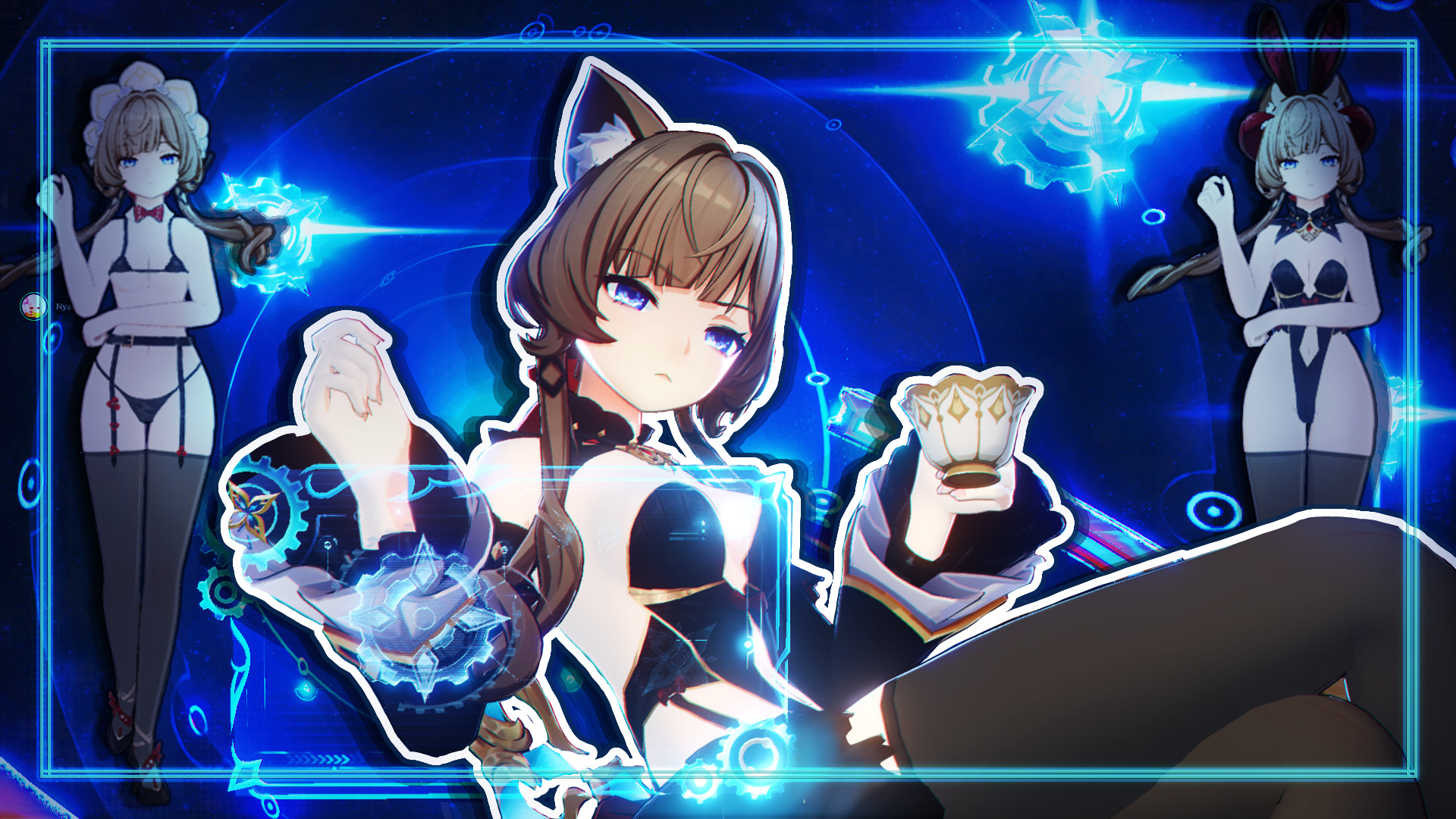
🔍 Analysis
- 👍 22.8% endorsement rate — high engagement, a strong quality signal
- 🏆 #279 of 1183 Skins mods in this game by downloads
📋 About This Mod
Sandrone Bunny As always, Toggles are included, so you can tweak her a bit more to your liking. Toggles Cat ears - On / Off Head - Bunny ears / Horns / Both/ Off Hat - On / Off Collar - Default / Bunny / Off Sleeves - On / Off Suit - On / Off Belt - On / Off Skirt - On / Skirt Belt Only / Off Tail - Cat / Bunny / Off Stockings - Left leg / Right leg / Both / Off Mod variations NSFW versions of the mod with additional toggles, shapekeys and animation are available on my Patreon NSFW Version Has everything above, with the addition of: Extra Bra and Panties toggles (Nude) "Toy" toggle Butt size slider Thigh size slider NSFW version Has everything above + the toy can be animated Can't show it here obviously xP Likes Campaign Initial release - All the SFW toggles are unlocked from the start \o/ 250 likes - unlock bra and panties toggles 600 likes - unlock butt and thighs shapes The "Toy" and "Futa" toggles, as well as the animation can't be included into the GB version as per rules. If you don't want to wait till the end of the likes campaign, or want a bit more options, you can get the full version of the mod on my Patreon right now. UI Menu Main controls / - Open/close menu. The character has to be "on screen". It is NOT the NumPad /, just a regular /. Might be some different symbol on your keyboard, depends on where you are from. Change the first key setting in the ini to change the button if you are confident in doing so. Left or Right mouse button - Interact with the menu elements (click/drag/slide). Be careful when using the left mouse button, it can still click the things in game. HOLD ALT to bring up cursor in game if you are not in any of the game menus that naturally expose it. SHIFT + Right arrow - reset menu position and sliders (in case it breaks, but i wasn't able to break it). Keyboard Controls CTRL + Arrows - Moves the whole menu on the screen, 4 directions corresponding to the arrow key pressed Up and Down Arrows - Navigates through the toggles. Arrows that change the menu page are considered toggles as well. Left and Right Arrows - Simulates mouse click on selected toggle slot. Changes the slider value if the selected item is a slider.
📊 Mod Details
- Game
- GameBanana Mods
- Author
- Zlevir
- Version
- GB Initial
- Downloads
- 2,785
- Endorsements
- 636
- Category
- Skins
- Created
- 7/9/2026
- Updated
- 8/6/2026
🔧 How to Install GameBanana Mods
Download from GameBanana — the largest mod hosting community.
📖 Full step-by-step install guide for GameBanana →
Visit the official mod page for specific installation instructions for this mod.
🎮 Need cheat codes or console commands? Check ur gaming wiki for GameBanana commands, item IDs, and more.
Keep browsing — more GameBanana mods await