Project mirai English Translation
🟡 Updated this yearPreview
📋 About This Mod
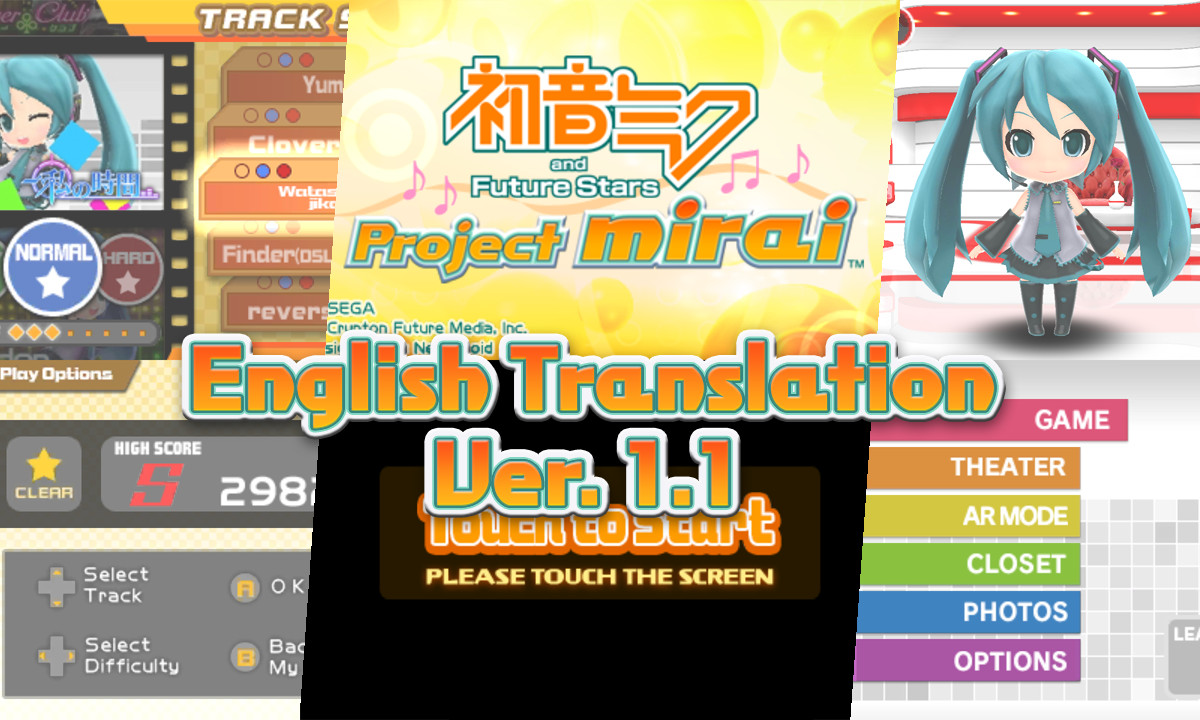
The very first Project mirai has been translated into English! Menus and other UI elements have been translated directly or localized to match wording found in Project Mirai DX. Great care has been made to ensure everything is legible and as accurate to the original game, with the goal of making it feel like an official localization. Anything that could be changed, has been changed! Due to game limitations, some UI elements needed heavier adjustments, and some text was adapted to fit. Please bear that in mind. ------------------------------ ** THERE ARE TWO DOWNLOADS. If you previously downloaded the mod, get the "update-only" file and follow the ReadMe. If you don't have the mod, download the "full" version. INSTALLATION Extract the folders from the ZIP file you downloaded. You should have a "romfs" folder with "aet" and "pv" folders inside, AND a file titled code.bin To mod the files into the game, you'll need a modded 3DS with custom firmware, or an emulator that supports mod files. ------------------------------ On modded 3DS hardware: Open the "luma" folder, go to "titles", and create a game ID folder if there is none. Place both the "romfs" folder and the code.bin file into the the game ID folder for Project Mirai. It should look like this: SD:/luma/titles/0004000000048000/romfs /luma/titles/0004000000048000/code.bin ------------------------------ On emulator like Citra or Azahar: Navigate to the mod location for the game. In the "mods" folder, create a game ID folder if there is none. Then, put the "romfs" folder into the game ID folder. Then, create an "exefs" folder, and place the code.bin file into the "exefs" folder. It should look like this: .../load/mods/0004000000048000/romfs .../load/mods/0004000000048000/exefs/code.bin ------------------------------ And done! Now you can start the game and play with the translation mod. You should see it take effect immediately when the game starts. This mod took a while, and had some small, and some major, hiccups along the way. But it was a fun learning process, and I think all the work that went into it was worth it. Please leave any and all feedback in the comments. If you experience any issues, let me know so I can fix them ASAP. Thank you. I hope you'll enjoy playing Project Mirai! :3
📊 Mod Details
- Game
- GameBanana Mods
- Author
- Hachi_Shibaru
- Version
- 1.1
- Downloads
- 301
- Endorsements
- 5
- Category
- Translation
- Created
- 2/13/2026
- Updated
- 3/17/2026
🔧 How to Install GameBanana Mods
Download from GameBanana — the largest mod hosting community.
📖 Full step-by-step install guide for GameBanana →
Visit the official mod page for specific installation instructions for this mod.
🎮 Need cheat codes or console commands? Check ur gaming wiki for GameBanana commands, item IDs, and more.
Keep browsing — more GameBanana mods await