Advanced Mod Update Checker
🟡 Updated this yearPreview
🔍 Analysis
- 🏆 #257 of 398 Mod Folders mods in this game by downloads
📋 About This Mod
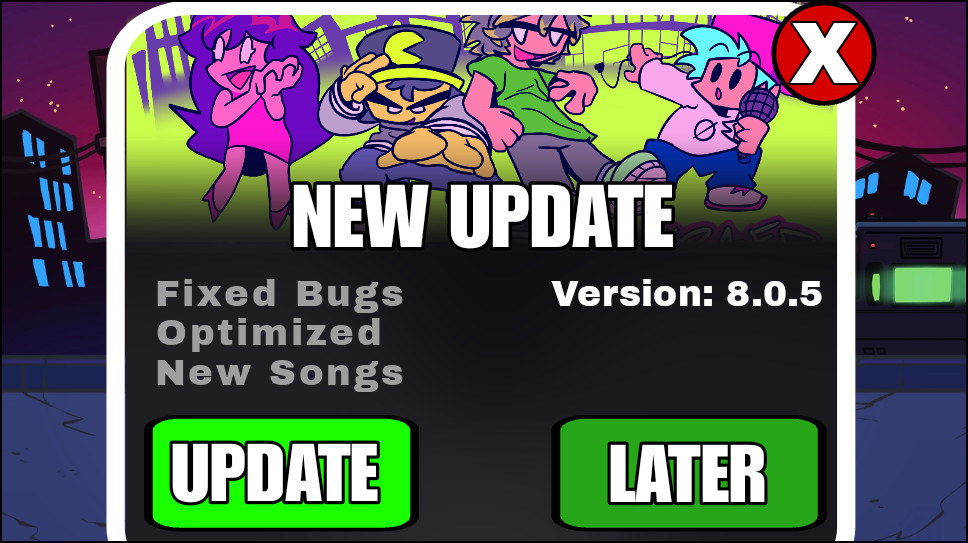
FNF Update Checker (For Modders) A powerful, plug-and-play Update Checking System for your Friday Night Funkin' mods! Stop worrying about players using outdated versions of your mod. The FNF Update Checker automatically connects to the GameBanana API, compares versions, and displays an in-game pop-up window whenever you release a new update! Features 1. Fully Automatic API Integration: Connects directly to your GameBanana Mod ID. You just update your mod page, and the script handles the rest! 2. Amazing in-game interface: A modern and animated pop-up window. 3. Changelog Support: Automatically fetches and displays your GameBanana changelogs or text descriptions directly inside the game! In Game: 4. Multi-Language Support: The UI automatically translates itself (English, Spanish, Portuguese, French, etc.) based on the player's system language. 5. One-Click Download: Players can click the "UPDATE" button in-game to be sent straight to your GameBanana page. How to use in YOUR mod: It's incredibly easy to implement! Just drop the files into your mod folder and edit one configuration file. 1. Download the mod and extract it into your mods/YourModName folder. 2. Open scripts/UpdateCheckerConfig.hxc in any text editor. 3. Change modID to your GameBanana Mod ID (the numbers in your mod's URL). 4. Change currentVersion to your mod's current version (e.g., "1. 0. 0"). 5. You're done! Whenever you update your mod on GameBanana, just make sure to change the currentVersion in your config file for the new update, and the system will automatically notify everyone playing the older versions! How to Update Your Mod 1. Click to add an update to your mod's page. 2. Enter the title and the new version of the update ( it will be compared to the version you entered in the script ). 3. List the change logs for your update and their corresponding types. 4. Select the file to be downloaded; if none is selected, it will go to the main page of your mod. 5. Check the "This Update is Significant" option to notify players of the new version; if you do not want to notify them, disable this option. Click save and have fun! :) Requirements Friday Night Funkin' Vslice 0. 8. 0 (or newer) It works on PC and Mobile. Your mod must be published on GameBanana to get a Mod ID! Create a professional mod. Never let your mods become outdated!
📊 Mod Details
- Game
- GameBanana Mods
- Author
- Tw Gusta
- Version
- 1.0
- Downloads
- 301
- Endorsements
- 13
- Category
- Mod Folders
- Created
- 5/22/2026
- Updated
- 6/5/2026
🔧 How to Install GameBanana Mods
Download from GameBanana — the largest mod hosting community.
📖 Full step-by-step install guide for GameBanana →
Visit the official mod page for specific installation instructions for this mod.
🎮 Need cheat codes or console commands? Check ur gaming wiki for GameBanana commands, item IDs, and more.
Keep browsing — more GameBanana mods await