Mud System Physics v1.2.7.0
🟡 Updated this yearPreview
🔍 Analysis
- 🏆 #1072 of 2245 Other mods in this game by downloads
📋 About This Mod
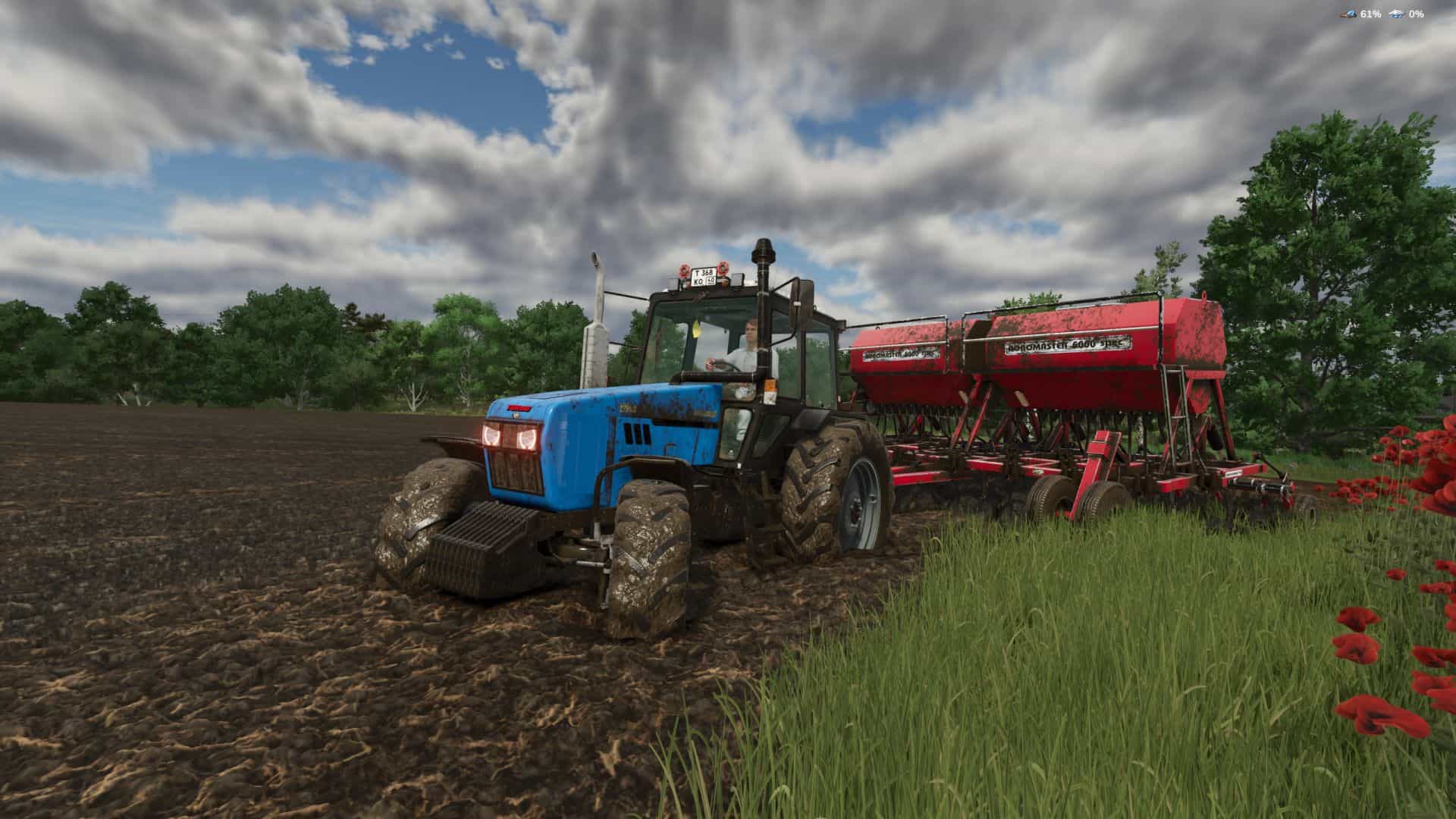
Mud System Physics v1.2.7.0 | FS25 Mod Download Home Upload Mod Featured Mods FS25 Universal Autoload FS25 Courseplay FS25 Autodrive FS25 Super Strength FS25 Vehicle Explorer FS25 Enhanced Vehicle Installing Mods Modding Info FS25 Modding Guide FS25 Modding Tool How to Start Modding How to edit a Tractor? Convert FS22 to FS25 Mods Testing Your FS25 Mods FS25 Cheats FS25 Guides FS25 FAQ About FS25 FS25 News Giants Editor FS25 FS25 Ground Deformation FS25 Release Date FS25 Mods on Consoles FS25 System Requirements FS25 Console Commands Download FS25 Game Landwirtschafts Simulator 25 Mods Best Mods Help Contacts Maps Cars Trucks Tractors Trailers Vehicles Excavators Implements Harvesters Headers Buildings Objects Gameplay Prefab Textures Packs Gameplay / Other Mud System Physics v1.2.7.0 FS25 Mods | 21 Jul, 2026 Mud System Physics is an advanced physics mod for Farming Simulator 25 that completely rethinks how equipment interacts with the soil during rainy weather. What does the mod do? – The mod adds a dynamic dirt system that affects: – Wheel behavior – Surface grip – Visual effects – Vehicle cross-country ability – Condition of fields and soil Every trip in the rain or on a damp field is a risk of getting stuck, and not just a pretty picture… Key features: – "Real" mud physics – Dirt is calculated from humidity in real time! Wheels can: – slip – Lose grip – Get stuck in the mud The heavier the equipment, the higher the risk of getting stuck Interaction with fields – Mud behaves differently on different types of field soil, for example, plowed fields are the most viscous! – Possibility of removing vegetation in deep mud (optional) Flexible settings! – The mod is fully customizable through the game menu: – turn on/off the mud system – strength of the viscosity effect – influence of rain – visual effects – removal of vegetation – And much more. (there are more than 20 different knobs and switches) All parameters can be changed on the fly, without restarting the game. V1.2.7.0 – Added tire puncture mode. (you can turn it off in the mod settings if you don’t need it) With a punctured wheel, the vehicle drives slower and pulls towards the punctured wheel. The wheel can be replaced manually by going to the broken wheel, pressing R, putting the wheel on the ground, sealing it, picking it up and putting it back. – A technically new rule has been introduced. A physical coordinator so that possible modes of the mod do not multiply the transmitted data by themselves and the like. (technical part) – The speed limit in mud has been improved, now mud has become a stronger brake on vehicles. – Various minor edits. Tire puncture – Each vehicle wheel has a 2% chance of getting a puncture. That is, the mechanics will not be too aggressive. – Perhaps, if the majority wishes, later I will make this chance a separate setting or simply increase/lower it. – On average, a puncture should occur approximately once every 50 km. But chance is an insidious thing. These same 2% may work immediately, or they may not appear for a very long time. Everything is completely random. What happens during a puncture? – The equipment begins to slow down. – The steering wheel pulls towards the broken wheel. Repair process – Get out of the tractor. – Take the jack (R – all actions are performed with the R key). – Install the jack (R). – Approach him and press R again. – HUD opens: ⬆ raise / ⬇ lower. – Raise the equipment to the desired height (minimum) and click “Done”. Removing the wheel – Find the broken tire and press R. – The wheel is picked up, and a projection of the place where it can be placed appears. Repair – Press R – the wheel is placed on the ground. – Approach it and press R again – the repair process begins. Installation back – After the repair, press R again and pick up the wheel. – Bring it to the installation location on the tractor and press R again. That's it! The wheel is installed, fully repaired and inflated. You can continue working. Author: BMProd Tags: Farming Simulator Mud System Physics Having problems with the mod? Check the comments for possible solutions, and report any new bugs you discover. Download Useful Information: How to install FS25 Mods | Farming Simulator 25 FAQ | Farming Simulator 25 News | FS25 System Requirements | Download FS25 Game | Giants Editor FS25 | FS25 Modding Guide | FS25 Cheats | FS25 Guides ... --> Thunder Warm Shader v1.0 Gameplay / Other 23 Jul, 2026 EkoFra66er Shader New v1.0 Gameplay / Other 24 Mar, 2026 Realistic Temperatures – Wales BETA 2 v0.5 Gameplay / Other 6 Jul, 2025 Leave a Reply Cancel reply Your email address will not be published. Required fields are marked * Comment Name * Email * I have read and accepted the Priv
Mud System Physics v1. 2. 7. 0 | FS25 Mod Download Home Upload Mod Featured Mods FS25 Universal Autoload FS25 Courseplay FS25 Autodrive FS25 Super Strength FS25 Vehicle Explorer FS25 Enhanced Vehicle Installing Mods Modding Info FS25 Modding Guide FS25 Modding Tool How to Start Modding How to edit a Tractor? Convert FS22 to FS25 Mods Testing Your FS25 Mods FS25 Cheats FS25 Guides FS25 FAQ About FS25 FS25 News Giants Editor FS25 FS25 Ground Deformation FS25 Release Date FS25 Mods on Consoles FS25 System Requirements FS25 Console Commands Download FS25 Game Landwirtschafts Simulator 25 Mods Best Mods Help Contacts Maps Cars Trucks Tractors Trailers Vehicles Excavators Implements Harvesters Headers Buildings Objects Gameplay Prefab Textures Packs Gameplay / Other Mud System Physics v1. 2. 7. 0 FS25 Mods | 21 Jul, 2026 Mud System Physics is an advanced physics mod for Farming Simulator 25 that completely rethinks how equipment interacts with the soil during rainy weather. What does the mod do? – The mod adds a dynamic dirt system that affects: – Wheel behavior – Surface grip – Visual effects – Vehicle cross-country ability – Condition of fields and soil Every trip in the rain or on a damp field is a risk of getting stuck, and not just a pretty picture… Key features: – "Real" mud physics – Dirt is calculated from humidity in real time! Wheels can: – slip – Lose grip – Get stuck in the mud The heavier the equipment, the higher the risk of getting stuck Interaction with fields – Mud behaves differently on different types of field soil, for example, plowed fields are the most viscous! – Possibility of removing vegetation in deep mud (optional) Flexible settings! – The mod is fully customizable through the game menu: – turn on/off the mud system – strength of the viscosity effect – influence of rain – visual effects – removal of vegetation – And much more. (there are more than 20 different knobs and switches) All parameters can be changed on the fly, without restarting the game. V1. 2. 7. 0 – Added tire puncture mode. (you can turn it off in the mod settings if you don’t need it) With a punctured wheel, the vehicle drives slower and pulls towards the punctured wheel. The wheel can be replaced manually by going to the broken wheel, pressing R, putting the wheel on the ground, sealing it, picking it up and putting it back. – A technically new rule has been introduced. A physical coordinator so that possible modes of the mod do not multiply the transmitted data by themselves and the like. (technical part) – The speed limit in mud has been improved, now mud has become a stronger brake on vehicles. – Various minor edits. Tire puncture – Each vehicle wheel has a 2% chance of getting a puncture. That is, the mechanics will not be too aggressive. – Perhaps, if the majority wishes, later I will make this chance a separate setting or simply increase/lower it. – On average, a puncture should occur approximately once every 50 km. But chance is an insidious thing. These same 2% may work immediately, or they may not appear for a very long time. Everything is completely random. What happens during a puncture? – The equipment begins to slow down. – The steering wheel pulls towards the broken wheel. Repair process – Get out of the tractor. – Take the jack (R – all actions are performed with the R key). – Install the jack (R). – Approach him and press R again. – HUD opens: ⬆ raise / ⬇ lower. – Raise the equipment to the desired height (minimum) and click “Done”. Removing the wheel – Find the broken tire and press R. – The wheel is picked up, and a projection of the place where it can be placed appears. Repair – Press R – the wheel is placed on the ground. – Approach it and press R again – the repair process begins. Installation back – After the repair, press R again and pick up the wheel. – Bring it to the installation location on the tractor and press R again. That's it! The wheel is installed, fully repaired and inflated. You can continue working. Author: BMProd Tags: Farming Simulator Mud System Physics Having problems with the mod? Check the comments for possible solutions, and report any new bugs you discover. Download Useful Information: How to install FS25 Mods | Farming Simulator 25 FAQ | Farming Simulator 25 News | FS25 System Requirements | Download FS25 Game | Giants Editor FS25 | FS25 Modding Guide | FS25 Cheats | FS25 Guides ... --> Thunder Warm Shader v1. 0 Gameplay / Other 23 Jul, 2026 EkoFra66er Shader New v1. 0 Gameplay / Other 24 Mar, 2026 Realistic Temperatures – Wales BETA 2 v0. 5 Gameplay / Other 6 Jul, 2025 Leave a Reply Cancel reply Your email address will not be published. Required fields are marked Comment Name Email * I have read and accepted the Priv
📊 Mod Details
- Game
- Fs25 Hub Mods
- Author
- fs25modhub.com
- Version
- 1.2.7.0
- Downloads
- 0
- Endorsements
- 0
- Category
- Other
- Created
- 7/21/2026
- Updated
- 7/21/2026
🔧 How to Install Farming Simulator 25 Mods
Download from https://www.fs25modhub.com.
📖 Full step-by-step install guide for Farming Simulator 25 →
Visit the official mod page for specific installation instructions for this mod.
🎮 Need cheat codes or console commands? Check ur gaming wiki for Farming Simulator 25 commands, item IDs, and more.
Keep browsing — more Farming Simulator 25 mods await