GE10 Script – TreeGenerator v1.0
🟡 Updated this yearPreview
🔍 Analysis
- 🏆 #5 of 65 Scripts mods in this game by downloads
📋 About This Mod
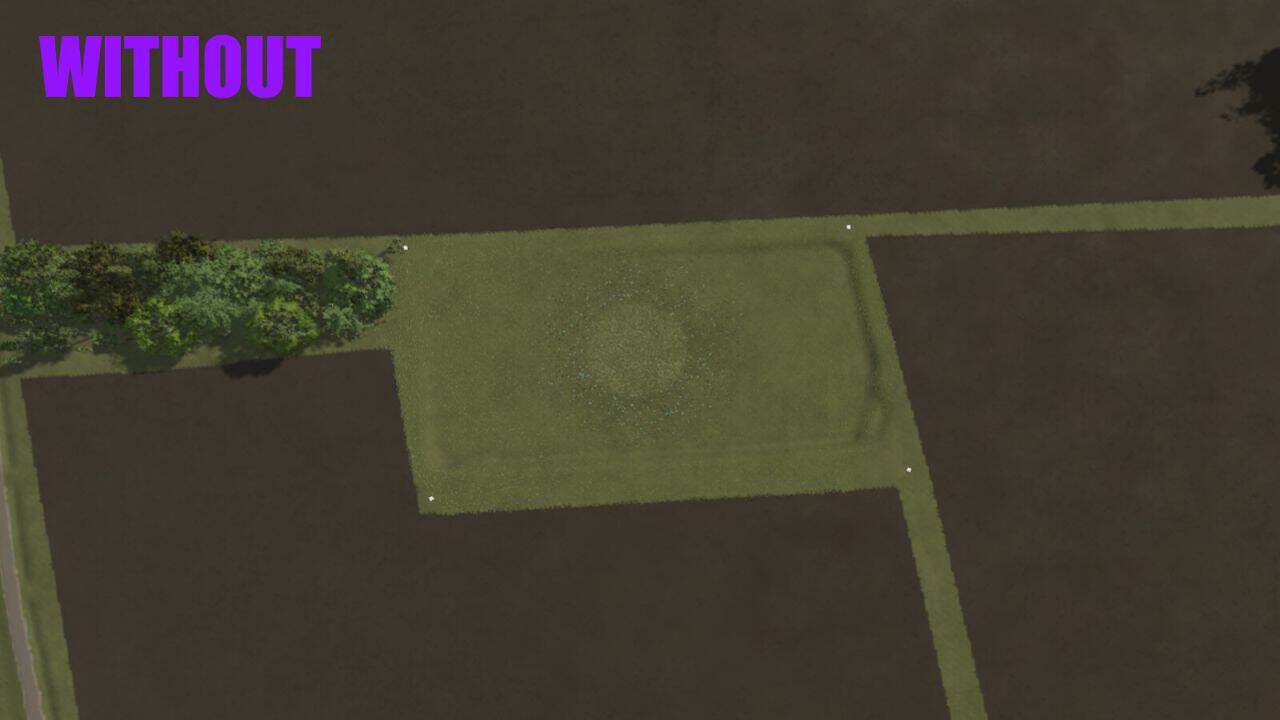
GE10 Script - TreeGenerator v1.0 | FS25 Mod Download Home Upload Mod Featured Mods FS25 Universal Autoload FS25 Courseplay FS25 Autodrive FS25 Super Strength FS25 Vehicle Explorer FS25 Enhanced Vehicle Installing Mods Modding Info FS25 Modding Guide FS25 Modding Tool How to Start Modding How to edit a Tractor? Convert FS22 to FS25 Mods Testing Your FS25 Mods FS25 Cheats FS25 Guides FS25 FAQ About FS25 FS25 News Giants Editor FS25 FS25 Ground Deformation FS25 Release Date FS25 Mods on Consoles FS25 System Requirements FS25 Console Commands Download FS25 Game Landwirtschafts Simulator 25 Mods Best Mods Help Contacts Maps Cars Trucks Tractors Trailers Vehicles Excavators Implements Harvesters Headers Buildings Objects Gameplay Prefab Textures Packs Prefab GE10 Script – TreeGenerator v1.0 FS25 Mods | 23 Apr, 2026 With this practical script for the GIANTS Editor 10, a complete forest can be automatically created. The Random Tree Generator offers a simple way to randomly place trees from an existing pool within a defined area – considering minimum distances, terrain alignment, and random rotation. The tool allows any area (treeArea) to be defined as a forest area and automatically filled with trees from a treePool. Density, minimum distance, height alignment, and rotation can be individually adjusted. A special focus is on user-friendliness: – Easy configuration via a graphical user interface – Real-time progress display during generation – All trees are automatically grouped together (autoForest_X) – Clear status messages and error notifications For maximum control, the script offers numerous configuration options: Density (trees/m²): Determines how many trees are generated per square meter. Higher values create denser forests. Minimum Distance (m): Defines the minimum distance between two trees. Prevents overlaps and ensures natural distribution. Max Attempts per Tree: Specifies how many times the script tries to find a suitable spot for a tree. Higher values increase the success rate in dense forests. Random Rotation: Activates random rotation of each tree around its own axis. Provides more variety. Align to Terrain: Automatically adjusts the height of each tree to the terrain surface. Prevents floating or buried trees. Height Offset (m): Vertically shifts the trees. Positive values raise them, negative values lower them. The tool is aimed at both beginners and experienced modders and significantly speeds up the creation of forests and woodland areas on custom maps. Installation: 1.) Navigate to the installation directory of the GIANTS Editor. Default: "C:UsersUserAppDataLocalGIANTS Editor 64bit 10.0.11+" 2.) Copy the file "TreeGenerator.lua" into the scripts folder of the GIANTS Editor. "C:UsersUserAppDataLocalGIANTS Editor 64bit 10.0.11+scripts" 3.) The script is then available in the GIANTS Editor via the menu bar under "Scripts". Scene Preparation: Before you can use the script, your scene must have the following structure: Root ├── terrain ├── treeArea (TransformGroup with cubes or other objects) ├── point1 ├── point2 ├── point3 └── point4 … └── treePool (TransformGroup with tree models) ├── treeOak01 ├── treeSpruce01 ├── treeBirch01 └── … The treeArea defines the area in which trees are generated. Each child of this group represents a corner point of the polygon. At least three points are required. The treePool contains the template trees from which random selection is made. The more different trees, the more varied the forest will be. Troubleshooting: "treeArea not found!" > The TransformGroup "treeArea" does not exist in the scene. "treePool not found!" > The TransformGroup "treePool" does not exist in the scene. "No trees in treePool!" > The treePool contains no tree models. "treeArea needs at least 3 points!" > The treeArea contains fewer than 3 points. "No trees generated!" > The area is too small or the density is too low. Author: Zyran Tags: Max Attempts Minimum Distance Random Rotation Scene Preparation Having problems with the mod? Check the comments for possible solutions, and report any new bugs you discover. Download Useful Information: How to install FS25 Mods | Farming Simulator 25 FAQ | Farming Simulator 25 News | FS25 System Requirements | Download FS25 Game | Giants Editor FS25 | FS25 Modding Guide | FS25 Cheats | FS25 Guides ... --> John Deere deer v1.0 Prefab 9 Dec, 2024 Decal (two sided) v1.0 Prefab 27 Nov, 2024 Street Lights Pack Beta Prefab 24 Nov, 2025 Leave a Reply Cancel reply Your email address will not be published. Required fields are marked * Comment Name * Email * I have read and accepted the Privacy Policy * Categories Maps Cars Trucks Combine / Harvesters Tractors Trailers Forestry Forklifts / Excavators Vehicles Headers Buildings Implements / Tools Objects Gameplay Seasons Prefab Textures Packs Trending Mods Strumyk Grom Pack v1.0 17 Aug, 2026 New Holland Pack v1.1.2 16 Aug, 2026 CVT transmission for all vehicles v1.0 17 Aug, 2026
GE10 Script - TreeGenerator v1. 0 | FS25 Mod Download Home Upload Mod Featured Mods FS25 Universal Autoload FS25 Courseplay FS25 Autodrive FS25 Super Strength FS25 Vehicle Explorer FS25 Enhanced Vehicle Installing Mods Modding Info FS25 Modding Guide FS25 Modding Tool How to Start Modding How to edit a Tractor? Convert FS22 to FS25 Mods Testing Your FS25 Mods FS25 Cheats FS25 Guides FS25 FAQ About FS25 FS25 News Giants Editor FS25 FS25 Ground Deformation FS25 Release Date FS25 Mods on Consoles FS25 System Requirements FS25 Console Commands Download FS25 Game Landwirtschafts Simulator 25 Mods Best Mods Help Contacts Maps Cars Trucks Tractors Trailers Vehicles Excavators Implements Harvesters Headers Buildings Objects Gameplay Prefab Textures Packs Prefab GE10 Script – TreeGenerator v1. 0 FS25 Mods | 23 Apr, 2026 With this practical script for the GIANTS Editor 10, a complete forest can be automatically created. The Random Tree Generator offers a simple way to randomly place trees from an existing pool within a defined area – considering minimum distances, terrain alignment, and random rotation. The tool allows any area (treeArea) to be defined as a forest area and automatically filled with trees from a treePool. Density, minimum distance, height alignment, and rotation can be individually adjusted. A special focus is on user-friendliness: – Easy configuration via a graphical user interface – Real-time progress display during generation – All trees are automatically grouped together (autoForest_X) – Clear status messages and error notifications For maximum control, the script offers numerous configuration options: Density (trees/m²): Determines how many trees are generated per square meter. Higher values create denser forests. Minimum Distance (m): Defines the minimum distance between two trees. Prevents overlaps and ensures natural distribution. Max Attempts per Tree: Specifies how many times the script tries to find a suitable spot for a tree. Higher values increase the success rate in dense forests. Random Rotation: Activates random rotation of each tree around its own axis. Provides more variety. Align to Terrain: Automatically adjusts the height of each tree to the terrain surface. Prevents floating or buried trees. Height Offset (m): Vertically shifts the trees. Positive values raise them, negative values lower them. The tool is aimed at both beginners and experienced modders and significantly speeds up the creation of forests and woodland areas on custom maps. Installation: 1.) Navigate to the installation directory of the GIANTS Editor. Default: "C:UsersUserAppDataLocalGIANTS Editor 64bit 10. 0. 11+" 2.) Copy the file "TreeGenerator.lua" into the scripts folder of the GIANTS Editor. "C:UsersUserAppDataLocalGIANTS Editor 64bit 10. 0. 11+scripts" 3.) The script is then available in the GIANTS Editor via the menu bar under "Scripts". Scene Preparation: Before you can use the script, your scene must have the following structure: Root ├── terrain ├── treeArea (TransformGroup with cubes or other objects) ├── point1 ├── point2 ├── point3 └── point4 … └── treePool (TransformGroup with tree models) ├── treeOak01 ├── treeSpruce01 ├── treeBirch01 └── … The treeArea defines the area in which trees are generated. Each child of this group represents a corner point of the polygon. At least three points are required. The treePool contains the template trees from which random selection is made. The more different trees, the more varied the forest will be. Troubleshooting: "treeArea not found!" > The TransformGroup "treeArea" does not exist in the scene. "treePool not found!" > The TransformGroup "treePool" does not exist in the scene. "No trees in treePool!" > The treePool contains no tree models. "treeArea needs at least 3 points!" > The treeArea contains fewer than 3 points. "No trees generated!" > The area is too small or the density is too low. Author: Zyran Tags: Max Attempts Minimum Distance Random Rotation Scene Preparation Having problems with the mod? Check the comments for possible solutions, and report any new bugs you discover. Download Useful Information: How to install FS25 Mods | Farming Simulator 25 FAQ | Farming Simulator 25 News | FS25 System Requirements | Download FS25 Game | Giants Editor FS25 | FS25 Modding Guide | FS25 Cheats | FS25 Guides ... --> John Deere deer v1. 0 Prefab 9 Dec, 2024 Decal (two sided) v1. 0 Prefab 27 Nov, 2024 Street Lights Pack Beta Prefab 24 Nov, 2025 Leave a Reply Cancel reply Your email address will not be published. Required fields are marked Comment Name Email I have read and accepted the Privacy Policy Categories Maps Cars Trucks Combine / Harvesters Tractors Trailers Forestry Forklifts / Excavators Vehicles Headers Buildings Implements / Tools Objects Gameplay Seasons Prefab Textures Packs Trending Mods Strumyk Grom Pack v1. 0 17 Aug, 2026 New Holland Pack v1. 1. 2 16 Aug, 2026 CVT transmission for all vehicles v1. 0 17 Aug, 2026
📊 Mod Details
- Game
- Fs25 Hub Mods
- Author
- fs25modhub.com
- Version
- 1.0
- Downloads
- 0
- Endorsements
- 0
- Category
- Scripts
- Created
- 4/23/2026
- Updated
- 4/23/2026
🔧 How to Install Farming Simulator 25 Mods
Download from https://www.fs25modhub.com.
📖 Full step-by-step install guide for Farming Simulator 25 →
Visit the official mod page for specific installation instructions for this mod.
🎮 Need cheat codes or console commands? Check ur gaming wiki for Farming Simulator 25 commands, item IDs, and more.
Keep browsing — more Farming Simulator 25 mods await