BM_EffectUpdate
⚪ Last updated 2018Preview
🔍 Analysis
- 👍 0.0% endorsement rate
📋 About This Mod
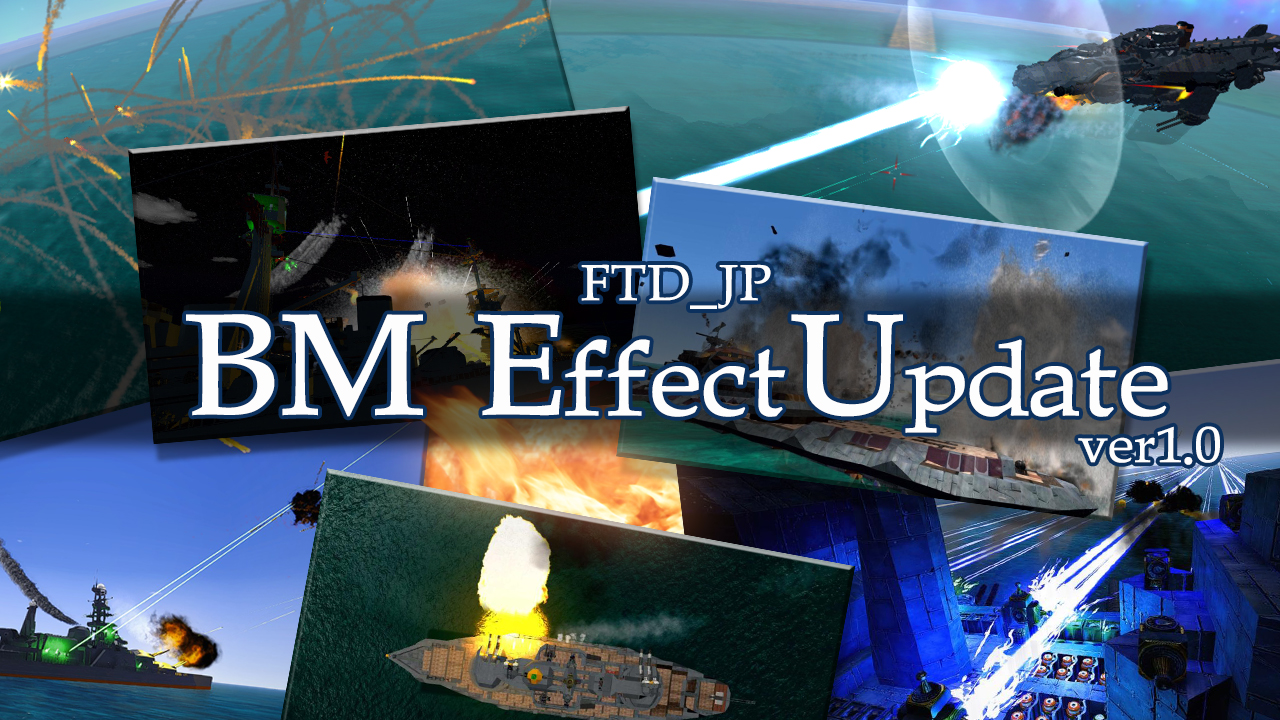
my uploader https://ux.getuploader.com/BeamMan3/download/153 前提mod:ProtecTech Tools エフェクトをやたら派手にします。 それなりに重くなるので注意!! ・他MODとの互換性は保証されていません (上手く動かない時はいったん他のMODを全て外してから試してみてください) 修正されるもの 爆発 マズルフラッシュ 水しぶき レーザー PAC ミサイル ライティング ポストエフェクト(ブルーム、モーションブラー、被写界深度、ヴィネット、色収差) -操作- デザイナーモード時、F2キーでエフェクトオンオフGUI表示 Premise mod:ProtecTech Tools -Compatibility with other MOD is not guaranteed (If it does not work please remove all other mods once and try) Change the effect gaudy. Be careful as it becomes heavy! ! Be modified... Explosion Muzzle flash Splash Laser PAC Missile Lighting PostEffect(Bloom,MotionBlur,DepthOfField,Vignet,chromatic aberration) -operation- F2:Open EffectSettingGUI on DesignerMode original message:gruntmaster1 You might want to include these installation instructions: Workshop instal instructions: - In the main menu press the workshop button to the right. - Press the modding workshop button around the bottom. - Press Install Subscriptions to the left. - Select the BM_EffectUpdate mod (press on the name and description so it gets a black background). - Press the save mod in folder BM_EffectUpdate in the bottom right. - Restart the game so that it loads the files.
📊 Mod Details
- Game
- From The Depths Mods
- Author
- 76561197998658198
- Version
- N/A
- Downloads
- 3,420
- Endorsements
- 0
- Category
- Prefabs, Utility, #mod, Plugin, Materials, Textures
- Created
- 7/22/2017
- Updated
- 3/29/2018
🔧 How to Install From the Depths Mods
Subscribe on Steam Workshop. Mods auto-download and install. Launch the game to activate.
📖 Full step-by-step install guide for From the Depths →
Visit the official mod page for specific installation instructions for this mod.
🎮 Need cheat codes or console commands? Check ur gaming wiki for From the Depths commands, item IDs, and more.
Keep browsing — more From the Depths mods await