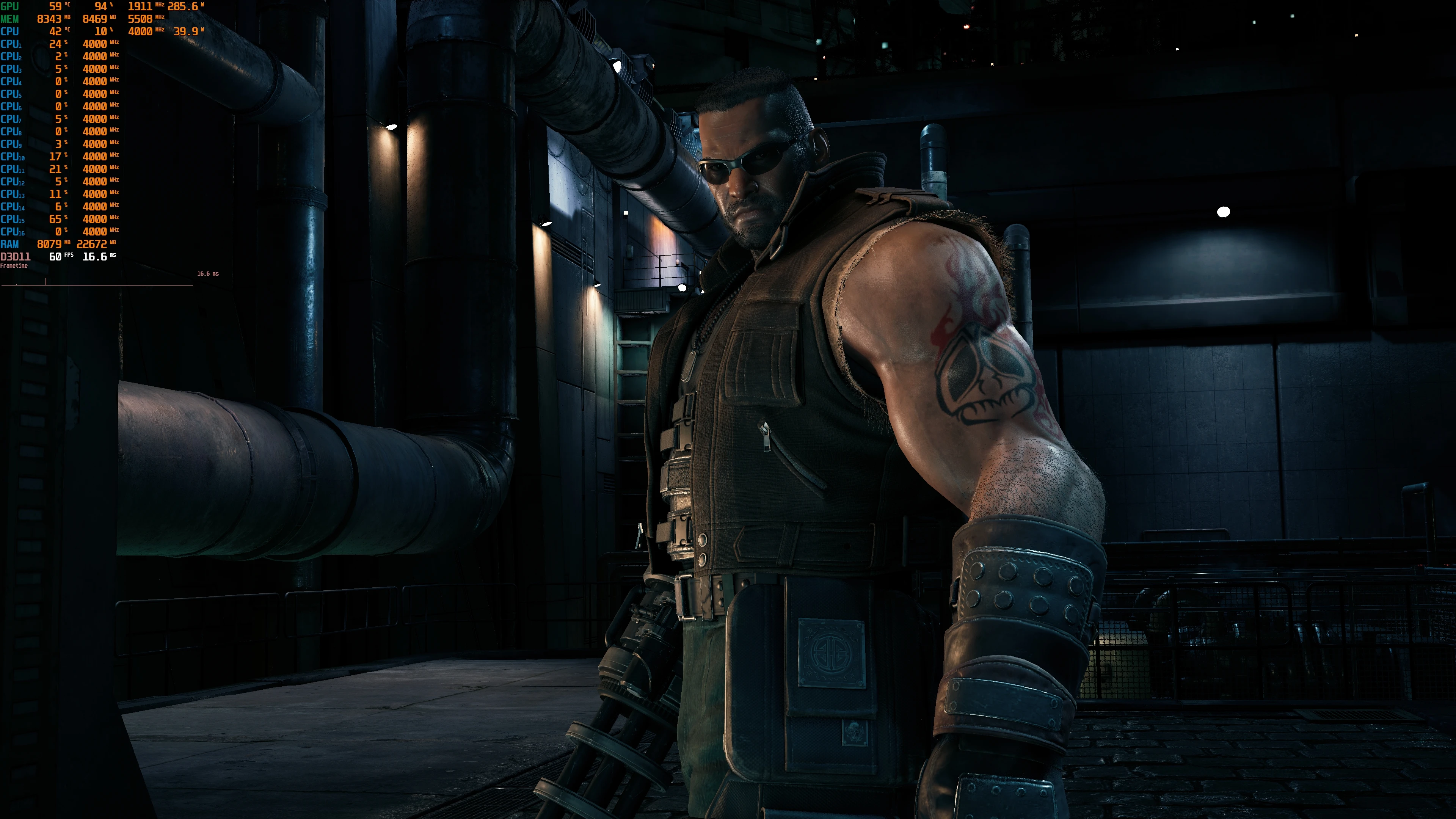
No TAA No DOF No Blur Toggle HUD
⚪ Last updated 2022Preview
🔍 Analysis
- 👍 3.7% endorsement rate — high engagement, a strong quality signal
- 🏆 #20 of 147 Miscellaneous mods in this game by downloads
📋 About This Mod
THIS METHOD IS NOW OBSOLETE
USE THE FFVIIHOOK MOD TO DISABLE BLUR AND DOF AND WHATEVER YOU DESIRE
Create Engine.ini like in the description in FFVIIHOOK mod and paste these settings instead:
r. DynamicRes. MinScreenPercentage=100 ;Sets Minimum Dynamic Resolution Scaling to 100%
r. DynamicRes. OperationMode=0 ;Disables Dynamic Resolution Scaling // 0=off 2=on
r. AntiAliasingQuality=0
r. PostProcessAAQuality=0
r. TemporalAAQuality=0
r. TemporalAASamples=0
r. DefaultFeature. AntiAliasing=0 ;Disable AA
r. DefaultFeature. AntiAliasing=False
r. TonemapperFilm=0
r. TonemapperSharpening=0
r. Tonemapper. GrainQuantization=0 ;Disables film grain
r. Tonemapper. Sharpen=0
r. DefaultFeature. MotionBlur=0
r. DepthOfField. FarBlur=0
r. DepthOfFieldQuality=0
r. FastBlurThreshold = 0. 000000
r. MotionBlur. Amount = 0
r. MotionBlur. Max = 0
r. MotionBlur. Scale = 0. 000000
r. MotionBlurIntensityOverride = 0. 000000
r. MotionBlurLimitationOverride = 0. 000000
r. MotionBlurQuality = 0
r. MotionBlurRestrainOverride = 0. 000000
r. MotionBlurScatter = 0
r. MotionBlurSeparable = 0
r. DOF. Kernel. MaxBackgroundRadius = 0. 0000
r. DOF. Kernel. MaxForegroundRadius = 0. 0000
Uses 3dmigoto to disable a couple of shaders. This is in BETA. It works only in directx11 mode.
How to enable DX11: visit https://www.pcgamingwiki.com/wiki/Final_Fantasy_VII_Remake_Intergrade
Use in conjunction with the No TAA mod to experience FF7 Blur free. The way it's meant to be played.
Extract and dump the files in the correct folder. Disables HUD with F4.
The other toggleable mod has toggles like the following:
F2 -for DOF and Blur cutscenes
F3 -for Movement Blur
F4 -for HUD
This mod for Fallout 4 disables TAA, DOF, and blur in both cutscenes and gameplay, and adds a toggle to hide the HUD with the F4 key. It's a straightforward utility for players who want a cleaner, sharper image and the ability to take unobstructed screenshots.
✨ Key Features
📊 Pros & Cons
✅ Pros
- Simple and effective: one mod handles TAA, DOF, and blur removal.
- HUD toggle is handy for screenshots and immersive play.
- Decent community support with 267 endorsements and 7,212 downloads.
⚠️ Cons
- Last updated in May 2022, so it may not be compatible with the latest game patches.
- Disabling TAA can cause shimmering on distant objects, which might bother some players.
- Potential conflicts with other visual mods that alter post-processing or HUD elements.
For Fallout 4 players who want to remove the default blur and depth of field for a crisper image, and for screenshot enthusiasts who need a quick HUD toggle. Skip if you prefer the cinematic look or rely on TAA to reduce aliasing.
💡 Beginner Tips
- If you're using a mod manager like Vortex, install this mod through the manager to ensure proper load order.
- Test the HUD toggle in different situations (dialogue, combat) to ensure it works as expected.
- If you notice shimmering after disabling TAA, consider pairing with a sharpening mod or ENB.
📊 Mod Details
- Game
- Finalfantasy7remake Mods
- Author
- DisablePP
- Version
- 0.1
- Downloads
- 7,212
- Endorsements
- 267
- Category
- Miscellaneous
- Created
- 12/18/2021
- Updated
- 5/7/2022
🔧 How to Install Final Fantasy VII Remake Mods
Download from Nexus Mods.
📖 Full step-by-step install guide for Final Fantasy VII Remake →
Visit the official mod page for specific installation instructions for this mod.
🎮 Need cheat codes or console commands? Check ur gaming wiki for Final Fantasy VII Remake commands, item IDs, and more.
Keep browsing — more Final Fantasy VII Remake mods await