Wolf's Gravestone
⚪ Last updated 2022Preview
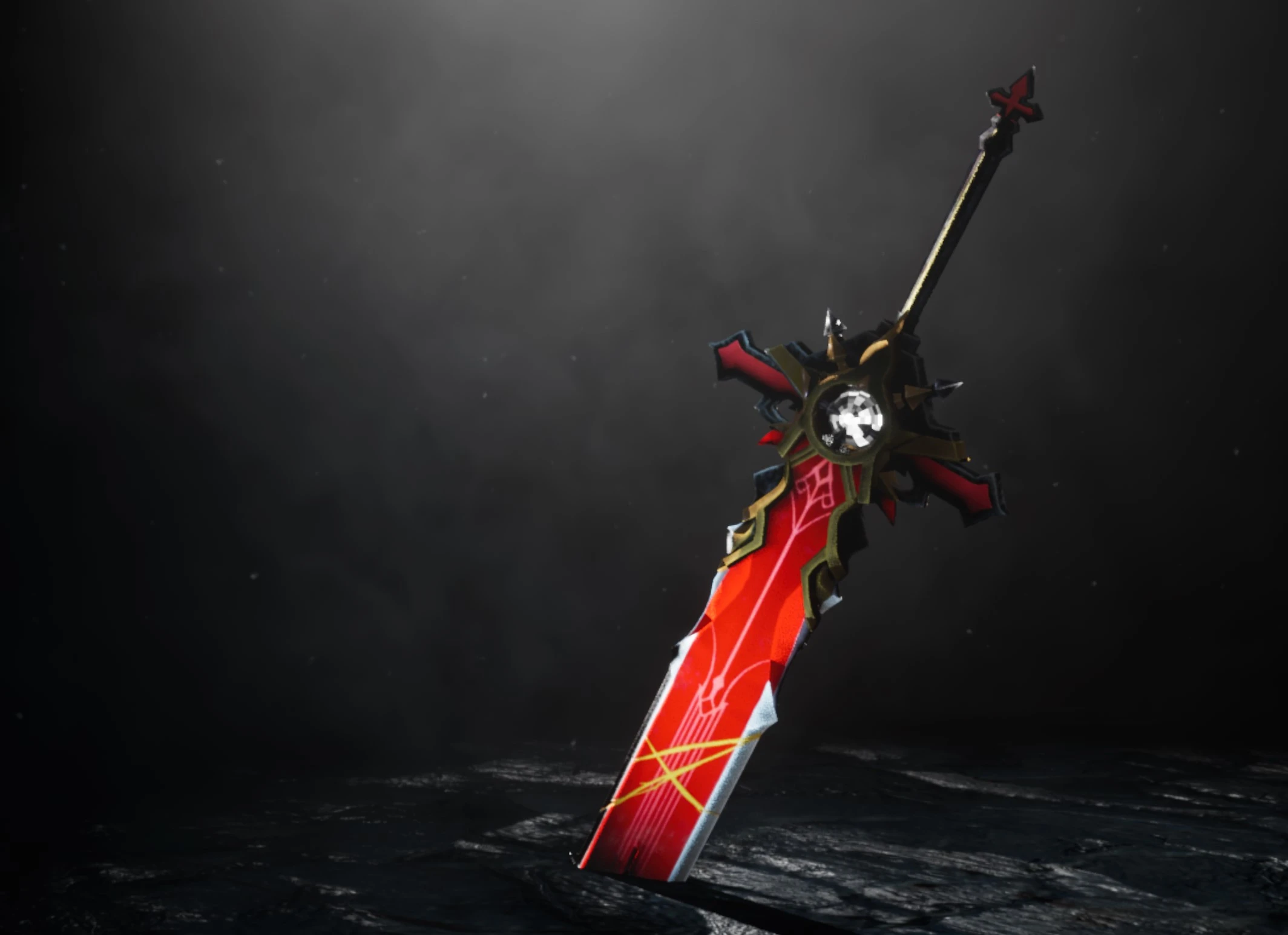
🔍 Analysis
- 👍 4.3% endorsement rate — high engagement, a strong quality signal
- 🏆 #37 of 197 Weapons mods in this game by downloads
📋 About This Mod
Replaces Cloud Sword with Genshin Impact Wolf's Gravestone; Replace Purple Materia Color With Red Color.
Requires 3DMigoto!
Thanks especially to Narknon, realguilty, TerryXX and kso10 at the FF7ROpen server for the guidance that made
this and many other in-development projects possible.
This model was created by Le Ryan on sketchfab.
Here the link to the model: https://sketchfab.com/3d-models/genshin-impact-wolfs-gravestone-e71a938e02904b14abace9ce10078711
I have edited the 3D file and the textures to import them correctly.
0. Important: how to replace the sword and materials of this mod with the desired sword
In the mod folder among the various documents there are the .ini and .txt documents
In the Weapons Index.txt file you will find the hash codes of the weapons and the index count
This Mod by default replaces the IronBlade sword, if you want to replace a different one You must:
- Replace the file .txt hash code of the sword you want to replace in the file .ini hash code of the sections: and
- Replace file .ini match_first_index of the section with the file .txt index count of the desired sword
For example: if we want the Mod instead of the Buster Sword you have to :
Replace the Hash code 3432d555 with c0853a7c
Replacr match_first_index 22878 with the index count 21858
1. Download: https://www.nexusmods.com/finalfantasy7remake/mods/74
Extract file (xinput1_3.dll) to "Final Fantasy VII Remake Intergrade\End\Binaries\Win64"
Extract file (Engine.ini) to "Documents\My Games\FINAL FANTASY VII REMAKE\Saved\Config\WindowsNoEditor\"
Create the folder above if it does not exist (WindowsNoEditor).
2. Download: https://www.nexusmods.com/finalfantasy7remake/mods/99
Extract files in (BaseMod) to "Final Fantasy VII Remake Intergrade\End\Binaries\Win64"
3. Download: This Mod
Extract folder to "Final Fantasy VII Remake Intergrade\End\Binaries\Win64\Mods"
3. 5. Run the game in dx11 mode. (Add -dx11 to the Additional Command Line Arguments option on the Epic Launcher.)
4. This Sword should appear as soon as you equip it. F10 to
refresh/reload just in case. If you don't see a help menu when pressing
F1, then your 3DMigoto install was done incorrectly.
5. i have adjust the code for match the mod with others weapon mod.
📊 Mod Details
- Game
- Ff7 Remake Mods
- Author
- Miha8934
- Version
- 1.0
- Downloads
- 3,062
- Endorsements
- 132
- Category
- Weapons
- Created
- 2/13/2022
- Updated
- 3/9/2022
🔧 How to Install FF7 Remake Mods
Use FFVIIHook.
📖 Full step-by-step install guide for FF7 Remake →
Visit the official mod page for specific installation instructions for this mod.
🎮 Need cheat codes or console commands? Check ur gaming wiki for FF7 Remake commands, item IDs, and more.
Keep browsing — more FF7 Remake mods await