Spring in Appalachia 2026
🟡 Updated this yearPreview
🔍 Analysis
- 👍 2.3% endorsement rate — high engagement, a strong quality signal
- 🏆 #5 of 12 Environment mods in this game by downloads
📋 About This Mod
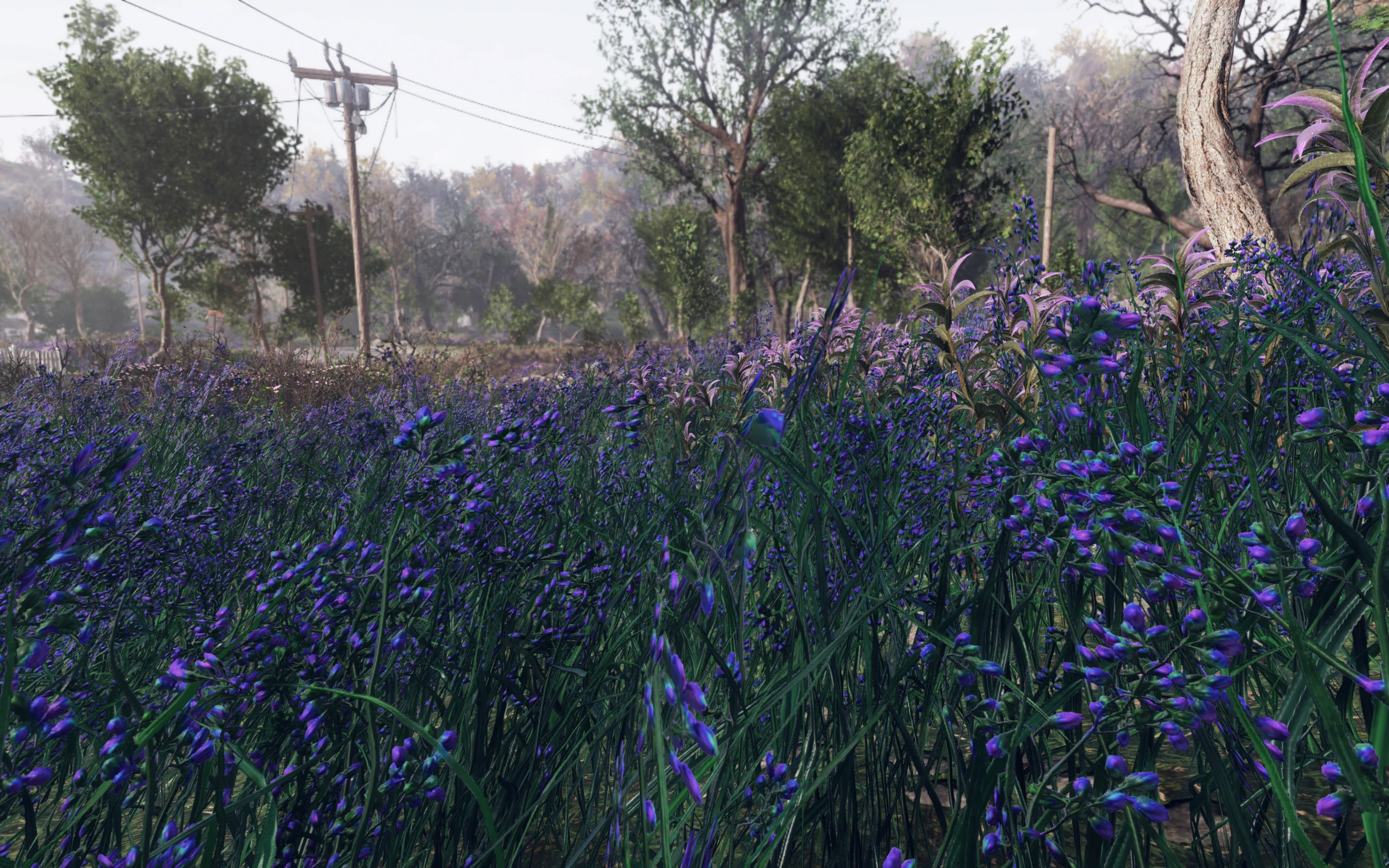
Let there be fresh leaves and flowers! New and massively improved version of Spring in Appalachia made in collaboration with its author, Krythar.
This is a total-conversion mod that turns the scenery of Appalachia (and Ohio to some extent) into flourishing spring/summer with lots of green grass, leaves and colorful flowers! Much more pleasing to the eye than the original mostly red/yellow autumn color scheme, it reduces strain on your eyes and adds to serene atmosphere of adventures in the wilds!
Installation
1. Extract the ba2 files from the main archive you've downloaded to your Fallout76/Data folder.
2. Check whether you've got the Fallout76Custom.ini file under Documents/My Games/Fallout 76 folder, and if not, create it.
2a. If you've just created the .ini file, you need to open it and input this string in it:
3. Find sResourceArchive2List = line under the section of your Fallout76Custom.ini or type it down if there is no such line.
4. Add " ,SiA_M.ba2 , SiA.ba2" to the end of the sResourceArchive2List line.
Read the following only if you want the reshade.
5. If you're installing the Reshade, please check if you use the SFE mod. If you do (because you probably use other awesome mods like Perk Loadout Manager or Text Chat), you will need to follow the next few steps in order to avoid compatibility issues.
5a. Install Reshade software according to this video-tutorial on how to install and use Reshade. .
5b. Rename dxgi.dll in the Fallout76 root folder (that file comes with the Reshade) to d3d11.dll - Reshade will still recognize it just fine.
5c. Reinstall SFE - it will have its own version of dxgi.dll in your game's folder now. This way both of the utilities will work alongside each other.
5d. Extract reshade SiA.ini file to your game directory.
5e. Activate SiA.ini in the reshade settings overlay while in game.
As this mod includes a lot of green grass with colorful flowers, it is highly recommended to turn the grass on and even crank up its quantity to the max if your rig can handle it. For instance, I'm playing with the following setting in my Fallout76Custom.ini:
bAllowCreateGrass=1
iMinGrassSize = 10
Technical Note: as of now, we can't make LOD to work properly, so it might lead to some immersion-breaking issues with trees and rocks in the distance being different from what you'll see up close. We just don't have the tools for this game to make it possible. We apologize for the inconvenience, but all we can do now is wait for Bethesda to implement full mod support.
This mod was originally created by Krythar and reworked in collaboration with me, Rigell.
Special thanks to napoleonofthestump and Wessberg for their awesome high resolution assets we partially used while creating this mod! You rock, guys!
If you liked this mod, please click the "Endorse" button and also check out my other mods:
Global mods:
Winter in Appalachia - turn your wasteland into winter wonderland!
Spring in Appalachia - global-conversion spring/summer mod!
Summer in Appalachia - Appalachian Tropical Jungle - turn your game into a sprawling jungle/dry desert!
Appalachia Restored - lets you explore pre-war Appalachia, where everything is clean and pristine!
Appalachia Decorated - Festive Lights - Street Lighting - Lit Billboards - add some holiday cheer to the wasteland with this mod!
Subtle Snow Weather - removes the snowflakes from weather machines completely or makes them smaller
📊 Mod Details
- Game
- Fallout76 Mods
- Author
- Rigell and Krythar
- Version
- 2.1.1
- Downloads
- 15,283
- Endorsements
- 357
- Category
- Environment
- Created
- 10/11/2022
- Updated
- 12/25/2025
🔧 How to Install Fallout76 Mods
Download from Nexus Mods.
📖 Full step-by-step install guide for Fallout76 →
Visit the official mod page for specific installation instructions for this mod.
🎮 Need cheat codes or console commands? Check ur gaming wiki for Fallout76 commands, item IDs, and more.
Keep browsing — more Fallout76 mods await