Outcast Banner Restoration and Graffiti Consistency Fix
⚪ Last updated 2024Preview
🔍 Analysis
- 👍 5.6% endorsement rate — high engagement, a strong quality signal
- 🏆 #27 of 243 Models and Textures mods in this game by downloads
📋 About This Mod
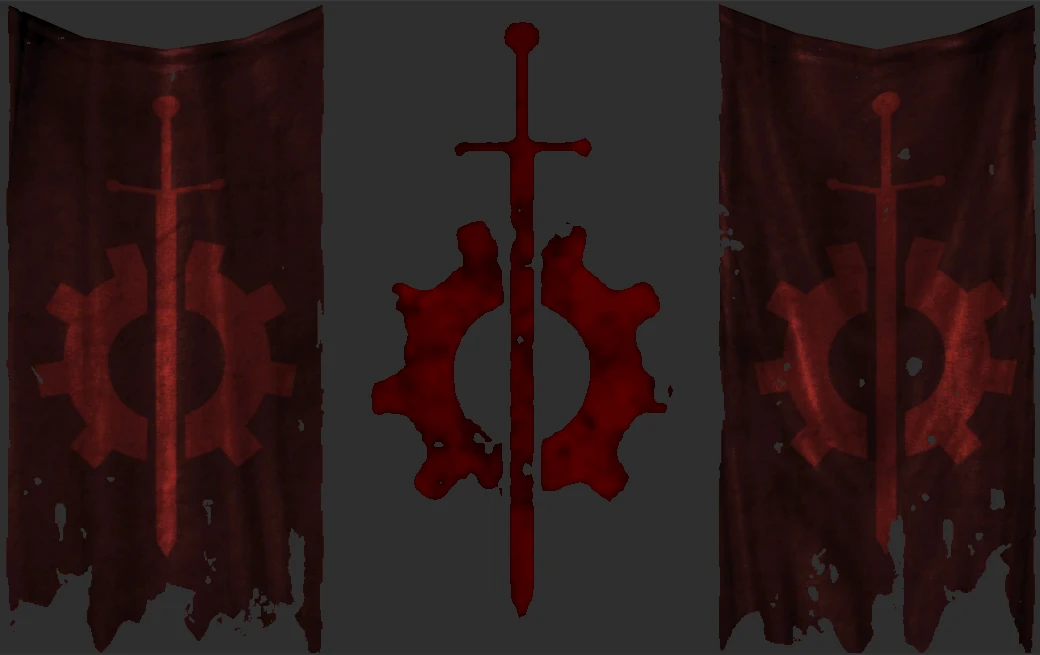
Restores the cut Outcasts banner and fixes the Anchorage Outcast graffiti symbol to feature the actual Outcasts logo.
The recolored BoS logo for the cut Outcast symbol in the Anchorage DLC really irked me, so I replaced it with the Outcast Power Armor decal which fit surprisingly well. I then recolored the cloth drapes and slapped the Outcasts logo on it to make some banners to go along with it.
Added the banners at the entrance of Fort Independence and the graffiti at the entrance of Bailey's Crossing.
Completely open perms, can be used as a modder's resource.
The banner texture is uncompressed because when I compressed it there were some really bad compression artifacts. So the texture file is like 3mb instead of 300kb.
INSTALL/UNINSTALL
To do it manually, add OutcastSigns.esp to your Data folder, dlcanchoutcastsymbol01.nif to your Data\Meshes\DLCAnch\Clutter\Signs folder and outcastbanner.dds to your Data\Textures\Clutter\Signs folder. Remove the files to uninstall.
Alternatively, you can use a mod manager.
REQUIREMENTS
- Operation Anchorage
MY OTHER MODS
📊 Mod Details
- Game
- Fallout3 Mods
- Author
- CarlZee
- Version
- 1.0
- Downloads
- 744
- Endorsements
- 42
- Category
- Models and Textures
- Created
- 2/8/2024
- Updated
- 2/8/2024
🔧 How to Install Fallout 3 Mods
Download from Nexus Mods.
📖 Full step-by-step install guide for Fallout 3 →
Visit the official mod page for specific installation instructions for this mod.
🎮 Need cheat codes or console commands? Check ur gaming wiki for Fallout 3 commands, item IDs, and more.
Keep browsing — more Fallout 3 mods await