Optimized Container Background Texture
⚪ Last updated 2021Preview
🔍 Analysis
- 👍 7.9% endorsement rate — high engagement, a strong quality signal
📋 About This Mod
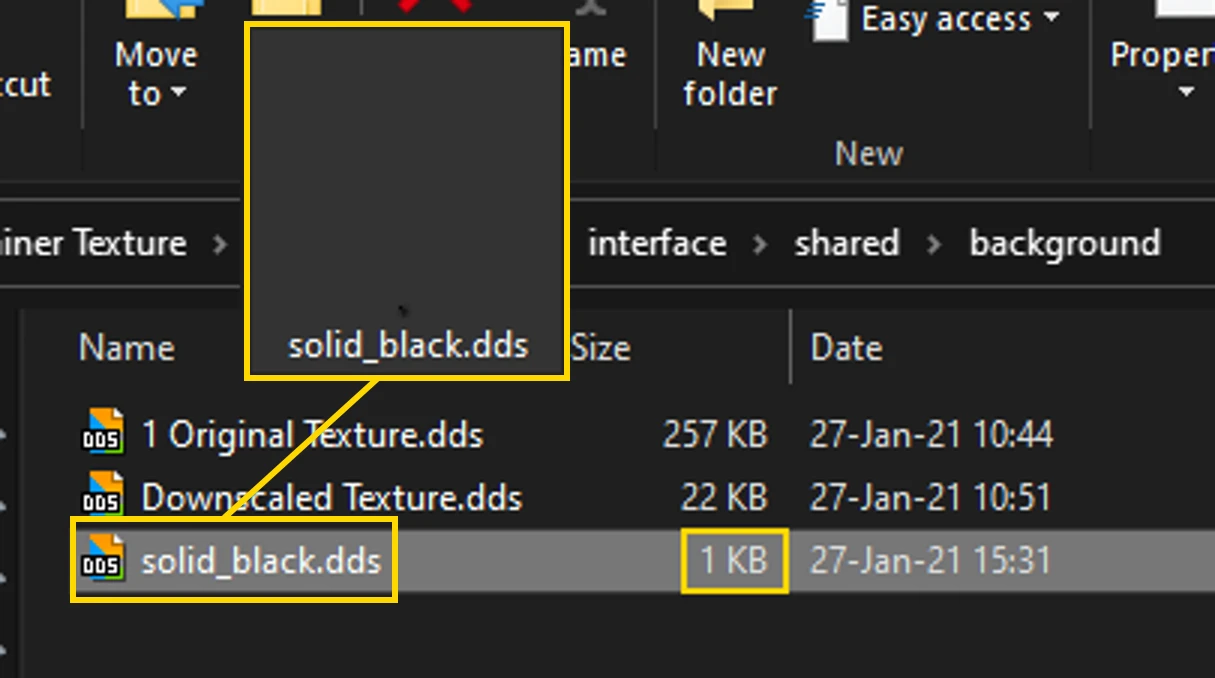
Downscaled container background texture from 257kb to 22kb, to reduce opening menu delay with no noticable quality difference.
If you haven't already, go ahead and try this FOSE plugin: Loot Menu It will make looting multiple containers less of a hassle, you should
still install this mod if you have a delay when opening containers tho since it makes the menu more 'snapier'.
Update: I was curious and messed around with the texture a bit more, and have finally done it, a single pixel texture XD I didn't really notice any noticable improvement over the downscaled texture, maybe a little bit snapier, but I do like the cool grayscale color theme I have going on. Since it modifies a shared background texture, this will also affect other menus like mesage boxes and trading.
This mod basically replaces the default 1024x256 256kb container background texture with a smaller 256x64 22kb image. The reason I did this is because opening a container takes about 2 to 3 full freaking seconds, when you have a huge inventory...
Found the cause: Having a huge inventory with hundreds (or thousands) of items...
My solution to this (sorry for all the commas lol) If like me, you can't be bothered to micro manage your weight all the time so you use a bigger inventory cheat mod like the AWOP 4D storage device, you'll inevitably end up with huge inventory... So it's best to every now and then delete all of your unwanted items to prevent crashing and lag from the engine not being able to handle so many items.
For example, whenever a quest strips all of your gear, and you have an enormous inventory, IT WILL CRASH...
So it's best to only stick with what you need and not hoard all of those laser pistols you'll never use <_<
First save your game because moving many items tends to cause CTDs, then transfer all your unwanted items to any empty container, spamming enter on unstacked items is fast but for stacked items, there's a mod that when you shift click a stack of items it moves them all without prompting for how many to move but I don't recall what mod adds this, might be stewie tweaks not sure. Anyways you might want to make a quicksave in between every few hundred items you move in case of CTDs so you don't have to start all over.
Once you've managed your inventory, make another save or quicksave then open the console command with ~ click on the container you transfered all your junk to and use the removeallitems command on the container to delete all the junk in the container. You might CTD the first time of doing this so load back up your quicksave and try again, this time hopefully it deletes the junk without crashing, if not you'll have to reduce the amount of items in the container, quick save and try again.
You should now have a snapier inventory.
IMO This is better than exlusively getting rid of stuff by trading since although you do get caps, it's a slower proces
📊 Mod Details
- Game
- Fallout3 Mods
- Author
- dc - dont care
- Version
- 1.0
- Downloads
- 856
- Endorsements
- 68
- Category
- Performance
- Created
- 1/27/2021
- Updated
- 1/27/2021
🔧 How to Install Fallout 3 Mods
Download from Nexus Mods.
📖 Full step-by-step install guide for Fallout 3 →
Visit the official mod page for specific installation instructions for this mod.
🎮 Need cheat codes or console commands? Check ur gaming wiki for Fallout 3 commands, item IDs, and more.
Keep browsing — more Fallout 3 mods await