DDD ENB - Bleak Cinematic Apocalyptia
⚪ Last updated 2013Preview
🔍 Analysis
- 👍 3.6% endorsement rate — high engagement, a strong quality signal
- 🏆 #6 of 12 ENB Preset mods in this game by downloads
📋 About This Mod
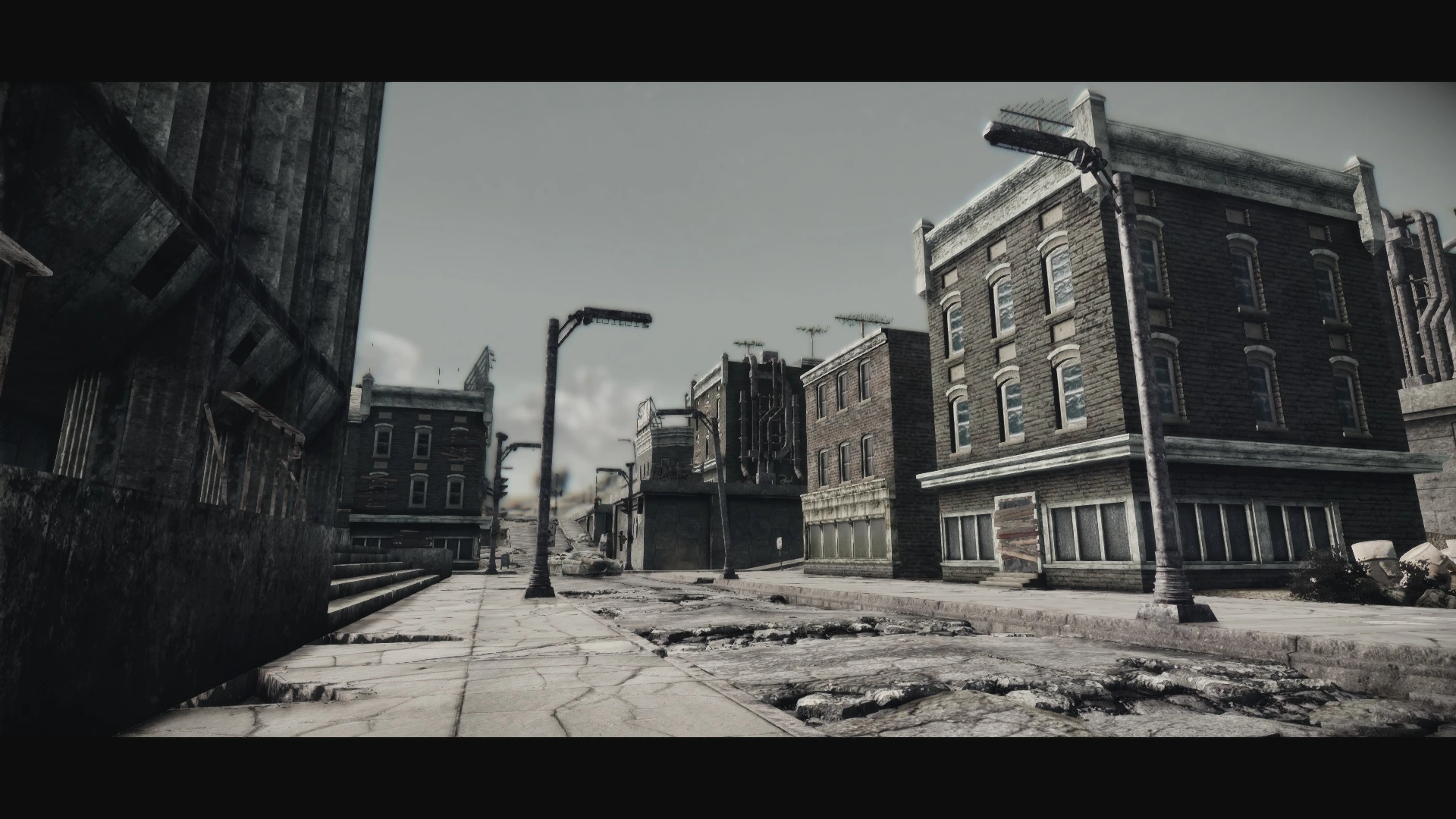
A bleak, cinematic and ultimately depressing ENB Series config.
The link for the . 232 ENB binary has been taken down. Try using . 237 instead from here: LINK -NEWS- Major update coming very soon... I\'ll release it as soon as I\'m happy with it! - - - - - Uploaded optional \"Extra Effects Plugin\" that will apply some extra edge AA(although fake) and enable motion blur. All implemented via an in-game image space modifier so it will work alone, if you so wish. - - - - - Uploaded a new, alternative palette with slightly more contrast and less colour-grading. Example pics available in the images tab. - - - - - Oh, hai thar! I\'m not really one for fancy/loud/flashy description pages with a bazillion pictures, so I\'ll try to keep this simple. If you want pics, there is a tab hosting plenty of them... This here is my ENB config for fallout 3. Appropriate words to describe it would be as follows: - Cinematic - Bleak - Depressing - Heavy - Gritty A big thank you to ncrvet for the video! lbrgGFuz5sY Effects added by my ENB Series config include - Tonemapping/colour-grading via custom colour palette - Ambient occlusion - Bokeh Depth of Field - Lens dirt via custom texture - Hexagonal lens flare via custom texture - Vignette(darkening of screen corners) - Subtle image sharpening - Panoramic view(black bars at top and bottom of the screen) - Drastic changes to scene lighting and the sky! - Motion blur via an optional plugin file If you wish to use my ENB config, you will need to follow this installation process 1) Visit this page to download the v0. 232 ENB Series : LINK 2) Place all files plus the \"enbseries\" folder from the \"Wrapper\" version into your Fallout 3 root directory. They should be placed in the same folder as your fallout 3 executables, not your \"Data\" folder as with most other mods. 3) Download my files and install over the top of what you downloaded and installed in step 1 and 2, overwriting the files when asked. 4) Navigate to and make a backup of the \"RendererInfo.txt\" file. Now delete it. 5) Launch Falout 3 via the official Bethesda launcher. Don\'t launch the game or FOSE, you need Fallout 3 to create a new RendererInfo.txt. 6) Check your graphics options and screen resolution as everything may be reset to default. When changing your settings, be aware of the following: - You must have HDR enabled. - You must turn off or set to minimum the options for \"Antialiasing\" and \"Anisotropic Filtering\" - You must click on advanced and disable or set to minimum the options for \"Water Displacement\" and \"Water Multisampling\" found under the \"Water\" tab. - You must disable the option for \"Transparency Mul
📊 Mod Details
- Game
- Fallout3 Mods
- Author
- TheDDDee
- Version
- 1.0
- Downloads
- 11,433
- Endorsements
- 408
- Category
- ENB Preset
- Created
- 11/2/2013
- Updated
- 11/4/2013
🔧 How to Install Fallout 3 Mods
Download from Nexus Mods.
📖 Full step-by-step install guide for Fallout 3 →
Visit the official mod page for specific installation instructions for this mod.
🎮 Need cheat codes or console commands? Check ur gaming wiki for Fallout 3 commands, item IDs, and more.
Keep browsing — more Fallout 3 mods await