A Familiar Friend - The Pip-Boy 2500 - Handheld Pipboy
⚪ Last updated 2013Preview
🔍 Analysis
- 👍 3.5% endorsement rate — high engagement, a strong quality signal
- 🏆 #13 of 217 Miscellaneous mods in this game by downloads
📋 About This Mod
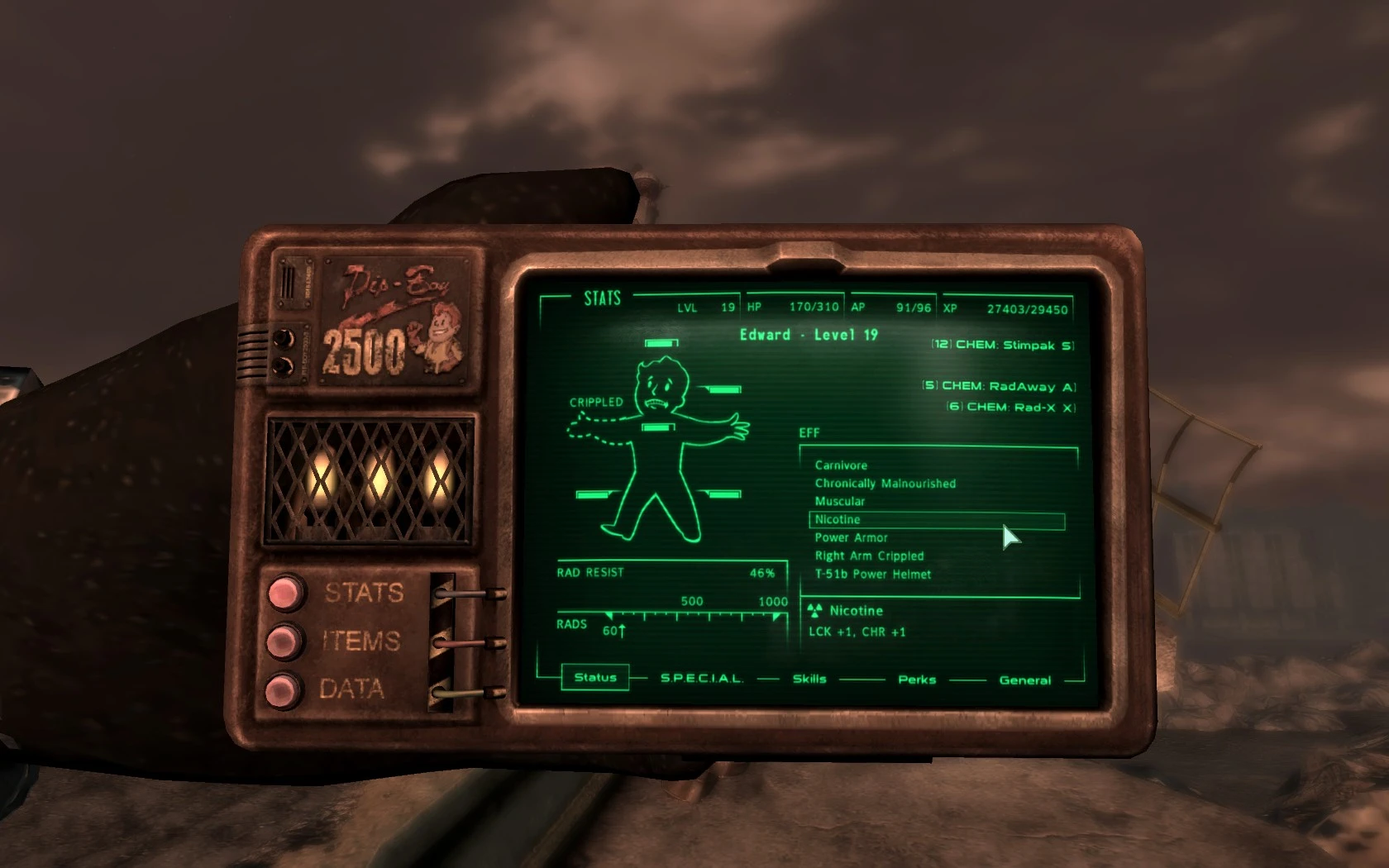
The successor of the rugged Pip-Boy 2000 (as seen in Fallout 1 & 2) and the predecessor to the more recent arm-mounted Pip-Boy 3000. This is the Pip-Boy 2500.
Are you a classic Fallout fan? Or do you just want a change of scenery when you press your personal information processor to your face? No matter the reason, you owe it to yourself to try the Pip-Boy 2500 today! This is the Pip-Boy 2500, the successor of the rugged Pip-Boy 2000 and the predecessor to the more recent Pip-Boy 3000. This mod will replace your arm-mounted Pip-Boy 3000 with the handheld Pip-Boy 2500 and will also remove the 3000\'s accompanying glove. The Pip-Boy 2500 was designed with a larger and wider screen than the 2000\'s. The new screen also utilizes advanced \'touch screen\' technology for simpler navigation. The 2500, unlike the 3000, operates using a series of (visible) vacuum tubes and boasts a more classic design. The multitude of buttons on the Pip-Boy 2000 were condensed into 3 buttons, each of which house 5 sub-sections for neater navigation. This interface was carried over to the latest Pip-Boy 3000 unit. INSTALLATION The latest version of Fallout Script Extender is required for the Pip-Boy 2500 to operate! Installing from a clean slate with the Nexus Mod Manager: 1. Start the Nexus Mod Manager. 2. Download the file and install/enable it in the Mod Manager. 3. Load your game. 4. To make any changes to your Pip-Boy, you may access the configuration menu by holding your \'B\' key (by default). If you want to change the bind, hold down the \'B\' key until the options menu appears. Keep in mind that you can only activate and deactivate your Pip-Boy light using your desired binded key now. If the Pip-Boy has trouble showing up, enter the command player.equipitem 15038 into your console. UNINSTALLATION You must follow these instructions exactly, or your Pip-Boy may become glitched! 1. Use the in-game tool to uninstall. Quick-save and quit the game. Uninstall the mod in your mod manager, this should remove the . ESP and the animation files (. KF). 2. Start the game again and confirm that the Pip-Boy 3000 and your original wrist-look animations have returned. If so, skip to step 4. If not, continue on to step 3. 3. If your original Pip-Boy wrist look animations have not returned, do NOT save, quit the game, and manually delete following folders and files: textures\\pipboy2500 meshes\\pipboy2500 meshes\\characters\\_1stperson\\locomotion\\female\\pipboyfemale.kf meshes\\characters\\_1stperson\\locomotion\\male\\pipboy.kf Upon loading the game again, if the actual Pip-Boy 3000 is not visible on your wrist, try typing player.additem 00015038 into the console. Then, type player.equipitem 00015038 to equip the Pip-Boy 3000. 4. If everything is fine, make another quick-save (or full save) and restart the g
📊 Mod Details
- Game
- Fallout3 Mods
- Author
- EdisLeado
- Version
- 2
- Downloads
- 118,533
- Endorsements
- 4,111
- Category
- Miscellaneous
- Created
- 10/2/2011
- Updated
- 5/8/2013
🔧 How to Install Fallout 3 Mods
Download from Nexus Mods.
📖 Full step-by-step install guide for Fallout 3 →
Visit the official mod page for specific installation instructions for this mod.
🎮 Need cheat codes or console commands? Check ur gaming wiki for Fallout 3 commands, item IDs, and more.
Keep browsing — more Fallout 3 mods await