ULTRA LOW GRAPHICS FALLOUT 76 PEPPERLOW
⚪ Last updated 2020Preview
🔍 Analysis
- 👍 3.6% endorsement rate — high engagement, a strong quality signal
- 🏆 #17 of 24 Gameplay Effects and Changes mods in this game by downloads
📋 About This Mod
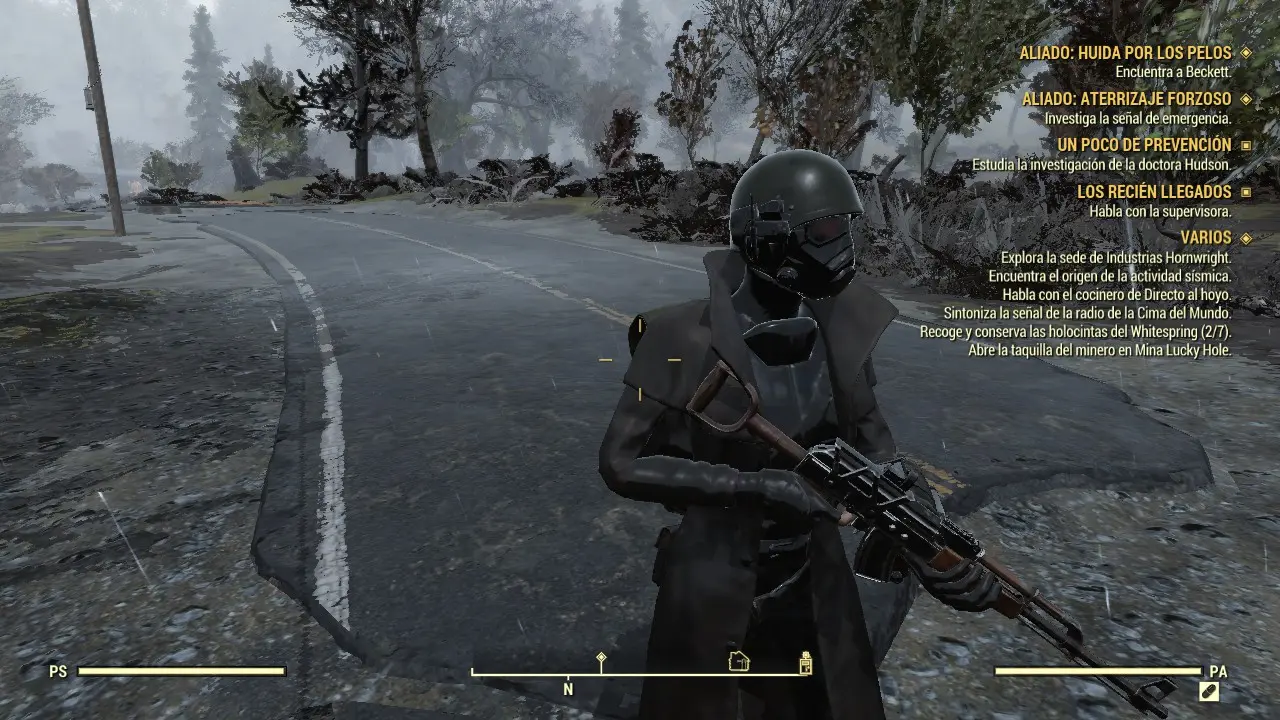
This mod will make FO76 optimized for low-resource PCs
a way to improve the player experience and gameplay
-LOW SHADOW
-LOW DISTANCE SHADOWS
-MEDIUM DISTANCE TREES
-NO FRAME RATE
-NO OCLUSSION AMBIENTAL
-ULTRA LOW TEXTURES
-RESOLUTION CUSTOM: 1024x600
A performance mod for Fallout 76 that strips out grass, shadows, and environmental occlusion while forcing ultra-low textures and a 1024x600 resolution to make the game playable on low-resource PCs. It has 146 endorsements and 4,019 downloads, last updated in May 2020.
✨ Key Features
📊 Pros & Cons
✅ Pros
- Community-tested for low-end rigs (146 endorsements, 4,019 downloads)
- Simple tweaks that can dramatically boost FPS on weak hardware
- No extra dependencies or complex setup required
⚠️ Cons
- Last updated in 2020 — may not work with current game patches
- Forces a very low resolution (1024x600) which can look blurry on modern monitors
- Disables ambient occlusion and shadows, making the game look flat and washed out
For Fallout 76 players with potato PCs who just want the game to run smoothly, even if it looks like a PS2 game. Skip if you have a decent rig or care about visual fidelity — this mod guts the graphics hard.
💡 Beginner Tips
- Make sure to disable the in-game frame rate cap as well, since this mod removes it but the game might re-enable it.
- If the game looks too blurry, try raising the resolution slightly in the INI file — but keep it low if you're struggling with FPS.
- Since this mod was last updated in 2020, test it after a game update; if it breaks, check for a newer performance mod.
📊 Mod Details
- Game
- Fallout 76 Mods
- Author
- LittlePepper
- Version
- 1.0
- Downloads
- 4,019
- Endorsements
- 146
- Category
- Gameplay Effects and Changes
- Created
- 5/11/2020
- Updated
- 5/11/2020
🔧 How to Install Fallout 76 Mods
Use Vortex. Place .ba2 files in Data folder. Use cautiously online.
📖 Full step-by-step install guide for Fallout 76 →
Visit the official mod page for specific installation instructions for this mod.
🎮 Need cheat codes or console commands? Check ur gaming wiki for Fallout 76 commands, item IDs, and more.
Keep browsing — more Fallout 76 mods await