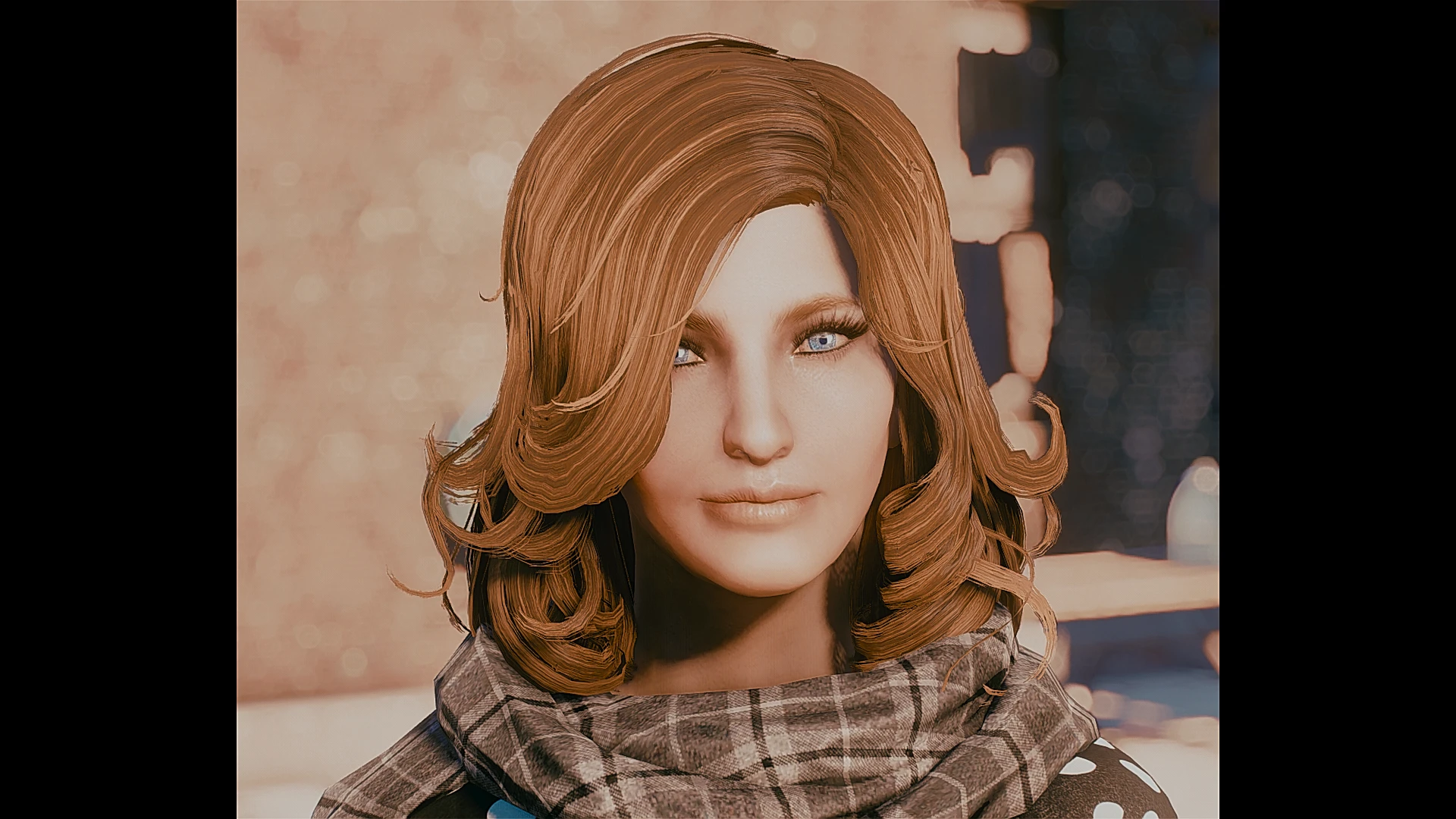
Younger Desdemona - Character preset
⚪ Last updated 2018⚠️ Install Order · 2 steps
Install in this order, then this mod last — most mods fail to load without their framework and dependencies in place.
Preview
🔍 Analysis
- 👍 6.5% endorsement rate — high engagement, a strong quality signal
- 🏆 #95 of 151 Character Presets mods in this game by downloads
📋 About This Mod
This is a Desdemona preset, you will need several mods, their link is in the description below.
I find base Desdemona attractive, and i wanted to work on her since i learned we could relook NPCs.
Desdemona is a special case, as her and every Railroad member can't be relooked because their base character is using a generated face (which is a stupid move, considering their faces are uniques and not randomly generated like unnamed NPCs).
Because of this, Desdemona and the other couldn't be customized, unless you were doing this in the CK, but it's way too long and unrewarding when you can do it ingame with every mod you have.
So, i will give you the list of every mod you will need to reproduce that preset, and i will suggest you one of my mods, where i have modified Desdemona in order to allow her to be modified ingame, of course, if you already have a mod who does the same thing, that's good too.
And OF COURSE: you are not forced to use that preset on Desdemona after all !
So, you need:
Valkyr Female Face and Body Textures (take the version 1. 1; but i guess the other versions are also working)
LooksMenu (You need it for having access to the preset menu, but you already know that)
Looks Menu Customization
Commonwealth Cuts
Real Magic Eyes
People have a name (This is the mod who can allow you to relook Desdemona, you can ignore it if you already have another mod who does the same thing)
You also need Fallout 4 script extended, also known as F4SE.
For installing the preset, (and if you don't know how to do), do the following:
--> Open your Fallout 4 folder.
--> Open the Data folder.
--> Open the F4SE folder.
--> Open the Plugins folder.
--> Open the F4EE folder.
--> Find the Presets folder; if you don't have a Presets folder, then create it.
--> Open the Presets folder, and drop the preset inside.
If everything is done properly, then the preset should appear in game.
📊 Mod Details
- Game
- Fallout 4 Mods
- Author
- Clanggedin
- Version
- 1
- Downloads
- 1,241
- Endorsements
- 81
- Category
- Character Presets
- Created
- 7/12/2018
- Updated
- 7/12/2018
🔧 How to Install Fallout 4 Mods
Download from Nexus.
📖 Full step-by-step install guide for Fallout 4 →
Visit the official mod page for specific installation instructions for this mod.
🎮 Need cheat codes or console commands? Check ur gaming wiki for Fallout 4 commands, item IDs, and more.
Keep browsing — more Fallout 4 mods await