Wasteland 512 Textures Reloaded
⚪ Last updated 2016⚠️ Install Order · 2 steps
Install in this order, then this mod last — most mods fail to load without their framework and dependencies in place.
Preview
🔍 Analysis
- 👍 0.9% endorsement rate
- 🏆 #25 of 271 Models and Textures mods in this game by downloads
📋 About This Mod
Updates
June 1, 2016
Far Harbor DLC re-textures package is available now.
May 11, 2016
Updated packages that now include Decals, Effects, Gore and Shared texture categories. Also the glowmaps, environment masks, space normal maps and haze maps are included.
Mey 7, 2016
Each new re-texture package represents every Vanilla Texture Package. The re-textures packages are organized in other manner now with the purpose to repack the Vanilla files with these retextures in order to save quite much HDD space in the future.
These new packages are loose files, so there are not complicated methods involved.
The re-texture packages for the DLC, Automatron and Wasteland Workshop, are available now aswell.
Content
Most of Vanilla textures were optimized and resized to 512 pixels to increase performance. The texture categories that were optimized and resized are:
- []Actors. []Ammo. []Architectures. []Armor. []Blood. []Clothes. []Critters. []Gobo. []Interiors. []Landscape. []Props. []Setdressing []Sky. []Traps []Vehicles. []Water.
- Weapons.
Details
Architecture handles airports, buildings, bankers, capsules, cities, shacks and warehouses. Interiors handle buildings, caves, hightech and industrial facilities, institute. submarine and vaults. Landscape hanldes: cliffs, grass, ground, plants, roads, rocks, trees and water (some). Props handles junk and some furnitures. Sky handles clouds,
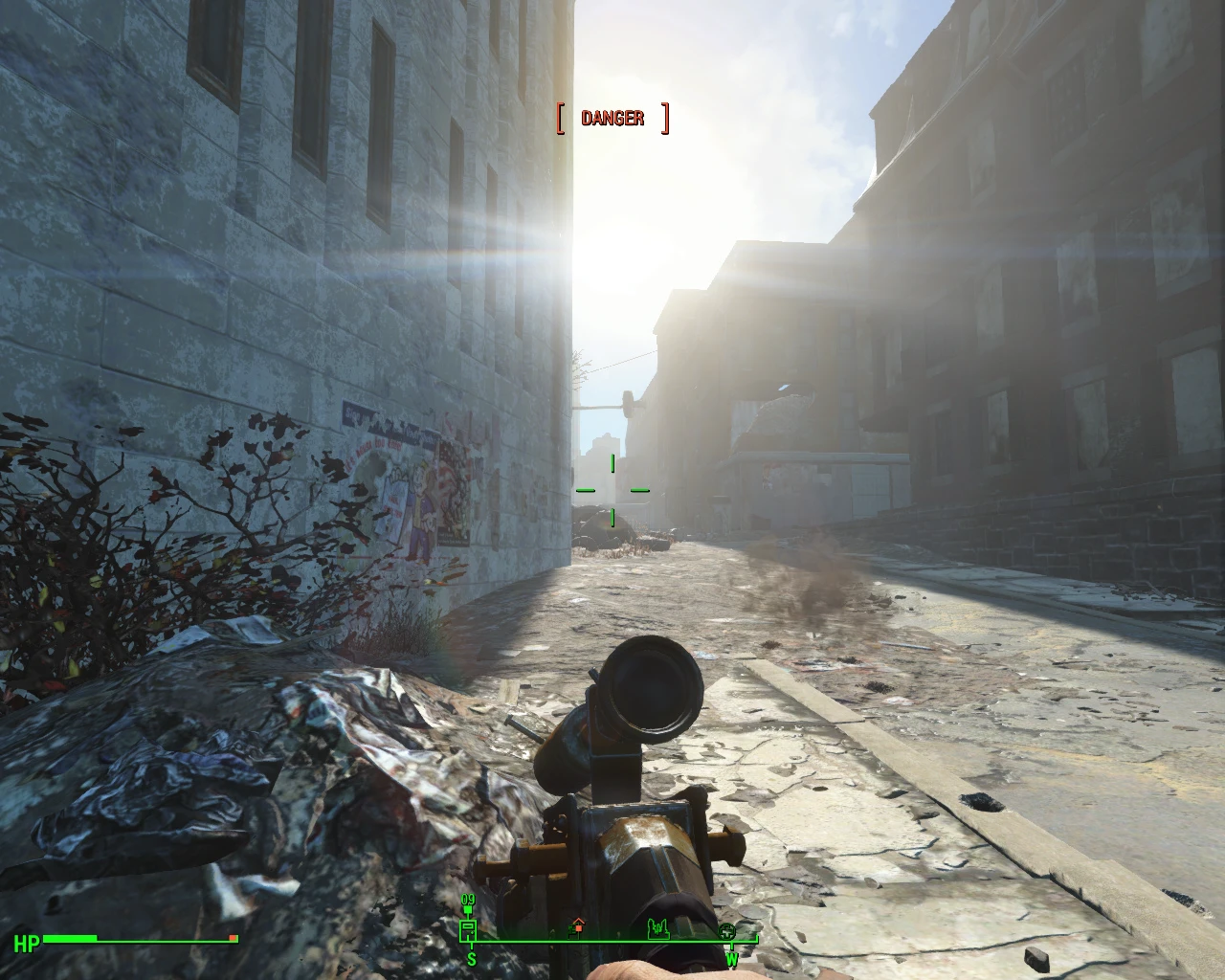
Wasteland 512 Textures Reloaded optimizes and resizes most vanilla Fallout 4 textures to 512px (with some ranging from 128px to 1024px) to boost performance. It covers the base game and the Automatron, Wasteland Workshop, and Far Harbor DLCs. A popular performance mod with nearly 10k endorsements.
✨ Key Features
📊 Pros & Cons
✅ Pros
- Huge community trust (9,882 endorsements) and over a million downloads.
- Covers all major DLCs, so you get consistent performance across the whole game.
- Simple texture optimization—no gameplay changes, just smoother frames.
⚠️ Cons
- Last updated in 2016—might not be fully compatible with the latest Fallout 4 patches or next-gen update.
- Texture quality drop to 512px is noticeable on larger screens or if you're used to 4K mods.
For Fallout 4 players on lower-end PCs who want better performance without sacrificing too much visual fidelity. Also great for modders building a performance-friendly load order. Skip if you're on a high-end rig and prefer high-res texture overhauls.
💡 Beginner Tips
- Use a mod manager like Vortex or Mod Organizer 2 to install—it's a simple drag-and-drop, but a manager makes uninstalling clean.
- If you're also using other texture mods, load this one early in your load order so other mods can overwrite specific textures if needed.
- Check your game version—since this mod is from 2016, make sure it still works with your current patch; if not, look for community patches.
📊 Mod Details
- Game
- Fallout 4 Mods
- Author
- Darth Animal
- Version
- 2.5
- Downloads
- 1,080,483
- Endorsements
- 9,882
- Category
- Models and Textures
- Created
- 11/15/2015
- Updated
- 6/1/2016
🔧 How to Install Fallout 4 Mods
Download from Nexus.
📖 Full step-by-step install guide for Fallout 4 →
Visit the official mod page for specific installation instructions for this mod.
🎮 Need cheat codes or console commands? Check ur gaming wiki for Fallout 4 commands, item IDs, and more.
Keep browsing — more Fallout 4 mods await