Vivid Fallout - Rocks - Textures in HD - ORIGINAL SIZE - LOWER RESOLUTION
⚪ Last updated 2023⚠️ Install Order · 2 steps
Install in this order, then this mod last — most mods fail to load without their framework and dependencies in place.
Preview
🔍 Analysis
- 👍 3.5% endorsement rate — high engagement, a strong quality signal
- 🏆 #10 of 76 Visuals and Graphics mods in this game by downloads
📋 About This Mod
thanks a lot for your support, you people are just great!
Patreon
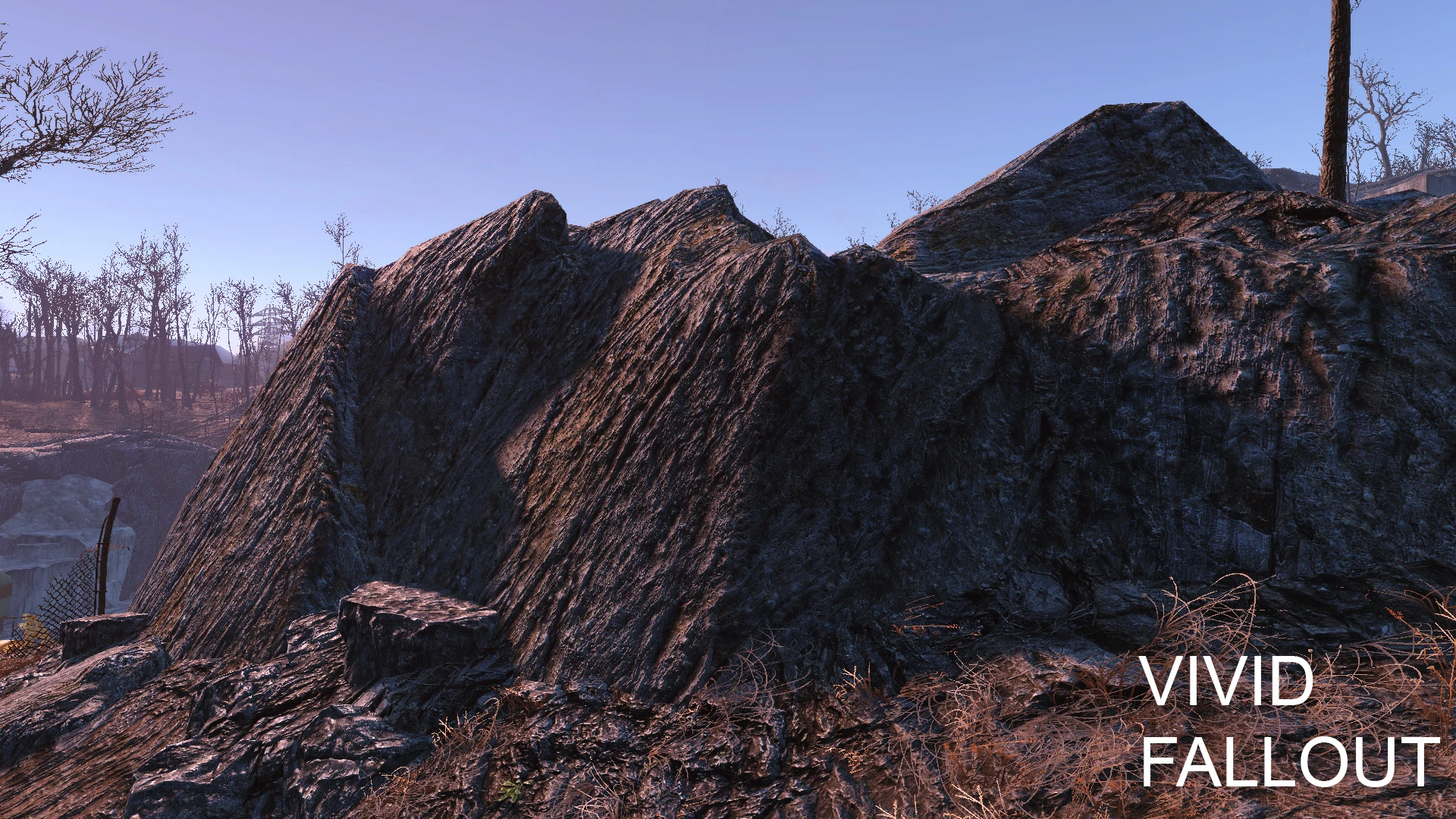
A quick overhaul of original rock textures in original size...
I just sharpened them somewhat and added new normal maps.
Anyway, the textures are more performance friendly then the Vanilla ones!
How to activate loose textures:
1. Copy the archives 'Data' folder to the 'Data' folder in your game directory
2. Locate C:\Users\MyName\Documents\My Games\Fallout4\Fallout4.ini and add:
bInvalidateOlderFiles=1
X6C21QuQ8MArV16C_NIDIg1g9_aR6ccc0
Vivid Fallout - Rocks - Textures in HD - ORIGINAL SIZE - LOWER RESOLUTION is a performance-friendly texture pack for Fallout 4 that replaces rock textures with HD versions at original size and lower resolution, aiming to boost FPS while maintaining visual quality. With over 37,000 endorsements and 1.1 million downloads, it's a popular choice for players seeking better performance without sacrificing too much detail.
✨ Key Features
📊 Pros & Cons
✅ Pros
- Huge community trust: 37k endorsements and over a million downloads.
- Direct performance boost for rock textures without major visual loss.
- Simple drop-in install—no complex setup required.
⚠️ Cons
- Only covers rocks—other textures remain untouched.
- Lower resolution means some detail loss compared to full HD packs.
- Last updated in 2023—may not be optimized for the latest game patches.
For Fallout 4 players on mid-range PCs who want better performance without giving up on texture quality. Also great for modders building a performance-friendly load order. Skip if you're on a high-end rig and want maximum visual fidelity—this pack intentionally trades some detail for FPS.
💡 Beginner Tips
- Place the mod files directly into your Fallout 4 Data folder, or use a mod manager like Vortex for easier uninstallation.
- If you're using other texture mods, load this one after them to ensure it takes priority.
- Test in a rocky area like the Glowing Sea to see the FPS difference before committing.
📊 Mod Details
- Game
- Fallout 4 Mods
- Author
- Hein84
- Version
- 1.3
- Downloads
- 1,061,031
- Endorsements
- 37,344
- Category
- Visuals and Graphics
- Created
- 11/19/2015
- Updated
- 4/17/2023
🔧 How to Install Fallout 4 Mods
Download from Nexus.
📖 Full step-by-step install guide for Fallout 4 →
Visit the official mod page for specific installation instructions for this mod.
🎮 Need cheat codes or console commands? Check ur gaming wiki for Fallout 4 commands, item IDs, and more.
Keep browsing — more Fallout 4 mods await