Vivid Fallout - Roads and Bridges - HD Textures
⚪ Last updated 2016⚠️ Install Order · 2 steps
Install in this order, then this mod last — most mods fail to load without their framework and dependencies in place.
Preview
🔍 Analysis
- 👍 3.0% endorsement rate — high engagement, a strong quality signal
- 🏆 #8 of 42 Environment mods in this game by downloads
📋 About This Mod
thanks a lot for your support, you are just great!
Patreon
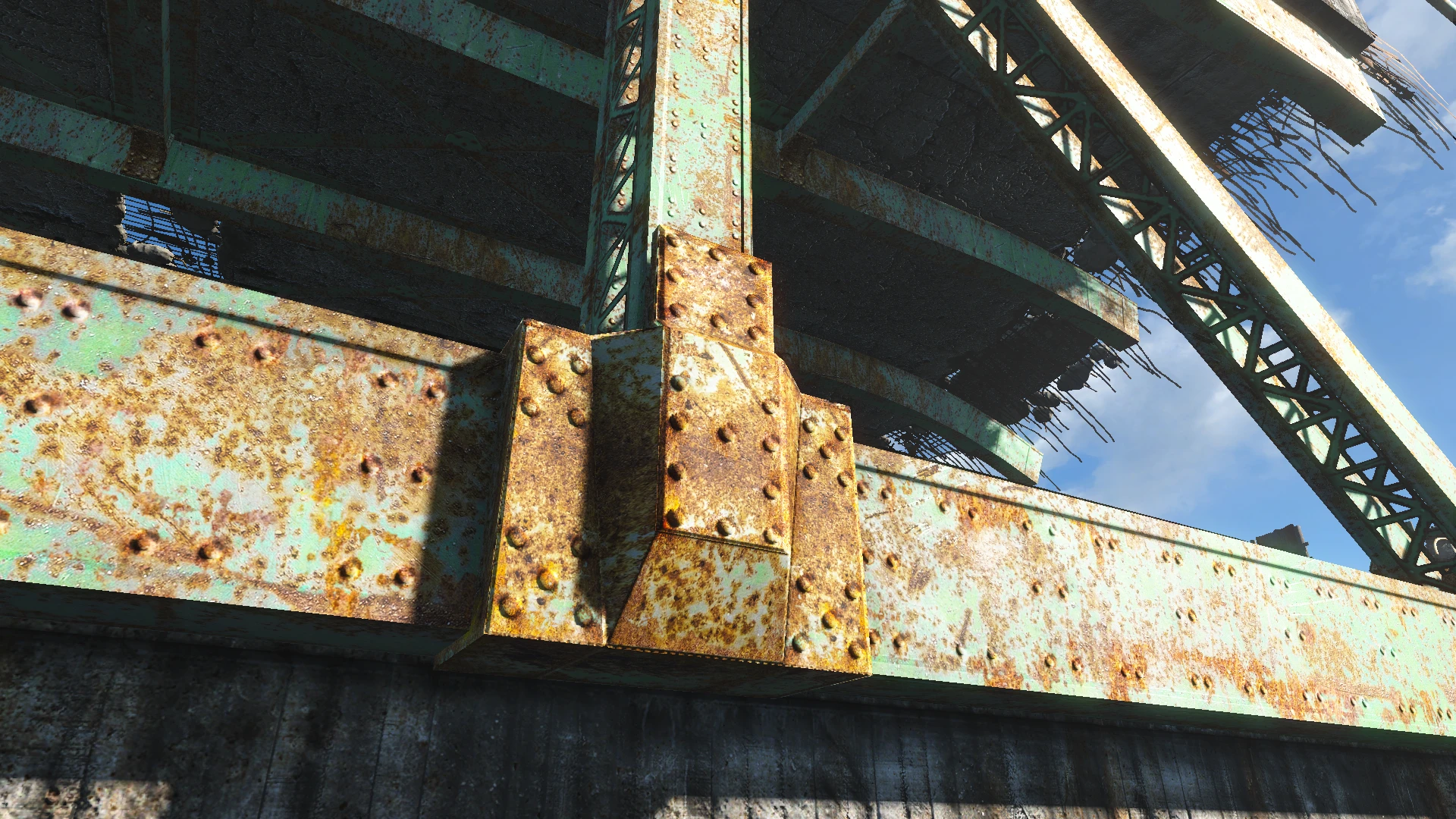
Finally I found the time to continue my series and added the roads, some bridges and lots of concrete.
It shouldn't just look good but give you a nice performance boost as well...
the textures are less V-Ram heavy than the original ones!
except the 4k upgrade of course,
but I suggeset to use it for screenarchery only anyways
Many city grounds and walls are edited as well,
a nice gain in Fps should be noticeable everywhere,
especially in Downtown Boston.
Gjp41EF893ks5flBCIr7FIJCgBdcTs-mECxeOa7dVU2w8IagxGUMxC4
Vivid Fallout - Roads and Bridges - HD Textures is a performance-friendly environment mod for Fallout 4 that enhances roads, concrete, and bridges. With over 25,000 endorsements and 841,000 downloads, it's a popular choice for players seeking visual upgrades without heavy performance costs. Last updated in 2016.
✨ Key Features
📊 Pros & Cons
✅ Pros
- Huge community trust – 25,656 endorsements and 841k downloads speak for themselves
- Performance-friendly approach means you can get better visuals without tanking your FPS
- Focuses on roads and bridges – the stuff you see constantly while exploring the Commonwealth
⚠️ Cons
- Last updated in 2016 – might not be fully compatible with the latest Fallout 4 patches or DLC
- No detailed feature list – you're getting textures, but the description doesn't specify resolution or coverage
- Only covers roads, concrete, and bridges – if you want other environment textures, you'll need other mods
For Fallout 4 players who want to improve the look of the wasteland's infrastructure without sacrificing performance. If you're tired of blurry roads and cracked concrete, this is a solid pick. Skip if you're looking for a complete overhaul – this is specifically roads and bridges.
💡 Beginner Tips
- Since it's a texture mod, you can install it manually by dropping the files into your Data folder, but using a mod manager like Vortex or Mod Organizer 2 makes uninstalling easier.
- Make sure to load this mod before other texture overhauls that might conflict, or use a mod manager to set the correct load order.
- If you're on PC, consider using the mod with an ENB or ReShade to get the full visual effect – but the mod is designed to work fine without them.
📊 Mod Details
- Game
- Fallout 4 Mods
- Author
- Hein84
- Version
- 1.3
- Downloads
- 841,937
- Endorsements
- 25,656
- Category
- Environment
- Created
- 9/12/2016
- Updated
- 10/29/2016
🔧 How to Install Fallout 4 Mods
Download from Nexus.
📖 Full step-by-step install guide for Fallout 4 →
Visit the official mod page for specific installation instructions for this mod.
🎮 Need cheat codes or console commands? Check ur gaming wiki for Fallout 4 commands, item IDs, and more.
Keep browsing — more Fallout 4 mods await