Villa Ambra - Spectacle Island Blueprint
⚪ Last updated 2019⚠️ Install Order · 2 steps
Install in this order, then this mod last — most mods fail to load without their framework and dependencies in place.
Preview
🔍 Analysis
- 👍 9.1% endorsement rate — high engagement, a strong quality signal
- 🏆 #30 of 103 Transfer Settlement Blueprints mods in this game by downloads
📋 About This Mod
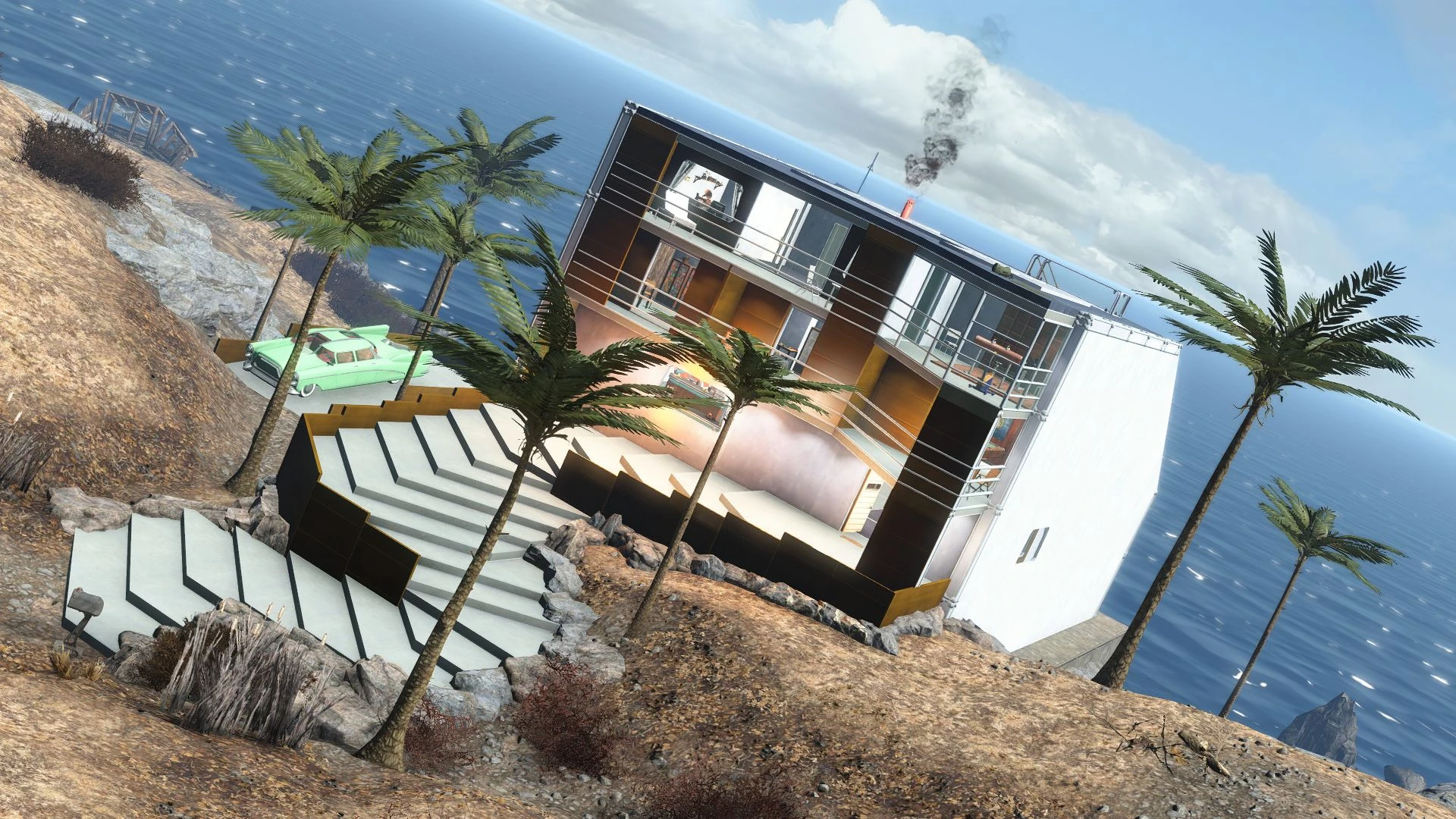
Seaside Paradise Style Player Home. Lore friendly as it can be. Rest your head, away from Boston Ruins.
This Blueprint is OUTDATED
New Version HERE
T03s-8rsPRw
One thing about this building - IT'S FULL OF DETAILS
I've made it mostly using my beloved SOE pack workshop items.
It's furnished with awesome Creative Clutter, Homemaker, Wasteland Workshop Evolved,
Workshop Decorations Extended, SOE Pack, CWSS Redux, and Videos Of the Wasteland mods.
This is truerely the peak of my building skills.
I was using Place Everywhere Mod here EXTENSIVELY, along with 'modpos' and 'modangle' console commands.
I'm a model builder, so I have the patience required for this
You can treat this as a big expansion to my Amber Apartment Blueprint in Diamond City's Homeplate
I was planning to make a full scale building for a long time.
Formerly it was located at Kingsport Lighthouse, but I've moved it using Clone My Shack mod.
Whole construction is oriented with game's geographical directions. Helpful
feature, when preparing your character for taking screenshots.
Pool is faced directly to the North. To the open sea.
All requirements are above. If you have others mentioned in my blueprint file, hurray, you'll have an additional decorations.
Oh, beacuse of the possible import issues, Fusion Generator is unplugged.
You need to plug it by yourself...
Same thing with a two-way Garage Gate switch, that's missing some wires, but
that will require some more work from you - Dismount the nearest wall,
and move all 'system parts' wider from themselves for a better view
(best with a modpos commands).
And replace the xor logic gate with a new one.
Wiring the connections correctly is a bit complicated thing....
Here's an instruction I've learned from youtube guide:
First off, dismount the nearest wall,
and move all 'system parts' wider from themselves for a better view
(best with a modpos commands).
And replace the xor logic gate with a new one.
Then, remove any remaining cables, and start wiring by:
Inner side:
External power source->(1)->Switch->(2)->LogicRed... LogicBlack->(3)->Door Conduit
Outer side:
External power source->(1)->Left Conduit->(2)->Left Conduit on the outer
side->(3)->Switch on outer side->(4)->Right Conduit on the outer
📊 Mod Details
- Game
- Fallout 4 Mods
- Author
- RogueCyborg
- Version
- 1.0
- Downloads
- 1,622
- Endorsements
- 148
- Category
- Transfer Settlement Blueprints
- Created
- 11/30/2019
- Updated
- 11/30/2019
🔧 How to Install Fallout 4 Mods
Download from Nexus.
📖 Full step-by-step install guide for Fallout 4 →
Visit the official mod page for specific installation instructions for this mod.
🎮 Need cheat codes or console commands? Check ur gaming wiki for Fallout 4 commands, item IDs, and more.
Keep browsing — more Fallout 4 mods await