Tutorials BeGone
🟠 Updated over a year ago⚠️ Install Order · 2 steps
Install in this order, then this mod last — most mods fail to load without their framework and dependencies in place.
Preview
🔍 Analysis
- 👍 0.3% endorsement rate
- 🏆 #50 of 82 User Interface mods in this game by downloads
📋 About This Mod
HOW TO REMOVE POP-UP TUTORIALS
To remove all other "pop-up" tutorials from the game add:
bShowTutorials=0
to your Fallout4.ini in the "interface" area. This covers the majority of tutorial pop-ups.
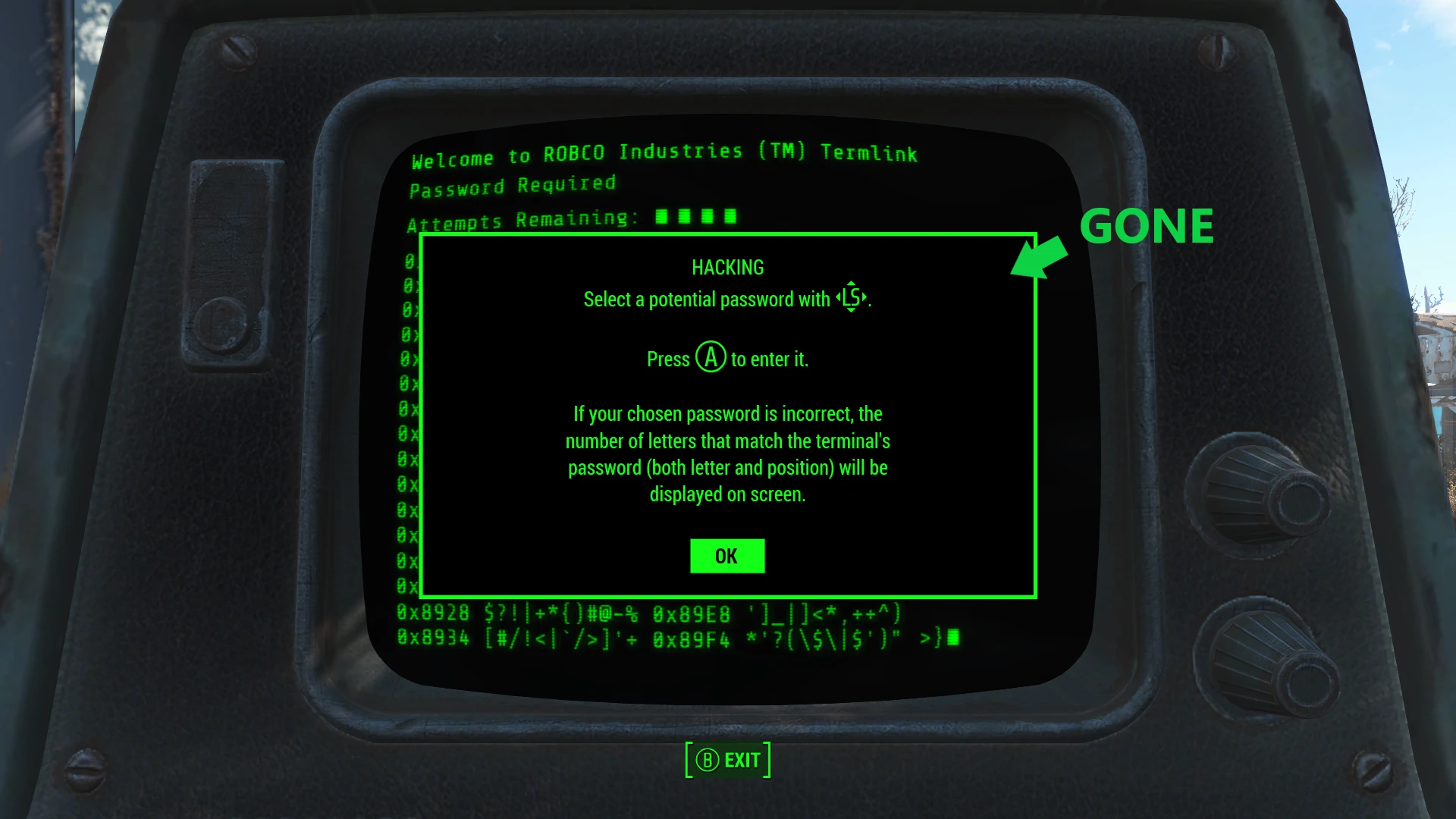
This is a very small and simple mod created in Fo4edit, jpexs-decompiler, and checked in the Creation Kit. What it does is redirect the Lockpick and Hacking Tutorials to the default "blank" file and convinces the Workshop Tutorial pop-up to not be a box anymore (don't ask), with simple FO4Edit overwrites. Several alterations were made in the .swf files to move message prompts off screen for the rest. No cells, scripts, or other files are altered. At this point I believe this mod to be feature complete. Thank you.
INSTALLATION
Install with your favorite mod manager.
The "PlusPrompts" and "Complete" versions of this mod will conflict with any other mod altering the same .swf files (ButtonBarMenu.swf, MainMenu.swf, PromptMenu.swf).
This mod is made to be very easy to modify, the file structure and modification instructions are posted near the bottom of this page.
The "Base" version will only work on a new save. If you've already seen those pop-ups, that version's work is already done.
The "PlusPrompts" and "Complete" versions will continue to work throughout any save, and can be installed at any point (be mindful of your load order).
Removing this mod from an active save: While there is nothing too intrusive from the mod itself, removing mods and changing the load order on an active save is a really bad idea. That's on you.
Pick your file (There can be only one):
TutorialBeGoneBase
Removes the Lockpicking, Hacking, and Workshop initial tutorial pop-ups.
TutorialBeGonePlusPrompts
Removes the Lockpicking, Hacking, and Workshop initial tutorial pop-ups and
"Hold (button) To Open Perk Chart"
"Hold (button) to open the Workshop menu while in the build area"
"(button) Hold Breath"
"(button) Wait" sitting prompt.
(They all still work, they just aren't visible)
TutorialBeGoneComplete
Removes the Lockpicking, Hacking, and Workshop initial tutorial pop-ups and
"Hold (button) To Open Perk Chart"
"Hold (button) to open the Workshop menu while in the build area"
"(button) Hold Breath"
"(button) Wait" sitting prompt.
Also removes
Creation Club Daily message and the button tips at the bottom of your pipboy screen.
"BASE PLUS PROMPTS" REMOV
Tutorials BeGone removes lockpick, hacking, and workshop tutorials from Fallout 4, along with optional pop-ups for perk chart, workshop menu, hold breath, wait prompt, and button prompts. A compact UI tweak with 203 endorsements and 74,048 downloads, last updated July 2025.
✨ Key Features
📊 Pros & Cons
✅ Pros
- Community-trusted with 203 endorsements and 74,048 downloads.
- Actively maintained (updated July 2025).
- Clean UI improvement—no more annoying tutorial pop-ups interrupting gameplay.
⚠️ Cons
- Only removes tutorials—if you're looking for broader UI overhauls, this won't do it.
- No explicit compatibility notes—might conflict with other UI mods that alter the same prompts.
For Fallout 4 players who are tired of tutorial pop-ups after their first playthrough and want a cleaner HUD. Perfect for veterans who know the mechanics and just want to play. Skip if you're a new player who still needs those tutorials or if you want a full UI overhaul.
💡 Beginner Tips
- Since this is a simple mod, just drop the files into your Data folder or use a mod manager like Vortex for easy installation.
- If you use other UI mods, install this one after them to ensure it overwrites the tutorial prompts correctly.
- Check the mod's optional files or FOMOD installer (if any) to customize which pop-ups you want to remove.
📊 Mod Details
- Game
- Fallout 4 Mods
- Author
- nexusclod
- Version
- 0.96
- Downloads
- 74,048
- Endorsements
- 203
- Category
- User Interface
- Created
- 7/2/2021
- Updated
- 7/21/2025
🔧 How to Install Fallout 4 Mods
Download from Nexus.
📖 Full step-by-step install guide for Fallout 4 →
Visit the official mod page for specific installation instructions for this mod.
🎮 Need cheat codes or console commands? Check ur gaming wiki for Fallout 4 commands, item IDs, and more.
Keep browsing — more Fallout 4 mods await