TexA-DDS
⚪ Last updated 2022⚠️ Install Order · 2 steps
Install in this order, then this mod last — most mods fail to load without their framework and dependencies in place.
Preview
🔍 Analysis
- 👍 4.4% endorsement rate — high engagement, a strong quality signal
- 🏆 #2 of 12 Utilities mods in this game by downloads
📋 About This Mod
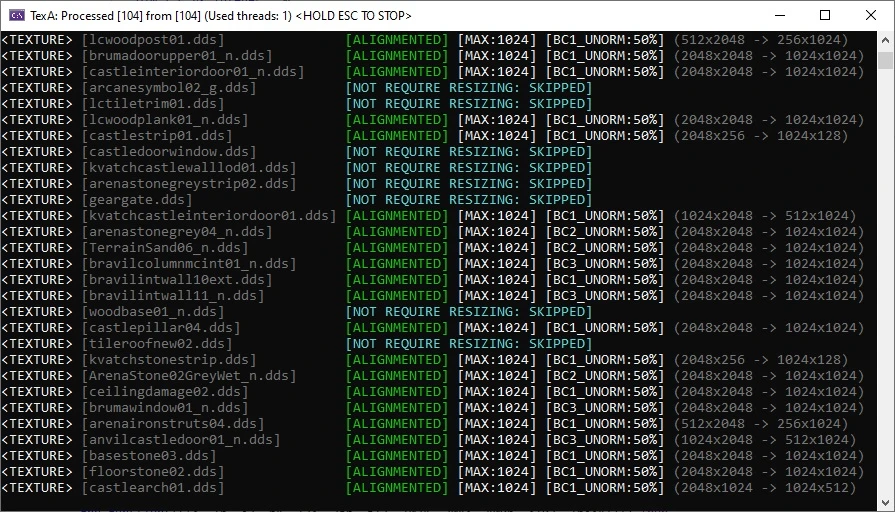
Automatic complex tool for converting, alingment and resizing textures (optimizing)
Tool for alingment, converting and resizing DDS textures
(Q) - What for? After all, there is already a program for optimization - Optimizer Textures (Ordenador)?
(A) - Ordenador-Texture Optimizer not process 8k textures and some 4k (it just skip some textures without any errors and log events)
(Also it not support a lot of DDS formats)
- Support all DDS formats
- Support non standard DDS formats (B5G5R5A1 etc)
- Supports all non-DDS formats used as textures
- Support for 16k+ textures (32k)
- HIgh quality DDS compression
- Resizing any images
- Lanczos algorithm for resize
- Kaiser filter for mipmaps
- Automatic DXT compression (DXT format depend on image type, alpha etc)
- Recompressing DDS to custom formats
- Decompressing
- Custom arguments for images (TexA.ini)
- Converting any images to DDS
- Fine correcting size mismatch
- Database processing
- Low level image analyzing while processing
- Protection for failed processing
- TexA.ini for custom settings (See TexA.ini)
- Canceling and resuming without lose progress
Typical using:
1) TEXA. EXE -HQ -DATABASE (-FORCEMIP -S<SIZE>, ETC OPTIONAL) X:\TEXTURES
- If input is DDS --> output: DDS with optimal DXT recompression (DXT format depend on image type, alpha etc)
- Resizing, if -S present (DDS\non-DDS)
- Rebuild mipmaps, if source DDS contained mips
- Preserving Non-DDS formats (png, tga...)
2) TEXA. EXE -HQ -DATABASE -COMP (-FORCEMIP -S<SIZE>, ETC OPTIONAL) X:\TEXTURES
- If input is a mixed formats and you want DDS output
- Optimal DXT recompression for DDS and converting other formats to DDS (DXT format depend on image type, alpha etc)
- Rebuild mipmaps, if source DDS contained mips
📊 Mod Details
- Game
- Fallout 4 Mods
- Author
- Kuzja80
- Version
- 9.3.6
- Downloads
- 2,971
- Endorsements
- 130
- Category
- Utilities
- Created
- 4/29/2021
- Updated
- 8/30/2022
🔧 How to Install Fallout 4 Mods
Download from Nexus.
📖 Full step-by-step install guide for Fallout 4 →
Visit the official mod page for specific installation instructions for this mod.
🎮 Need cheat codes or console commands? Check ur gaming wiki for Fallout 4 commands, item IDs, and more.
Keep browsing — more Fallout 4 mods await