Tactical Cap
⚪ Last updated 2016⚠️ Install Order · 2 steps
Install in this order, then this mod last — most mods fail to load without their framework and dependencies in place.
Preview
🔍 Analysis
- 👍 2.2% endorsement rate — high engagement, a strong quality signal
- 🏆 #24 of 241 Models and Textures mods in this game by downloads
📋 About This Mod
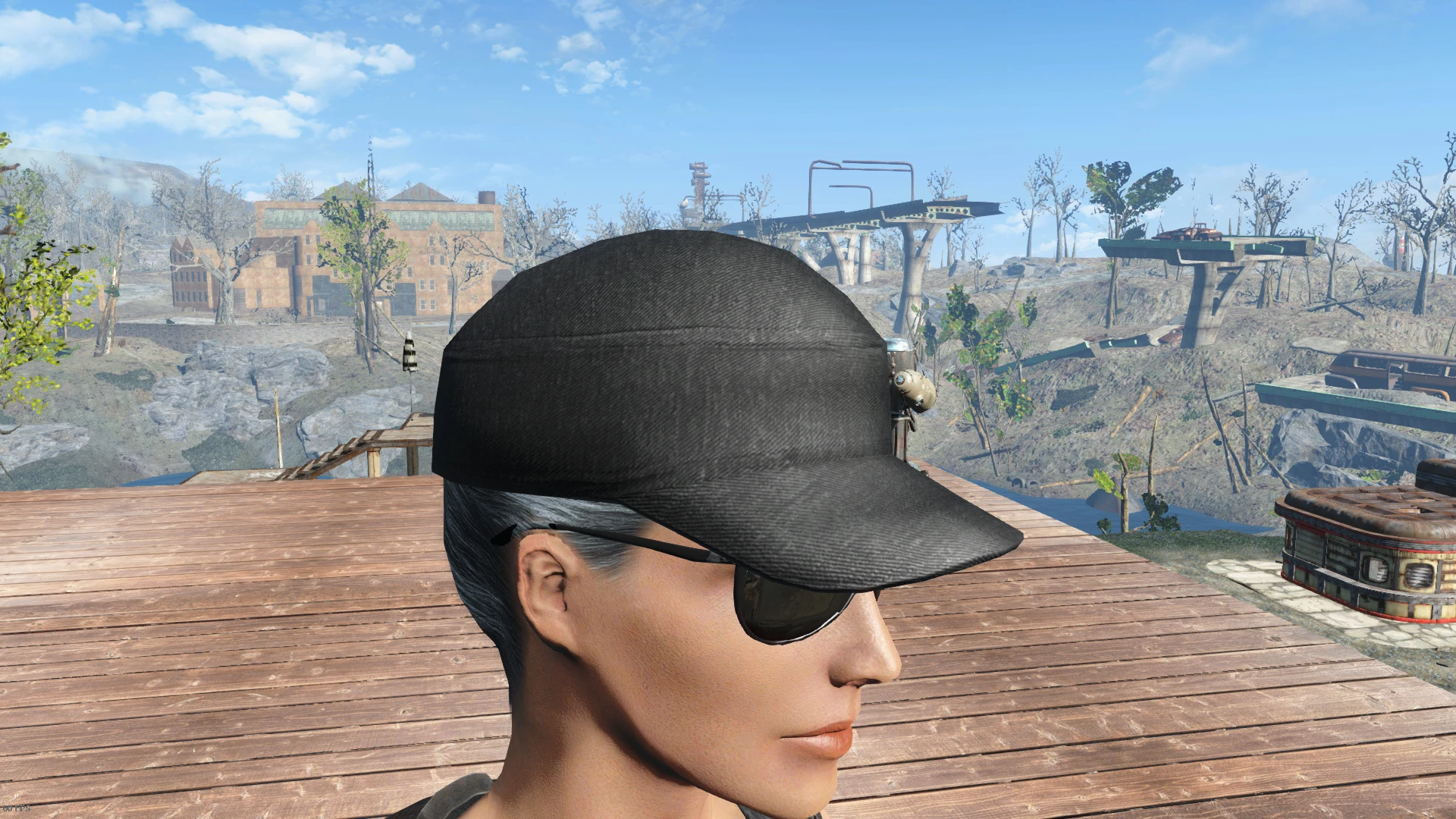
Replaces the baseball cap textures with tactical cap. To install, install the core textures either manually or with NMM. The core contains default black diffuse texture, normal map and specular map. After you've installed the core, if you wish to use another camo/pattern instead of the black one, manually download collection which contains the pattern you wish to use, extract the .rar and copy the wanted texture and paste it into the Data -> Textures -> Clothes -> VintageBaseball folder.
Collection 1: Desert & Woodland MARPAT, Tiger Stripe, TTsKO, Vine Leaf, ERDL Woodland and Olive Drab
Feel free to suggest/request new patterns in the comments section.
Known issues:
- Although it's rarely used by any npc's, since it replaces the original textures, you may notice some changes in the attire of certain sports enthusiastic and tradesman in Diamond City.
My other mods: Carpet Bomber and Quad-Launcher Grenade Pistol and APW - Standalone Polymer Stock for Double-Barrel Shotgun Industrial objects retexture M9 pistol retexture (original by ff7cloudstrife) Parang Machete retexture (original by Dhegonus)
Tactical Cap is a simple texture replacement that swaps the baseball cap's appearance for a tactical style. It has 496 endorsements and over 22,000 downloads, last updated in January 2016. For players wanting a military look without extra features.
✨ Key Features
📊 Pros & Cons
✅ Pros
- Community-approved with 496 endorsements and 22k downloads.
- Simple texture swap—no compatibility headaches.
- Gives your character a military vibe without extra clutter.
⚠️ Cons
- Only affects the baseball cap—no other gear touched.
- Last updated in 2016—might not work with latest game patches.
- No screenshots or install instructions in the description.
For players who want a quick cosmetic tweak to make their character look more tactical. If you're after a full military gear overhaul, this isn't it. Skip if you want gameplay changes—this is purely visual.
💡 Beginner Tips
- Make sure to back up the original texture files before replacing.
- If you use a mod manager, install via that to keep things tidy.
- Check if the mod is compatible with your game version—it's old.
📊 Mod Details
- Game
- Fallout 4 Mods
- Author
- Junnari
- Version
- 1.1
- Downloads
- 22,055
- Endorsements
- 496
- Category
- Models and Textures
- Created
- 1/23/2016
- Updated
- 1/23/2016
🧩 Commonly Used Together
Users add these mods to the same collections — a real compatibility signal, not an AI guess.
🔧 How to Install Fallout 4 Mods
Download from Nexus.
📖 Full step-by-step install guide for Fallout 4 →
Visit the official mod page for specific installation instructions for this mod.
🎮 Need cheat codes or console commands? Check ur gaming wiki for Fallout 4 commands, item IDs, and more.
Keep browsing — more Fallout 4 mods await