Simple Realistic 3D V1.0 for Fallout 4
⚪ Last updated 2019⚠️ Install Order · 2 steps
Install in this order, then this mod last — most mods fail to load without their framework and dependencies in place.
Preview
🔍 Analysis
- 👍 9.0% endorsement rate — high engagement, a strong quality signal
- 🏆 #14 of 27 Visuals and Graphics mods in this game by downloads
📋 About This Mod
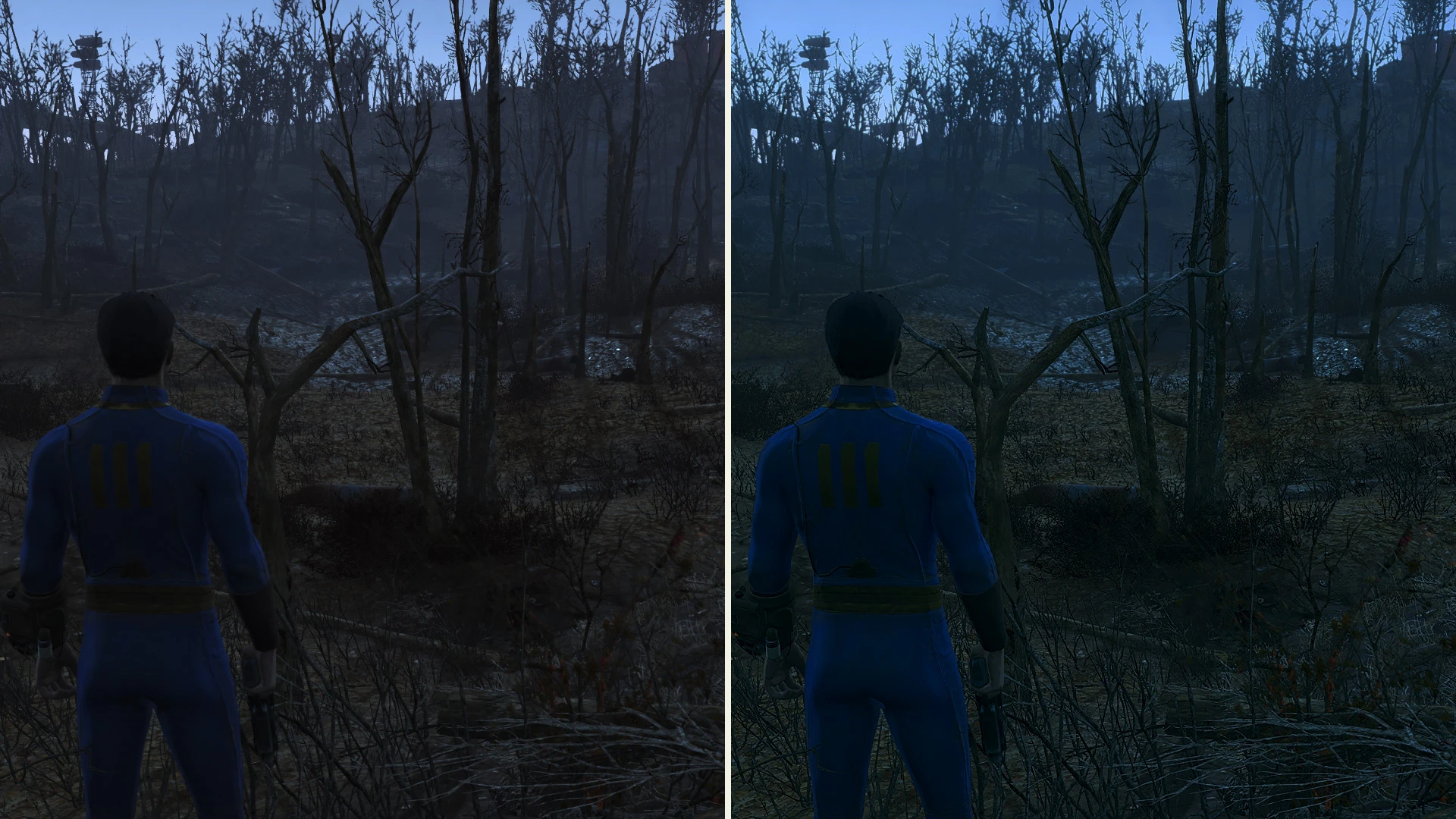
A simple Reshade preset and shaders pack for Fallout 4This simple preset would give you simple realistic mimic with smaller performance hit.Optimized for laptops with NVIDIA Optimus.It also bring a 3D stereoscopic mode (top-bottom)
CREDITS:
Bethesda Studio (for created this beautiful game)
Timothy Lottes (NVIDIA)
Reshade Team (Crosire, CeeJay, Marty McFly, Ganossa/Hawk, Bacondither, Ioxa, Otis, Jose Negrete, et al. ~ https://reshade.me)
What is this?
A simple Reshade preset and shaders pack for Fallout 4
This preset would give you simple realistic mimic with smaller performance hit.
It's NOT using heavy or complex shaders (e.g AO, HDR, Ambient Light, etc); just simple shaders.
It's based on Reshade 2.x.x (customized version). ~ NOT COMPATIBLE with Reshade 3.x or Reshade 4.x
Left = Vanilla, Right = with mod ON
Outdoor and bright scene: GI mimic
- All screenshots taken only with "HIGH" preset in-game graphic settings + Antialiasing =TAA, no HD textures packs (to save VRAM). If you have a high-end PC, then you may use higher than that (Ultra + Ultra Textures pack).
- This mod is NOT compatible with Reshade 3.x and Reshade 4.x (please clean-up Reshade 3.x/4/x before apply this mod)
- This mod is NOT compatible with ENB
- This mod is compatible with laptops with NVIDIA Optimus (tested on an office laptop with NVIDIA 940MX 1366x768, LOW-MEDIUM preset in-game graphic settings)
How to Install:
- Clean-up/Move/Backup your previous SweetFX or Reshade files (dxgi.dll/d3d11.dll and their related files and folders) if you already installed it to your game.
- Extract these files into the same folder with your game executable (Fallout4.exe)
How to Un-install:
- Delete or move these files: d3d11.dll, ReShade.fx, and also /Reshade/ folder
Command Keys:
INSERT: Toggle Effects ON/OFF (default is ON)
F11: Activate 3D Stereoscopic Mode - Top and Bottom Format ~ Optimized for LG 3D Cinema Screen (Thanks to: Jose Negrete for this awesome shader!)
PRINT-SCREEN: Take in-game Screenshot (in PNG format and it would be save to your game root folder)
I hope you like this!
Chris Rubino
📊 Mod Details
- Game
- Fallout 4 Mods
- Author
- Chris Rubino
- Version
- 1.0
- Downloads
- 1,240
- Endorsements
- 112
- Category
- Visuals and Graphics
- Created
- 5/26/2019
- Updated
- 5/26/2019
🔧 How to Install Fallout 4 Mods
Download from Nexus.
📖 Full step-by-step install guide for Fallout 4 →
Visit the official mod page for specific installation instructions for this mod.
🎮 Need cheat codes or console commands? Check ur gaming wiki for Fallout 4 commands, item IDs, and more.
Keep browsing — more Fallout 4 mods await