Rambo ENB
⚪ Last updated 2018⚠️ Install Order · 2 steps
Install in this order, then this mod last — most mods fail to load without their framework and dependencies in place.
Preview
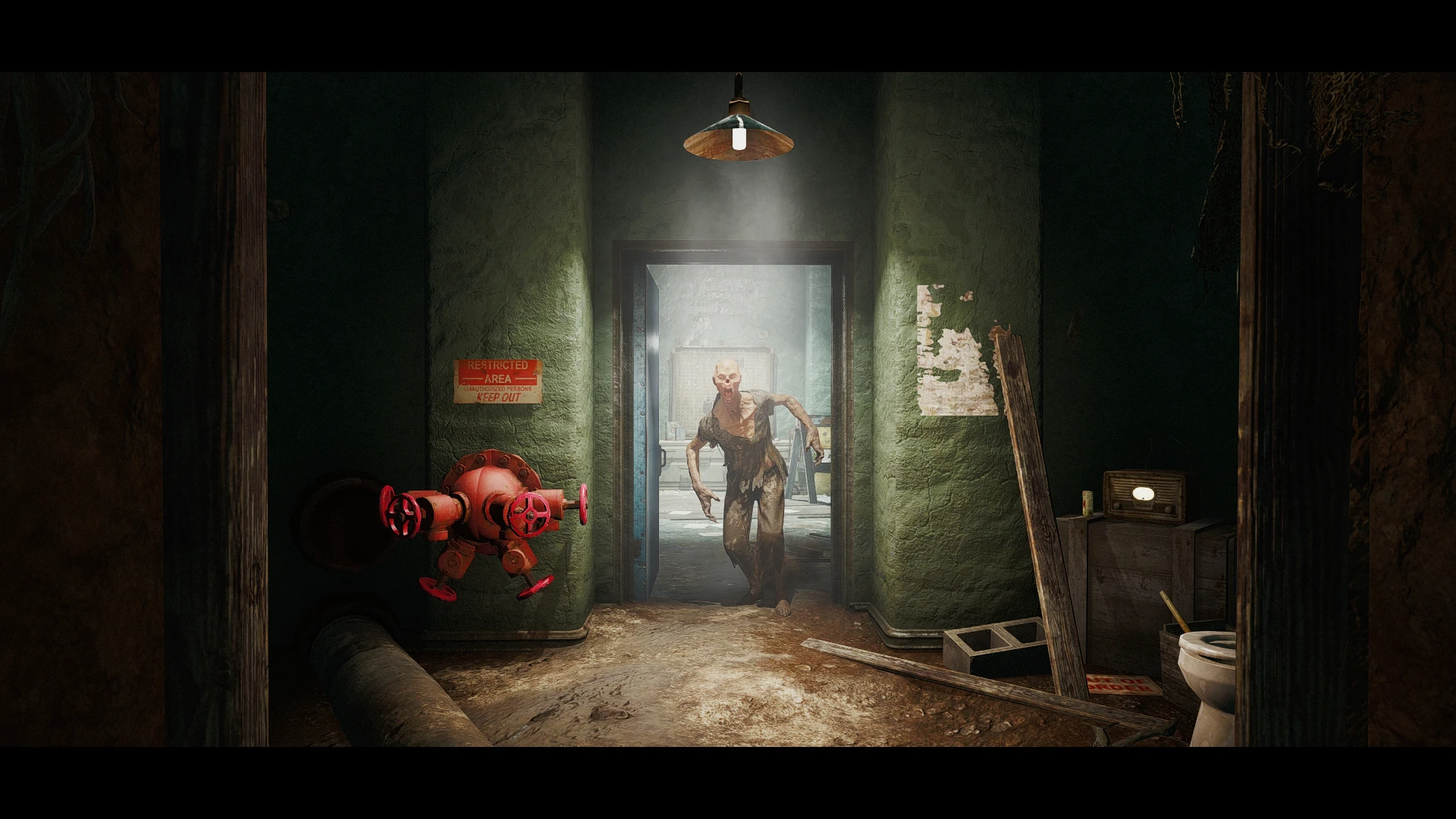
🔍 Analysis
- 👍 5.6% endorsement rate — high engagement, a strong quality signal
- 🏆 #7 of 15 ENB Presets mods in this game by downloads
📋 About This Mod
0KVITxc17g4
WHAT IS THIS ?
This is a preset/config for ENB that relies almost entirely on SweetFX shaders.
DO I NEED BOTH ENB and RESHADE ?
No, you only need 2 files from the latest version of ENB. This config works by sending SweetFX directly through ENB's Post-Pass pipeline.
WHAT EFFECTS ARE INCLUDED ?
-
[]Cineon DPX
[
]Abs Split Contrast Curve[]Luma Sharpen
[]Tonemap
[]Film Grain
[]Letterbox Border
[]Depth of Field
[]SSAO
HOW DO I INSTALL THIS ?
Download the latest ENB (click this link). Extract the following two files to the location of your Fallout4.exe : d3d11 and d3dcompiler_46e. Now download and copy/paste/overwrite all the files I've included with this mod. Be extra sure to set your preferences for FPS limit and/or Memory Usage in the enblocal file
before you start your game.
I HATE POOP. HOW DO I ADJUST THE POOP ?
Press Shift+Enter to open the ENB menu in-game. Make your adjustments by expanding the enbpostpass tab. Hit the "Save Configuration" button if you are satisfied. You cannot disable the effects from within game, only adjust. See Notes for more details.
NOTES:
To completely disable a specific effect, you must edit the SweetFX_Settings txt file located in "Fallout 4/enbseries/SweetFX. A "0" value means disabled, while a "1" value means enabled. For example: to disable the Letterbox Borders change the line "#define USE_BORDER 1" to "#define USE_BORDER 0".
CREDITS:
Boris Vorontsov (ENBSeries) and CeeJay (SweetFX) and Woodbyte (SweetFX for ENBSeries)
Rambo ENB is a lightweight ENB preset for Skyrim that uses ENB as a host for a personal SweetFX palette, offering a specific color grading effect. With 410 endorsements and over 7,000 downloads, it has a modest following. Last updated in 2018, it remains a niche choice for players seeking a particular visual style.
✨ Key Features
📊 Pros & Cons
✅ Pros
- Decent community traction with 410 endorsements and 7,369 downloads.
- Lightweight approach—uses ENB only as a host, so performance impact is likely minimal.
- Straightforward preset for players who want a specific color palette without heavy ENB features.
⚠️ Cons
- Last updated in 2018, so it may not be compatible with the latest Skyrim versions or ENB series.
- Description is minimal—no before/after screenshots or detailed feature list, so you're flying blind on the exact look.
- Niche appeal: if you're not into SweetFX-style color grading, this won't add much.
For Skyrim players who want a specific color palette without the performance hit of full ENB effects. If you're a screenshot enthusiast or enjoy tweaking visuals, this could be a quick try. Skip if you want modern ENB features like depth of field or ambient occlusion.
💡 Beginner Tips
- Make sure you have ENB Series installed first—this preset only works as an ENB config.
- Back up your current ENB files before overwriting, so you can revert if you don't like the look.
- Test in different weather and lighting conditions to see if the palette suits your game.
📊 Mod Details
- Game
- Fallout 4 Mods
- Author
- brokefoot
- Version
- 1b
- Downloads
- 7,369
- Endorsements
- 410
- Category
- ENB Presets
- Created
- 2/13/2016
- Updated
- 12/7/2018
🔧 How to Install Fallout 4 Mods
Download from Nexus.
📖 Full step-by-step install guide for Fallout 4 →
Visit the official mod page for specific installation instructions for this mod.
🎮 Need cheat codes or console commands? Check ur gaming wiki for Fallout 4 commands, item IDs, and more.
Keep browsing — more Fallout 4 mods await