RailRoad Signs - Settlement Decorations
⚪ Last updated 2021⚠️ Install Order · 2 steps
Install in this order, then this mod last — most mods fail to load without their framework and dependencies in place.
Preview
🔍 Analysis
- 👍 4.4% endorsement rate — high engagement, a strong quality signal
- 🏆 #42 of 88 Crafting - Home/Settlement mods in this game by downloads
📋 About This Mod
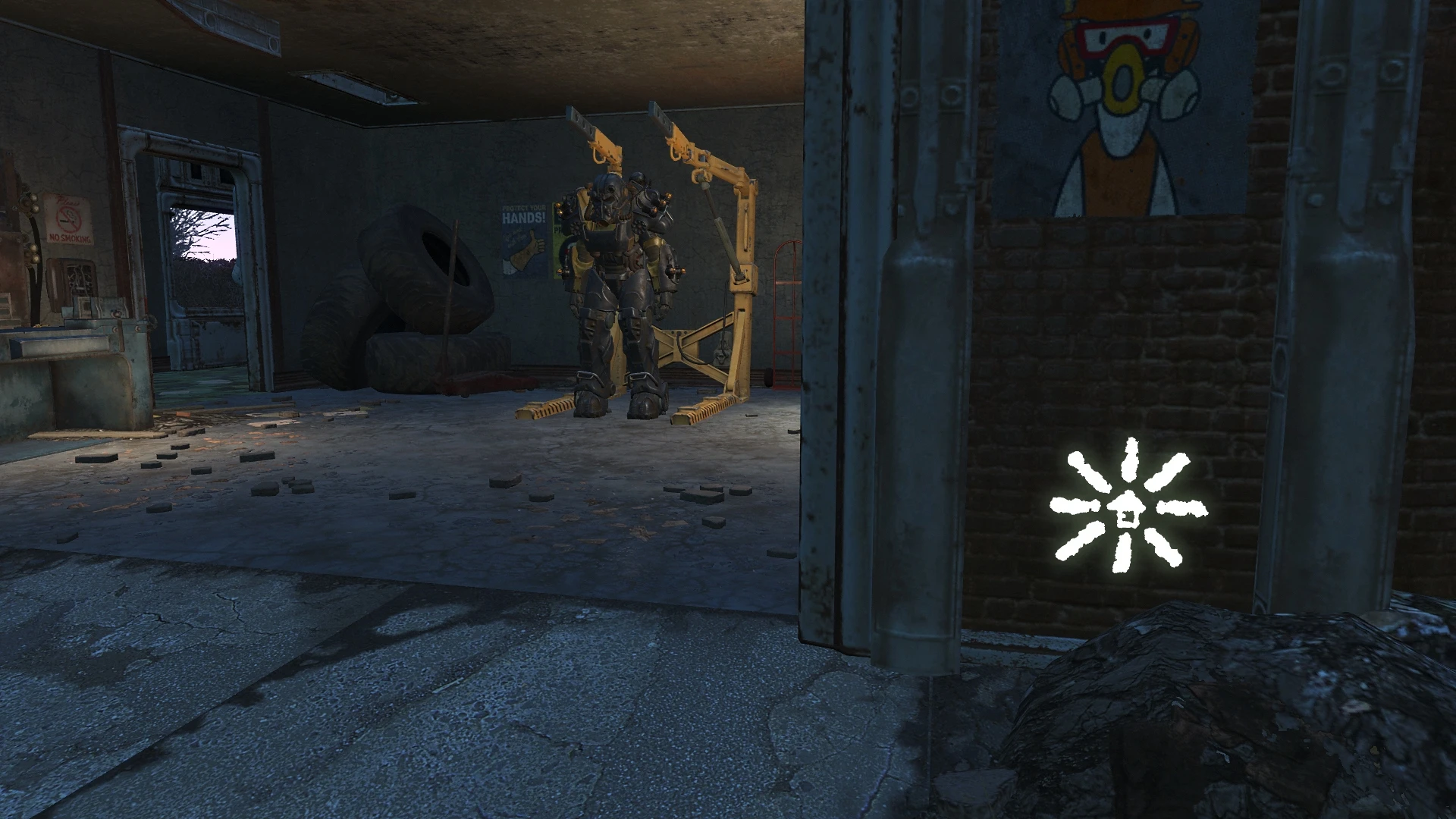
RailRoad signs are available as settlement decorations.
Under Decorations>Wall Decorations>Signs you will find the RailRoad signs. They cost 1xOil to make, but don't give back anything when scrapped. To unlock them you need to complete the "Road to Freedom" quest. The signs behave like the others in this category. Sometimes it's difficult to put them around door frames, other objects, etc. Be patient and resourceful or choose different location. By default the signs are glowing. You can turn off this effect with Material Editor, by opening the following files
\Data\Materials\SetDressing\Signage\RRSigns02. BGSM
\Data\Materials\SetDressing\Signage\RRSigns02RRHQ. BGSM
and unticking the Emittance Enable option. If you want to change the glowing effect, play around with Emittance Color and Emittance Multiplier. You can't use the RailRoad Goggles from my other mod to show/hide the signs. The plugin is an ESP with ESL flag.
Recommended mods: Place Everywhere (requires F4SE)
Thank you: Disconectedgamer for the idea
📊 Mod Details
- Game
- Fallout 4 Mods
- Author
- robotized
- Version
- 1
- Downloads
- 1,554
- Endorsements
- 68
- Category
- Crafting - Home/Settlement
- Created
- 11/6/2021
- Updated
- 11/6/2021
🔧 How to Install Fallout 4 Mods
Download from Nexus.
📖 Full step-by-step install guide for Fallout 4 →
Visit the official mod page for specific installation instructions for this mod.
🎮 Need cheat codes or console commands? Check ur gaming wiki for Fallout 4 commands, item IDs, and more.
Keep browsing — more Fallout 4 mods await