Quest Summary by Default - Spoiler-Free Quest Log
⚪ Last updated 2015⚠️ Install Order · 2 steps
Install in this order, then this mod last — most mods fail to load without their framework and dependencies in place.
Preview
🔍 Analysis
- 👍 1.5% endorsement rate — high engagement, a strong quality signal
- 🏆 #4 of 86 User Interface mods in this game by downloads
📋 About This Mod
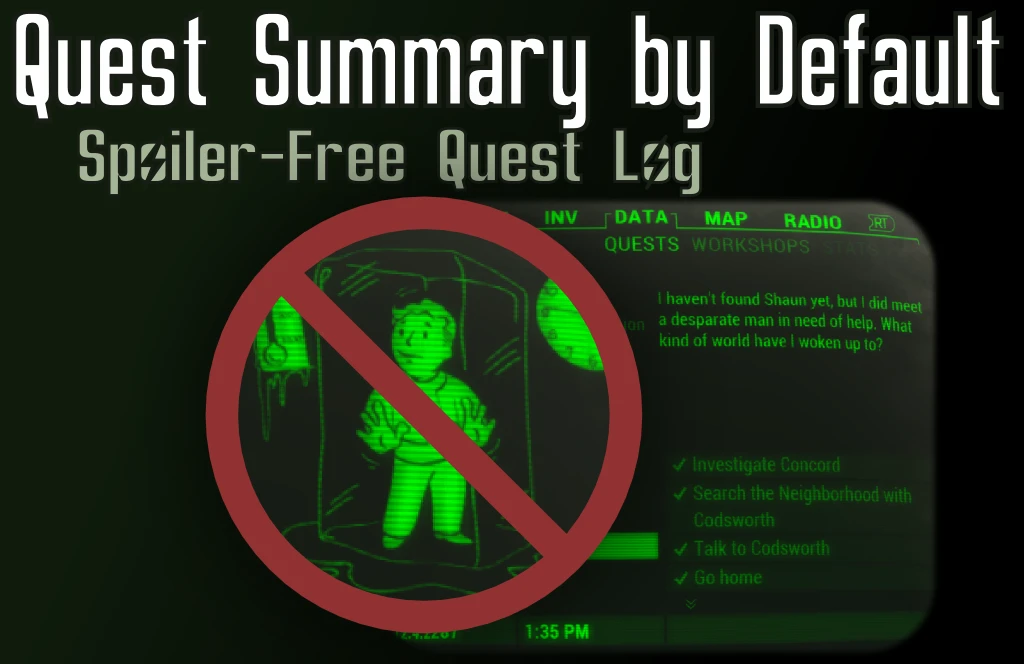
Summary is set to default and shown instead of animations when viewing quests in the quest log in your PipBoy. To make it clear, this is what you will see by default instead of that.
Animations themselves are left untouched and can still be viewed by pressing the button which your setup associates with toggling the summary to show/hide.
Please note that this mod may not work in conjunction with certain other interface mods not listed below in the compatibility list. Specifically mods which modify the same interface file Pipboy_DataPage.swf. As of writing not many mods touch this file. Should you find any such mod where there are suspected or confirmed compatibility issues however please don't hesitate to contact me.
The Why
- This is useful if you wish to avoid spoilers due to animations of events that will happen in the quest
- You will also find it useful if you are tired of having to press the "show summary" key/button when you are browsing quests in the quest log
Compatible with
Almost everything. Not many interface mods touch the same file as this one. Currently however this mod is explicitly compatible with the following:
- PipWare UI - Compatible with PipWare UI Fallout4 Edition (v0. 7). Check added to initialise scrollbar and scrolling increment if PipWare is found. Special thanks to MikeC2103 for making me aware of the compatibility issue and for testing different versions of PipWare.
Changelog
- Compatible with PipWare UI Fallout4 Edition v0. 7.
Check added to initialise scrollbar and scrolling increment if PipWare is found.
Special thanks to MikeC2103 for making me aware of the compatibility issue
- Initial release!
This mod is in part inspired by the mod Spoiler-free Quest Animations by Beaker. Thanks Beaker. I recommend this mod if you want to make sure you can never be exposed to any spoilers in quest animations.
If you tried the mod and liked it please consider endorsing.
If you liked this mod you may also enjoy one of my other mods for Fallout 4:
Quest Summary by Default is a Skyrim UI mod that makes quest summaries appear immediately in the quest log, skipping the default animation. It's designed for players who want to avoid spoilers and reduce unnecessary clicking. With 750 endorsements and nearly 50,000 downloads, it's a proven quality-of-life improvement.
✨ Key Features
📊 Pros & Cons
✅ Pros
- Community favorite with 750 endorsements and nearly 50k downloads
- Simple, effective fix for a common annoyance
- Lightweight and does exactly what it says
⚠️ Cons
- Last updated in 2015, so may not be compatible with the latest Skyrim Special Edition or Anniversary Edition
- Only affects the quest log UI, so no impact on gameplay or visuals
For Skyrim players who hate waiting for quest summaries to fade in and want to avoid spoilers. Perfect for completionists who read every quest log entry. Skip if you're on the latest Skyrim version and want guaranteed compatibility.
💡 Beginner Tips
- If you're using the original Skyrim (Legendary Edition), just drop the files into your Data folder and activate the mod in your launcher.
- For Skyrim Special Edition, check if the mod has a compatible version or use a mod manager to handle any potential conflicts.
- Since this mod only changes UI behavior, it's safe to install mid-playthrough, but always keep a backup of your save just in case.
📊 Mod Details
- Game
- Fallout 4 Mods
- Author
- KhaoMaat
- Version
- 0.2
- Downloads
- 49,397
- Endorsements
- 750
- Category
- User Interface
- Created
- 11/25/2015
- Updated
- 11/26/2015
🔧 How to Install Fallout 4 Mods
Download from Nexus.
📖 Full step-by-step install guide for Fallout 4 →
Visit the official mod page for specific installation instructions for this mod.
🎮 Need cheat codes or console commands? Check ur gaming wiki for Fallout 4 commands, item IDs, and more.
Keep browsing — more Fallout 4 mods await