PreWar Binoculars - Call in Fire Support addon
🟠 Updated over a year ago⚠️ Install Order · 3 steps
Install in this order, then this mod last — most mods fail to load without their framework and dependencies in place.
Preview
🔍 Analysis
- 👍 0.8% endorsement rate
- 🏆 #129 of 187 Gameplay mods in this game by downloads
📋 About This Mod
Overview:
The smoke grenades used in vanilla FO4 are woefully useless when it comes to offering some good fire support. You can't throw them far and they alert enemies to your presence before the artillery rounds start falling. This mods looks to rectify all of this.
Function:
Changes for v2. 2+ The targeting system has been tweaked and refreshed. The binoculars retain the range finder function but now support is initiated via using the Encrypted Data Channel aid item. The Data Channel can be activated either before or after marking a target. The player is then given the barter menu to choose the required support type. This method will allow for future compatibility patches with other mods without conflict issues. You may experience some anomalies if going from 2. 1.x to 2. 3. 0.
vC2gPUrusJA
Version 2. 2. 0 video demo
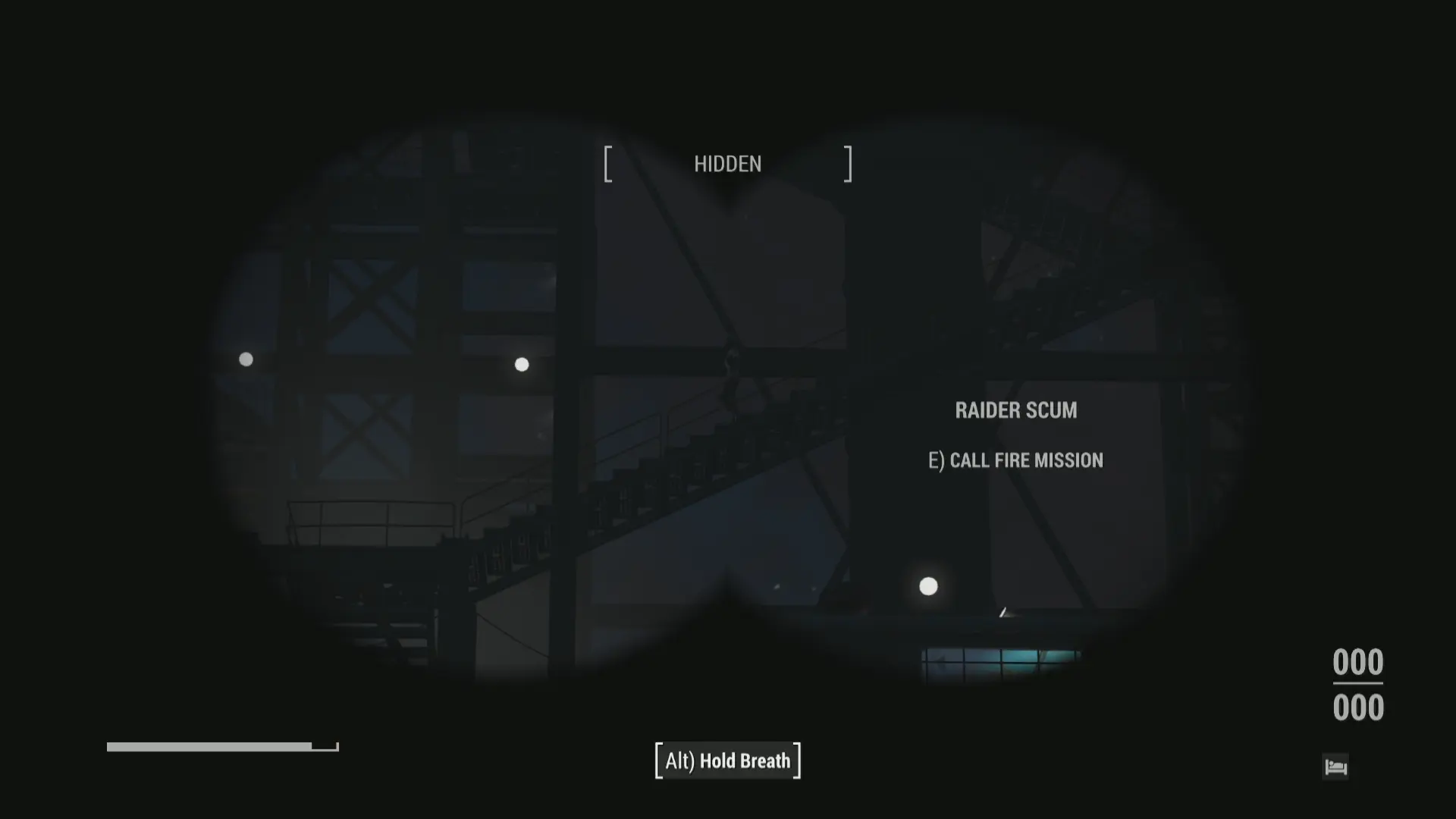
Using the PreWar Binoculars as a base you will gain the perk 'Forward Observer' as long as you have have completed the "Here There Be Monsters Quest" or "Old Guns" (other options are possible with external mod patches). When aiming with the binoculars you can target enemies to open a barter menu and either call in artillery or a nuclear missile on their position, without alerting them to your presence.
Further to this it always annoyed me that if you weren't listening to Radio Freedom then you didn't know what was going on with the status of the artillery request. This mod will automatically tune in to Radio Freedom for the duration of the artillery strike and then revert to the previous state. If the radio was off it will turn off again, if you were listening to Diamond City Radio then it will tune back in to Travis. All without having to enter your PipBoy.
On initial start up the mod will check to see if "Old Guns" or "Here There Be Monsters has been completed". If you have either requirements met already, then it will give you a basic pair of binoculars to use, assuming you don't already have a set from previous mod versions or before it was installed. If you haven't already completed either quest it will monitor in the background until you do, checking on player teleports and save game loads.
How to call in fire support
This sequence must be followed to call in fire support on to a target, the target must be a NPC. Steps 1 and 2 can be reversed, i.e use the item first and then target a NPC.
-
[]Target NPC with binoculars, get the range finder notification top left
[
]Use the Encrypted Data Item within your inventory (can be hot keyed), within 5 seconds of targetting an enemy[]Select from the trade menu the type of fire support wanted (only one can be selected)
[]Accept the 'trade' and close
- Fire mission should commence
Version 2. 3. 0
This addon for the PreWar Binoculars mod lets you call in Minutemen artillery and Yangtze missiles while using the binoculars, plus a little extra. It's a gameplay enhancement for Fallout 4 players who want to coordinate long-range strikes without leaving cover.
✨ Key Features
📊 Pros & Cons
✅ Pros
- Huge community trust with 1,766 endorsements and over 217k downloads.
- Turns the PreWar Binoculars into a tactical tool for artillery and missile strikes.
- Adds a fun power fantasy element for Minutemen playthroughs.
⚠️ Cons
- Requires the PreWar Binoculars mod to work, so it's not standalone.
- Last updated in October 2024, so it may not be compatible with future game updates.
For Fallout 4 players who already use the PreWar Binoculars mod and want to add tactical artillery and missile strikes to their gameplay. Skip if you don't use the base mod or prefer more grounded combat.
💡 Beginner Tips
- Make sure you have the PreWar Binoculars mod installed first, as this addon won't work without it.
- Test the call-in feature in a safe area to see the targeting mechanics before using it in combat.
- If you're using a mod manager, let it handle the file placement to avoid overwriting the base mod.
📊 Mod Details
- Game
- Fallout 4 Mods
- Author
- Sars99
- Version
- 2.3.3
- Downloads
- 217,604
- Endorsements
- 1,766
- Category
- Gameplay
- Created
- 12/6/2020
- Updated
- 10/25/2024
🔧 How to Install Fallout 4 Mods
Download from Nexus.
📖 Full step-by-step install guide for Fallout 4 →
Visit the official mod page for specific installation instructions for this mod.
🎮 Need cheat codes or console commands? Check ur gaming wiki for Fallout 4 commands, item IDs, and more.
Keep browsing — more Fallout 4 mods await