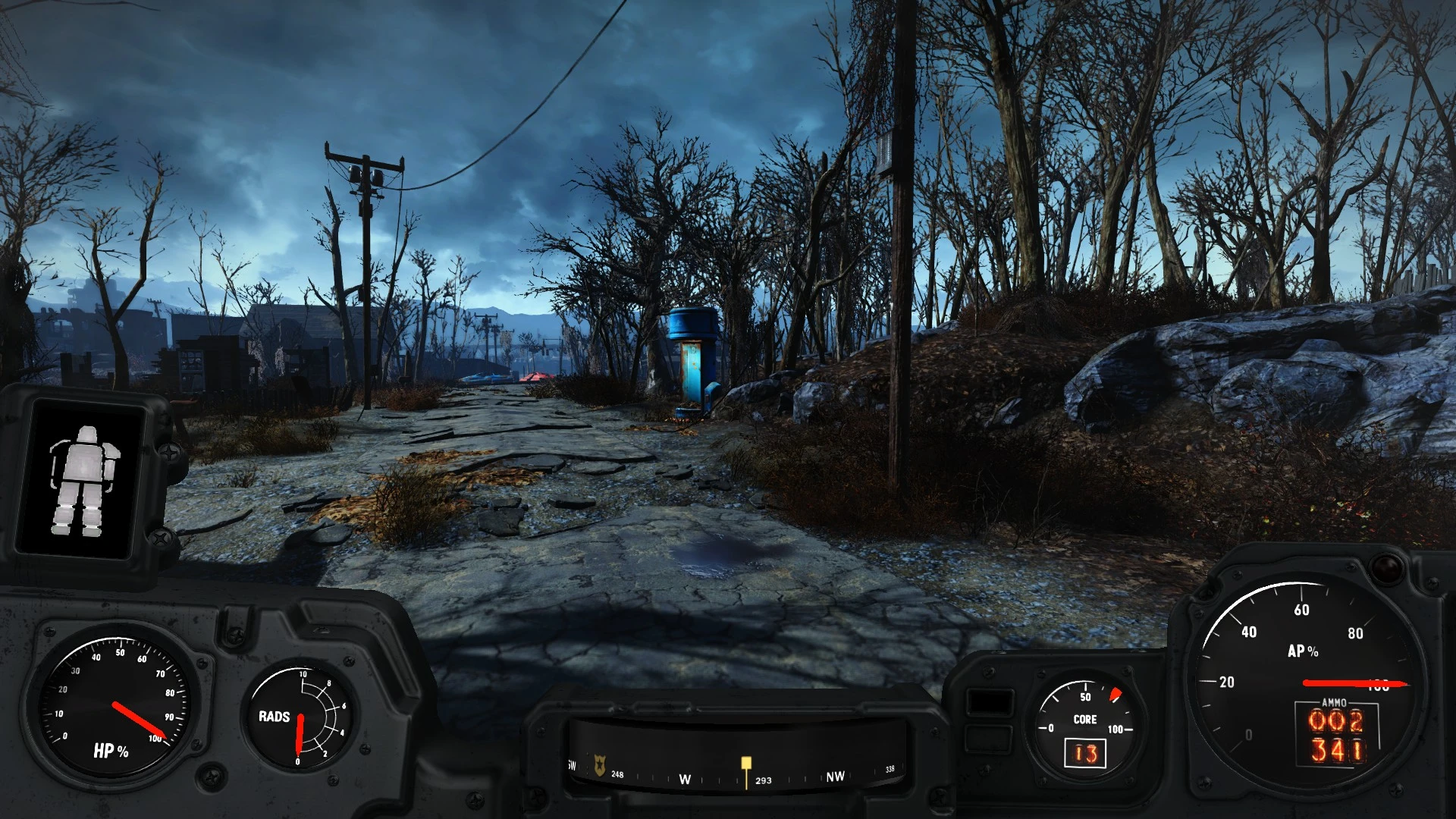
Power Armor Hud - No Transparency
⚪ Last updated 2017⚠️ Install Order · 2 steps
Install in this order, then this mod last — most mods fail to load without their framework and dependencies in place.
Preview
🔍 Analysis
- 👍 2.0% endorsement rate — high engagement, a strong quality signal
- 🏆 #25 of 76 Visuals and Graphics mods in this game by downloads
📋 About This Mod
removes the alpha off the power armor hud!
Listed on IGN as mod number 10 in their top 10 visual mods
http://ca.ign.com/articles/2016/06/03/top-10-fallout-4-gfx-mods
see videos: inx5FYz-WCY
Skip to 7:55 if you just want to see my mod.
7HwkHNzrfJA
see screenshots
unzip rar into fallout4/data
You will need to add the following lines to the Fallout4Prefs.ini file below the section marked :
bEnableFileSelection=1
You will need to add the following line in Fallout4Custom.ini:
bInvalidateOlderFiles=1 sResourceDataDirsFinal=
OLD WAY BELOW
open fallout4.ini add the lines textures\, meshes\ to where it says "sResourceDataDirsFinal=STRINGS\,"
so it looks like this: sResourceDataDirsFinal=STRINGS\, textures\, meshes\
Power Armor Hud - No Transparency is a compact Fallout 4 visual mod that removes the alpha transparency from the power armor HUD, making it fully opaque. With 6,749 endorsements and 341,629 downloads, it's a popular quality-of-life tweak for players who find the default translucent HUD distracting.
✨ Key Features
📊 Pros & Cons
✅ Pros
- Community favorite with 6.7k endorsements and 341k downloads—clearly a go-to for many.
- Does exactly what it says: kills the see-through HUD so you can focus on the action.
- Lightweight and straightforward—no bloat, just a clean visual fix.
⚠️ Cons
- Last updated in 2017—might not be tested with the latest Fallout 4 patches or next-gen update.
- Only affects the power armor HUD; if you wanted other HUD tweaks, this won't cover them.
- No detailed install instructions or compatibility notes in the description, so you're on your own if issues pop up.
For Fallout 4 players who find the default translucent power armor HUD annoying and want a solid, opaque interface. Skip if you're looking for a full HUD overhaul—this is a single, focused fix.
💡 Beginner Tips
- If you're using a mod manager like Vortex or NMM, just download and install—no extra steps needed.
- Since it's a simple texture/UI replacement, load order rarely matters, but keep it active to ensure the change applies.
- If you're on PC, you can manually drop the files into your Data folder if you prefer that over a mod manager.
📊 Mod Details
- Game
- Fallout 4 Mods
- Author
- Hellstorm102
- Version
- 4
- Downloads
- 341,629
- Endorsements
- 6,749
- Category
- Visuals and Graphics
- Created
- 11/27/2015
- Updated
- 2/26/2017
🔧 How to Install Fallout 4 Mods
Download from Nexus.
📖 Full step-by-step install guide for Fallout 4 →
Visit the official mod page for specific installation instructions for this mod.
🎮 Need cheat codes or console commands? Check ur gaming wiki for Fallout 4 commands, item IDs, and more.
Keep browsing — more Fallout 4 mods await