Play as a Gen1 Synth
⚪ Last updated 2015⚠️ Install Order · 2 steps
Install in this order, then this mod last — most mods fail to load without their framework and dependencies in place.
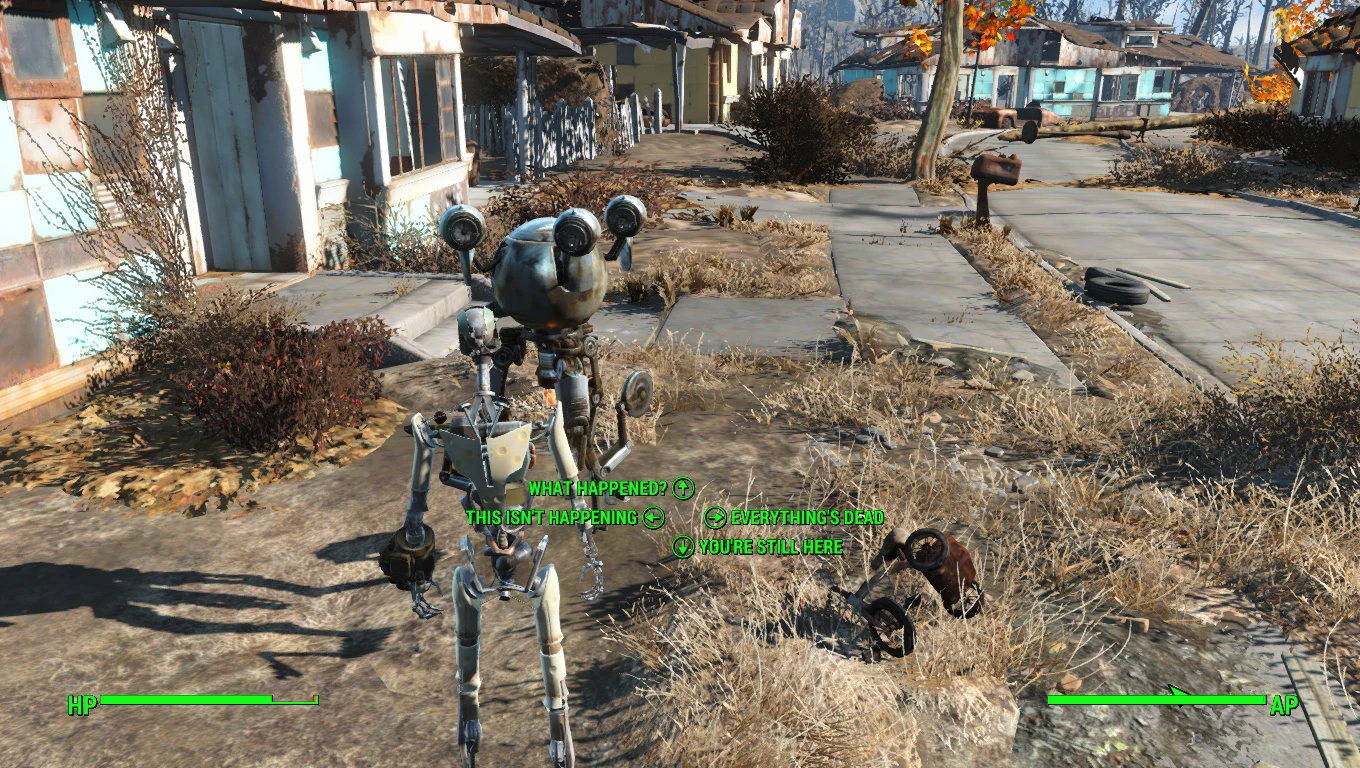
Preview
🔍 Analysis
- 👍 2.9% endorsement rate — high engagement, a strong quality signal
- 🏆 #15 of 31 Saved Games mods in this game by downloads
📋 About This Mod
Enables you to play as a synth. Synth save at exit of vault as well as bat files to change a current character it a synth for those who don't want to restart.
UPDATE: Synths can now have a jaw.
If you don't mind starting over, use the synth save. It is at the vault exit right before you have a chance to change your name again. DON'T try to change your face, you WILL crash. Paste the files in Documents\My Games\Saves\
------------------------------------------------------------------------------------------------------------------------------------------------------------------------
If you don't want to start over, use the synth player files.
This is a little more complicated and I highly suggest that you save before trying this.
Place the txt files in Fallout 4 directory
When in game- Take of all clothes Open console:
If the player face is still on the Synth body, Save the game and exit Fallout 4 completely to desktop.
Load up the save and in console: bat facefix
Close console and wait a few seconds for the synth face to correctly appear. SAVE the game to keep the synth body and face.
------------------------------------------------------------------------------------------------------------------------------------------------------------------------
Currently most clothes are a bit buggy.
📊 Mod Details
- Game
- Fallout 4 Mods
- Author
- BOTLANNER
- Version
- 2b
- Downloads
- 4,002
- Endorsements
- 116
- Category
- Saved Games
- Created
- 11/14/2015
- Updated
- 11/22/2015
🔧 How to Install Fallout 4 Mods
Download from Nexus.
📖 Full step-by-step install guide for Fallout 4 →
Visit the official mod page for specific installation instructions for this mod.
🎮 Need cheat codes or console commands? Check ur gaming wiki for Fallout 4 commands, item IDs, and more.
Keep browsing — more Fallout 4 mods await