Phoenix Cinematic ENB-Reshade
⚪ Last updated 2018⚠️ Install Order · 2 steps
Install in this order, then this mod last — most mods fail to load without their framework and dependencies in place.
Preview
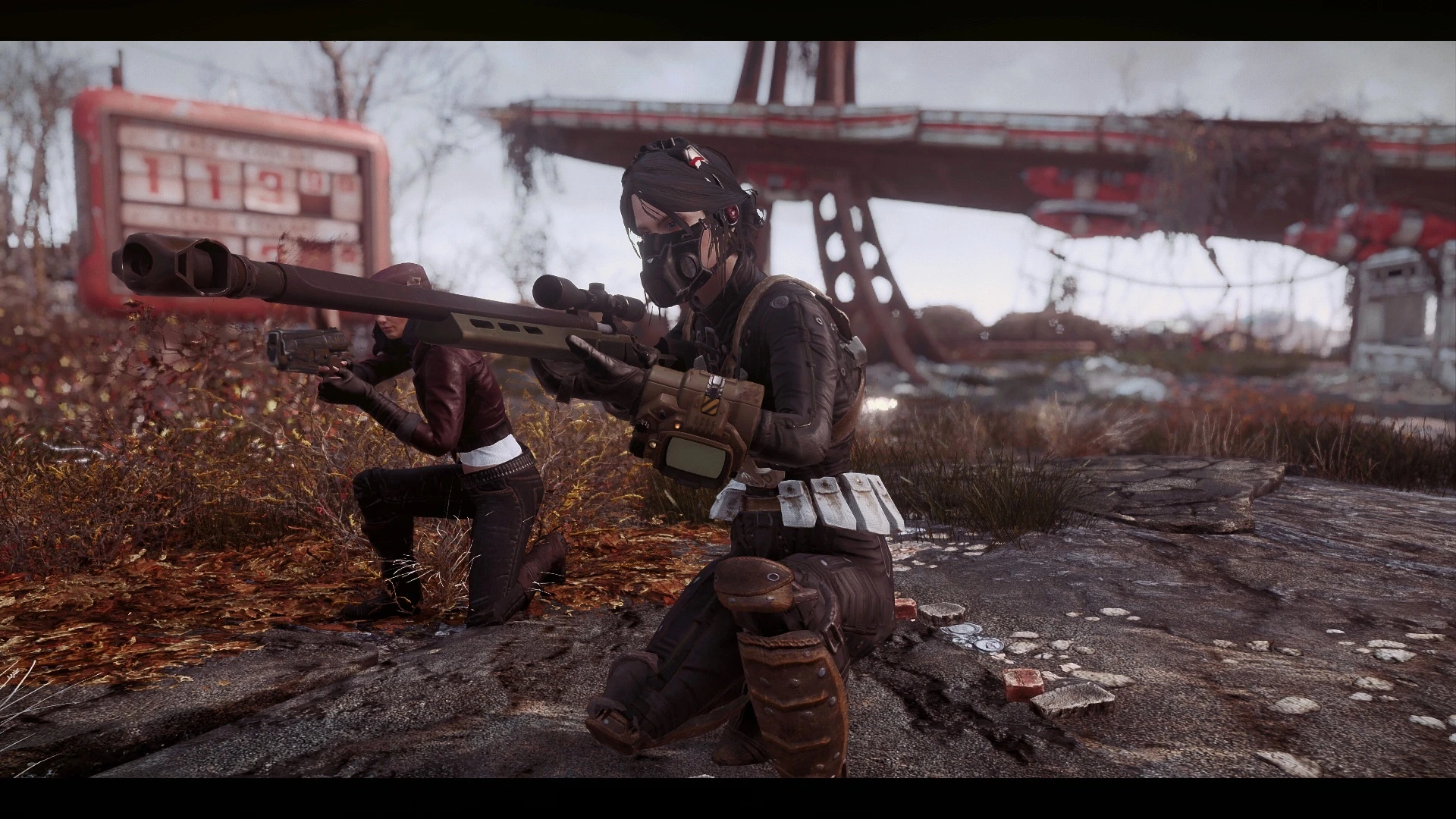
🔍 Analysis
- 👍 5.3% endorsement rate — high engagement, a strong quality signal
- 🏆 #9 of 11 ENB Presets mods in this game by downloads
📋 About This Mod
A cinematic visual preset for Fallout 4
PLEASE: If you downloaded and liked my preset, don't forget to return here and click on "ENDORSE"! That's my only request to you! I've spent too much time and work with it, so endorsing my mod you will be helping me and I will appreciate it so much. Thank you all!!
ALSO CHECK MY OTHER WORKS
PhoenixVivid ENB-Reshade for Skyrim SE
Phoenix Luminance ENB for Dragon's Dogma DA
Drangleic Enhanced Reshade for Dark Souls II
Phoenix Undead Reshade for Dark Souls III
Phoenix Samurai Reshade for Sekiro
Imaginarium ENB for Skyrim SE
Insanity ENB for Skyrim LE
NCW ENB for Fallout 4
Subscribe to my YouTube Channel
Follow me on Flickr
Phoenix Cinematic is a custom preset for Fallout 4 that mixes ENB and Reshade resources to give unique visuals without too heavy impact on performance. This mod contains many cinematic styles that can be changed ingame (See Optional Adjustments bellow) with grim and dramatic atmosphere tendencies , built to suit the apocalyptic environment of Fallout 4.
Natural and Atmospheric Commonwealth (NAC) mod by l00ping is REQUIRED for this preset to look as intended, and NAC Weathers option need to be enabled. Highly recommended to use the Depth of Field (DoF) Removal mod to disable ingame DOF (because it may not work fine with my ENB DOF).
*WARNING: Fallout 4 Enhanced Color Correction mod is NOT RECOMMENDED to be used with this preset. It will break the colors and contrast balance. If you are using it and want to use Phoenix Cinematic ENB-Reshade I highly suggest you to uninstall it.
For a better Institute lighting you should also install the Institute Patch from PRC miscellaneous files.
0B70ojl9zF8 dPbl-fjlLEE kNGZ_Z14JYs yhieuVZz4g4
- INSTALLATION STEPS:
1- In the game launcher disable Ambient Occlusion (ENB already has it), and I recommend to use TAA for anti-aliasing method. WARNING: If you are AMD card user and have the "black and white screen" issue (see here) after installation, you have 2 choices to fix it: 1- Re-enable the Ambient Occlusion (and probably get some FPS loss) or 2- Disable the Wetness effect in launcher advanced options. At this moment is unknown to me if NVIDIA users can have this problem.
2- Download the Reshade version 4. 9. 1 from here , and extract its .exe file somewhere ;
📊 Mod Details
- Game
- Fallout 4 Mods
- Author
- Phoenix
- Version
- 1.2
- Downloads
- 3,598
- Endorsements
- 191
- Category
- ENB Presets
- Created
- 8/15/2017
- Updated
- 5/7/2018
🔧 How to Install Fallout 4 Mods
Download from Nexus.
📖 Full step-by-step install guide for Fallout 4 →
Visit the official mod page for specific installation instructions for this mod.
🎮 Need cheat codes or console commands? Check ur gaming wiki for Fallout 4 commands, item IDs, and more.
Keep browsing — more Fallout 4 mods await