OJO BUENO NUKA-COLA MACHINE - 4K 2K 1K
⚪ Last updated 2015⚠️ Install Order · 2 steps
Install in this order, then this mod last — most mods fail to load without their framework and dependencies in place.
Preview
🔍 Analysis
- 👍 4.3% endorsement rate — high engagement, a strong quality signal
- 🏆 #120 of 329 Models and Textures mods in this game by downloads
📋 About This Mod
C Ojo D
Now included in the Ojo Bueno Texture Pack for Fallout 4
cGsY7XjCKT4 In the video I say 'coming soon', but the mod is now available, obviously :)
OVERVIEW:
INSTALLATION:
bInvalidateOlderFiles=1
In the same scection, find 'sResourceDataDirsFinal=' and delete any values here, so it simply reads:
sResourceDataDirsFinal=
2: Install the desired version of the file with your favorite mod manager tool. Or to install manually (if you're old school), download and extract the .zip file, and copy the enclosed 'Data' folder into your Fallout 4 folder, so that it merges with the existing 'Data' folder.
UNINSTALLATION:
- []NukaColaMachine2_d.dds []NukaColaMachine2_n.dds []NukaColaMachine2_s.dds
FUTURE PLANS:
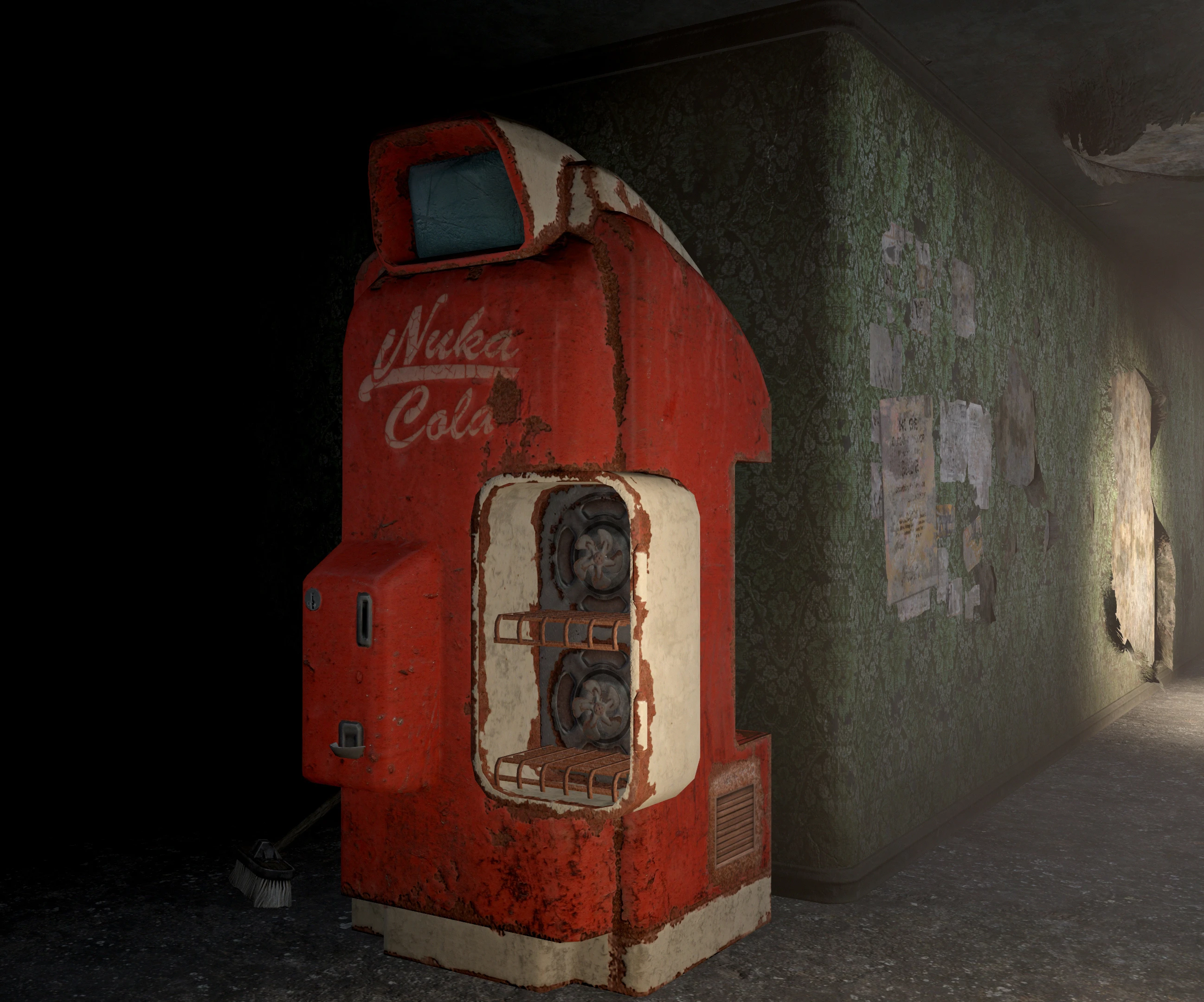
A high-quality, lore-friendly retexture of the iconic Nuka-Cola machine in Fallout 4, available in 4K, 2K, 1K, and vanilla sizes. From the Ojo Bueno Texture Workshop, this mod enhances the machine's visual detail while preserving the game's aesthetic. With 1,760 endorsements and 41,162 downloads, it's a popular choice for players seeking improved textures without straying from the lore.
✨ Key Features
📊 Pros & Cons
✅ Pros
- Community favorite with 1,760 endorsements and over 41,000 downloads.
- Multiple resolution options (4K/2K/1K) let you balance visuals with performance.
- Lore-friendly approach keeps the Commonwealth feeling authentic.
⚠️ Cons
- Last updated in 2015 — may not be optimized for newer game patches or DLC.
- Only affects the Nuka-Cola machine, so it's a minor visual upgrade.
- No screenshots or installation details provided in the description.
For Fallout 4 players who want to give the iconic Nuka-Cola machine a crisp visual upgrade without breaking immersion. Perfect for texture enthusiasts who appreciate high-res details but don't want lore-breaking changes. Skip if you're looking for gameplay changes or overhaul mods — this is purely cosmetic.
💡 Beginner Tips
- Choose the 2K version if you're on a mid-range PC — 4K can hit performance hard.
- Use a mod manager like Vortex or NMM to easily switch between resolutions.
- If you're using other texture mods, load this one after them to ensure it takes priority.
📊 Mod Details
- Game
- Fallout 4 Mods
- Author
- tapioks
- Version
- 2.0
- Downloads
- 41,162
- Endorsements
- 1,760
- Category
- Models and Textures
- Created
- 12/5/2015
- Updated
- 12/7/2015
🔧 How to Install Fallout 4 Mods
Download from Nexus.
📖 Full step-by-step install guide for Fallout 4 →
Visit the official mod page for specific installation instructions for this mod.
🎮 Need cheat codes or console commands? Check ur gaming wiki for Fallout 4 commands, item IDs, and more.
Keep browsing — more Fallout 4 mods await