Max Performance - All Interiors
⚪ Last updated 2019⚠️ Install Order · 2 steps
Install in this order, then this mod last — most mods fail to load without their framework and dependencies in place.
Preview
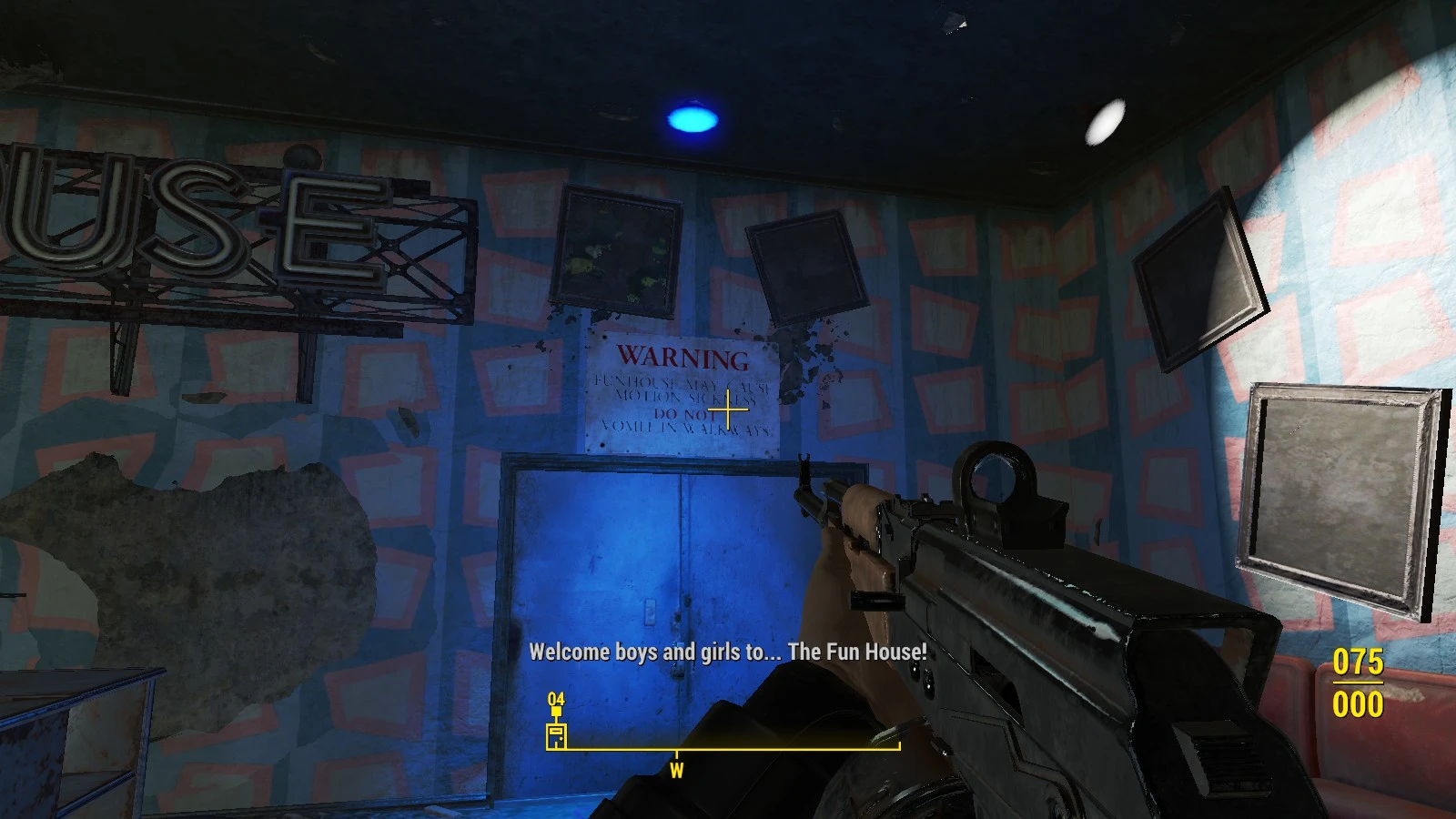
🔍 Analysis
- 👍 3.7% endorsement rate — high engagement, a strong quality signal
- 🏆 #3 of 19 Performance mods in this game by downloads
📋 About This Mod
Stops bad FPS drops and allows for smooth gameplay, boosts FPS rate, lowers VRAM and CPU usage and reduces if not stops performance related crashes.
This doesn't include "Prewar Sanctuary" if you need performance for character creation and intro from separate plugins files.
Still need more performance on top of this? recommended mods v
Wasteland 512 ba2 or Wasteland 512 (loose files) or Texture Optimization Project (loose files) and Fallout 4 Config Tool
^ but you should pack your own or use ba2 for better performance, loading speed ^
My PC: Laptop Intel I7 3. 2ghz, Nvidia GT555M 2gb shared video, 8gb system 1600mhz ram, 150gb SSD, Win 10.
LOOT should manage it properly but if there's conflicts you might have to move it around to get some things working.
So this turned out to take allot longer than I thought, I went through and tested each area 1 by 1 so everything has been fully tested and with tons of mods. Does not break precombines and previs for compatibility and performance but as for conflicts things like fog out interiors might conflict, I didn't remove fog as it doesn't really affect my performance, if anything seems to have better performance by blurring distance textures. added settlements and everything else I've tried works fine.
Max Performance - All Interiors is a performance mod for Fallout 4 that removes lights, beams, effects, mist, smoke, decals, and some moving objects across all interiors and DLC areas to maximize FPS. With 1,788 endorsements and 47,744 downloads, it's a popular choice for players seeking smoother performance without sacrificing exterior visuals.
✨ Key Features
📊 Pros & Cons
✅ Pros
- Community-approved with 1,788 endorsements and 47,744 downloads
- Targets the biggest FPS killers in interiors: lights, smoke, and effects
- Covers all DLC interiors, so you get consistent performance everywhere
⚠️ Cons
- Last updated in 2019 — may not be compatible with the latest Fallout 4 updates or mods
- Removing lights and effects can make interiors look flat and less atmospheric
For Fallout 4 players on lower-end PCs who struggle with FPS drops inside buildings and want a quick performance boost. Also great for modded playthroughs where interior effects cause stutter. Skip if you care about visual fidelity in interiors — this mod strips away atmosphere for performance.
💡 Beginner Tips
- Since this mod was last updated in 2019, test it with your current load order to ensure no conflicts with newer mods.
- If you use a mod manager, install it manually by dropping the files into your Data folder to avoid overwriting other mods.
- Pair this with an exterior performance mod to get a full FPS boost across the Commonwealth.
📊 Mod Details
- Game
- Fallout 4 Mods
- Author
- MxmOvrDrv
- Version
- 1.2
- Downloads
- 47,744
- Endorsements
- 1,788
- Category
- Performance
- Created
- 3/6/2019
- Updated
- 3/25/2019
🔧 How to Install Fallout 4 Mods
Download from Nexus.
📖 Full step-by-step install guide for Fallout 4 →
Visit the official mod page for specific installation instructions for this mod.
🎮 Need cheat codes or console commands? Check ur gaming wiki for Fallout 4 commands, item IDs, and more.
Keep browsing — more Fallout 4 mods await