Male LooksMenu Preset. Steve G
⚪ Last updated 2020⚠️ Install Order · 2 steps
Install in this order, then this mod last — most mods fail to load without their framework and dependencies in place.
Preview
🔍 Analysis
- 👍 1.2% endorsement rate — high engagement, a strong quality signal
- 🏆 #53 of 147 Character Presets mods in this game by downloads
📋 About This Mod
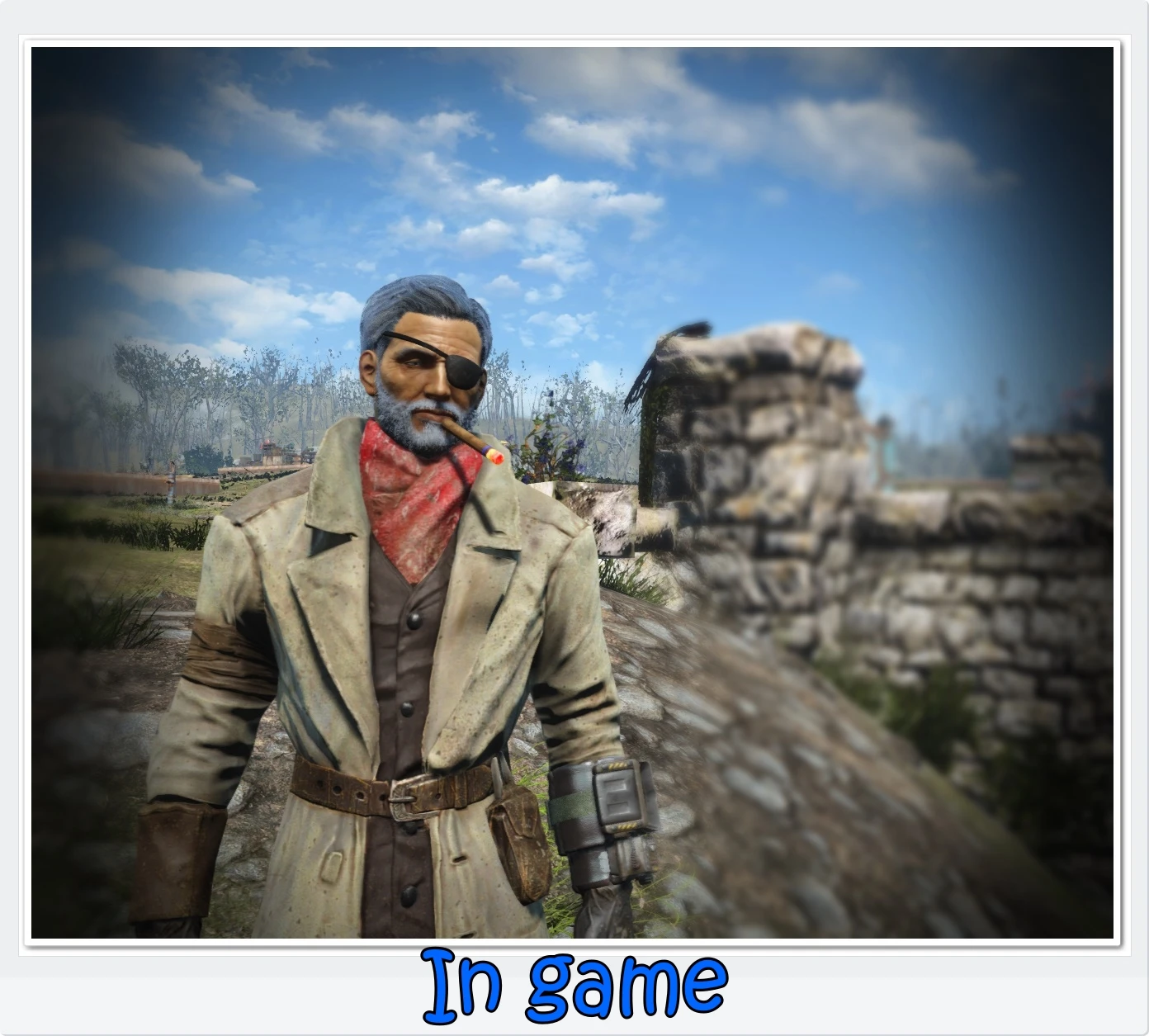
A LooksMenu preset of one of my player-characters. A seasoned greybeard.
Just a LooksMenu preset of one of my player characters. He’s an old grumpy who keeps rumbling around inside my head.
You decide if he’s lore or canon – I guess he’s not. But maybe you can find some other use for him. He is – to my best knowledge – all vanilla.
The preset is bearded. But I included a couple of bare faced pictures too.
Eyepatch is from Spartan Sniper Outfit
Cigar is from CigaretteInMouth
You WILL need LooksMenu and F4SE for it to work.
I recommend Construct a custom companion in case you rather want a grizzled veteran following you around. This mod works perfectly well with LooksMenu.
Installation: NMM should drop it in the proper folder. Or you can unpack it and drop the data folder into your FO4 root folder.
To use: Face your character and open up the console. Type “TFC 1” – Enter, for freezing the world and “SUCSM1” – Enter, for slowing down the free camera movement. “
SLM14” will open the “ShowLooksMenu” menu for editing the face of your character.
For somebody else you can click on them in console to get their ID and then type “SLM” followed by the proper ID. Once the menu is open you will see a tag called “Presets”. Hit that and choose Steve G among the presets.
If you want another hairdo or whatever you can edit him to your liking while still in LooksMenu.
📊 Mod Details
- Game
- Fallout 4 Mods
- Author
- Bernt
- Version
- 1.0
- Downloads
- 2,483
- Endorsements
- 29
- Category
- Character Presets
- Created
- 5/10/2020
- Updated
- 5/10/2020
🔧 How to Install Fallout 4 Mods
Download from Nexus.
📖 Full step-by-step install guide for Fallout 4 →
Visit the official mod page for specific installation instructions for this mod.
🎮 Need cheat codes or console commands? Check ur gaming wiki for Fallout 4 commands, item IDs, and more.
Keep browsing — more Fallout 4 mods await