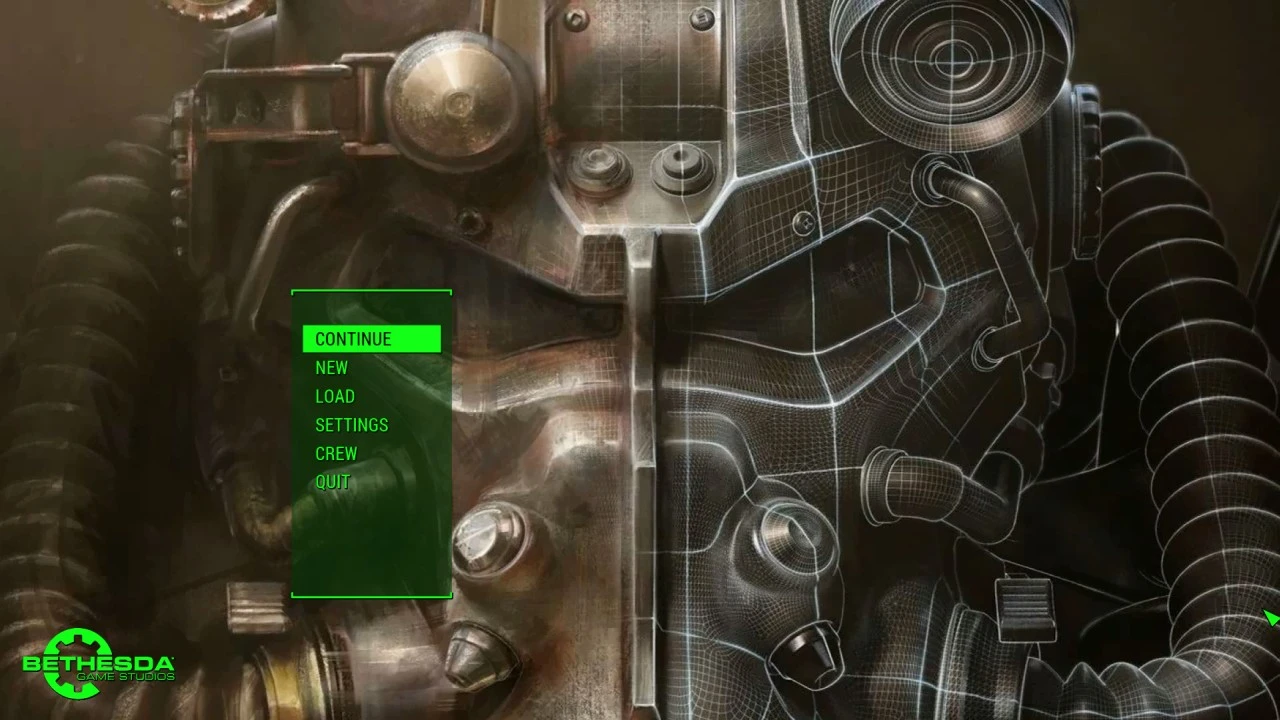
Main Menu - Concept Art
⚪ Last updated 2015⚠️ Install Order · 2 steps
1🛠️ F4SE — Fallout 4 Script Extender Download ↗
2🔧 UFO4P — Unofficial Fallout 4 Patch Download ↗
Install in this order, then this mod last — most mods fail to load without their framework and dependencies in place.
Preview
🔍 Analysis
- 👍 5.9% endorsement rate — high engagement, a strong quality signal
- 🏆 #13 of 99 User Interface mods in this game by downloads
📋 About This Mod
Changes the default main menu loop to Fallout 4 concept art.
🤖 AI-enhanced — based on mod data
Replaces the default main menu background with concept art from Fallout 4. A simple, lightweight UI tweak for players who want a fresh look at the game's loading screen. With 498 endorsements and 8,482 downloads, it's a modestly popular cosmetic mod.
✨ Key Features
Swaps the default main menu loop for Fallout 4 concept art.
Lightweight UI modification with no gameplay changes.
Simple installation—just drop-in files.
📊 Pros & Cons
✅ Pros
- Community-approved with 498 endorsements and over 8,000 downloads.
- Gives the main menu a fresh, artistic vibe without touching gameplay.
- Tiny download and install—perfect for a quick visual refresh.
⚠️ Cons
- Only changes the main menu background—no other UI elements are affected.
- Last updated in 2015, so it may not be compatible with the latest game patches.
- Potential conflicts with other mods that alter the main menu (e.g., custom menus or UI overhauls).
🎯 Is This For You?
For Fallout 4 players who want a subtle visual change to the main menu without any gameplay impact. If you're tired of the default background and enjoy concept art, this is a quick win. Skip if you're looking for deeper UI overhauls or gameplay tweaks.
For Fallout 4 players who want a subtle visual change to the main menu without any gameplay impact. If you're tired of the default background and enjoy concept art, this is a quick win. Skip if you're looking for deeper UI overhauls or gameplay tweaks.
📦 Install:Easy· Under 1 minute
💡 Beginner Tips
- Place the files in your Fallout 4 Data folder, or use a mod manager like Vortex for easy installation.
- If you use other main menu mods, check load order to avoid conflicts—this mod should override or be overridden depending on your preference.
- Since it's a simple texture replacement, no special setup is needed; just make sure the game is not running when you install.
📊 Mod Details
- Game
- Fallout 4 Mods
- Author
- ZeRo2545
- Version
- 1.0
- Downloads
- 8,482
- Endorsements
- 498
- Category
- User Interface
- Created
- 12/11/2015
- Updated
- 12/11/2015
🔧 How to Install Fallout 4 Mods
Download from Nexus.
📖 Full step-by-step install guide for Fallout 4 →
Visit the official mod page for specific installation instructions for this mod.
🎮 Need cheat codes or console commands? Check ur gaming wiki for Fallout 4 commands, item IDs, and more.
Keep browsing — more Fallout 4 mods await