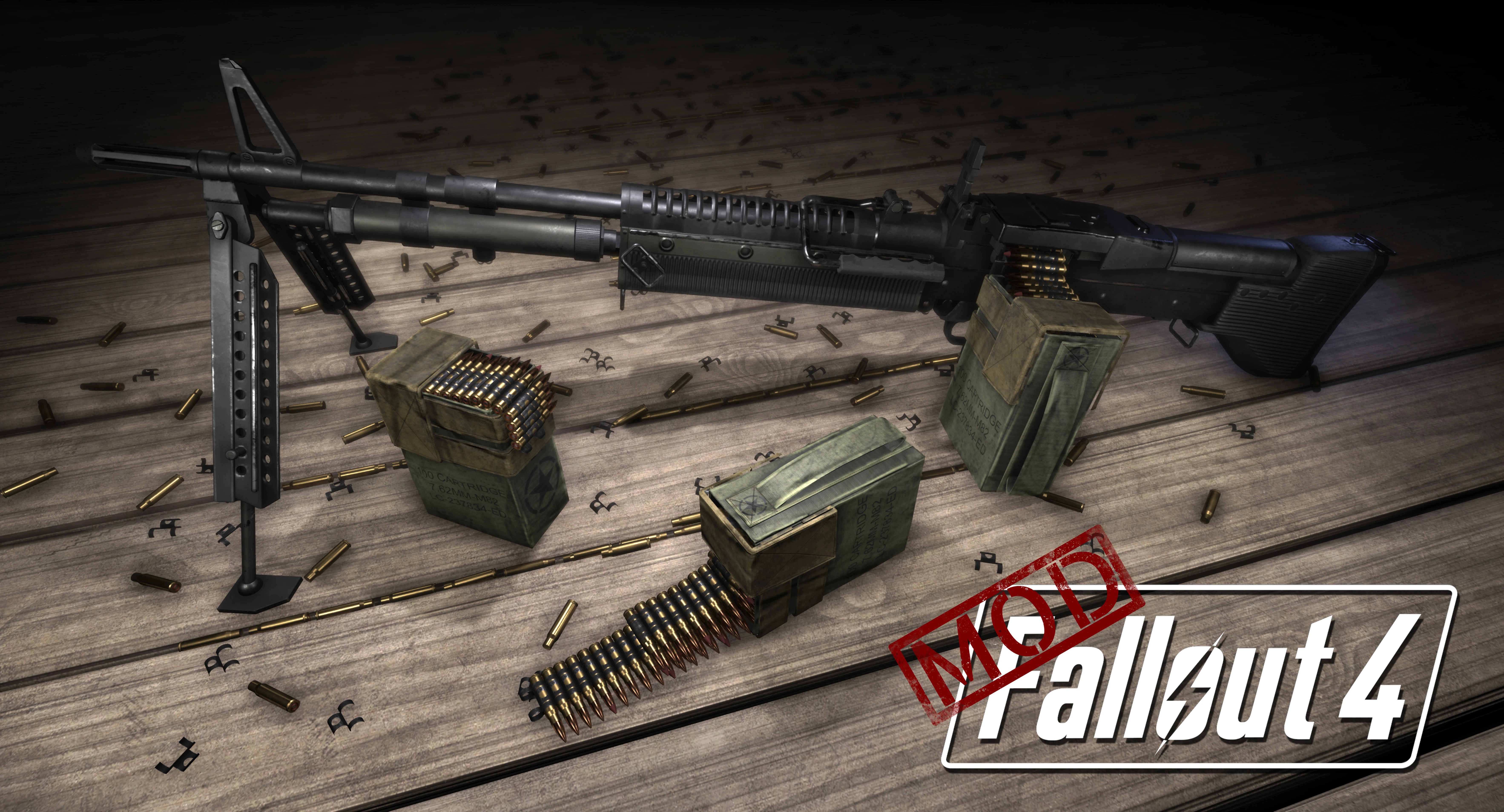
M60 Light Machinegun
⚪ Last updated 2019⚠️ Install Order · 2 steps
Install in this order, then this mod last — most mods fail to load without their framework and dependencies in place.
Preview
🔍 Analysis
- 👍 2.2% endorsement rate — high engagement, a strong quality signal
- 🏆 #162 of 412 Weapons mods in this game by downloads
📋 About This Mod
UPDATE 4/25/2019
Updated the Mesh and Textures for accuracy.
Updated Animations by WarDaddy coming soon!
Ksm3cH8GzkY
Description:
Fully animated, sfx, and customizable section support weapon.
The weapon starts to spawn from lvl 25.
Stand alone weapon with standard assault rifle modification roster, minus scopes.
Custom sound effects by Navaro and Animations from Wardaddy as seen in the video above.
Buildable turret shooting 308 rounds.
: Sounds
cam267: Mesh fixes
: Animations & ck and mesh edits
: Everything else
a_blind_man: lvl injection tool
- Bullets on the belt do not represent whats in the magazine, the number in the magazine just runs out and then reloads, this is an issue with the base game and unavoidable.
Adds the M60 light machine gun to Fallout 4 with custom animations. A popular weapon mod with over 8,600 endorsements and 386,000 downloads, last updated in April 2019. For players who want a classic LMG with unique animations.
✨ Key Features
📊 Pros & Cons
✅ Pros
- Huge community trust (8,618 endorsements) — this is a must-have for weapon mod fans.
- Massive download count (386,435) shows it's been tested by thousands of players.
- Custom animations make the M60 feel fresh, not just a re-skin.
⚠️ Cons
- Last updated in April 2019 — may have compatibility issues with newer game patches or DLC.
- No known dependencies listed, but custom animations might conflict with other weapon mods.
For Fallout 4 players who want a classic belt-fed LMG with custom animations. If you're a weapon collector or want a powerful automatic option, this is for you. Skip if you need lore-friendly or highly balanced weapons — this is a straightforward addition.
💡 Beginner Tips
- Since it's a weapon mod, make sure you have the necessary DLC or game version that supports it — check the mod's comments for any known issues.
- Use a mod manager like Vortex or NMM to install and manage the mod, and place it in your load order after other weapon mods to avoid conflicts.
- If you're on PC, consider using the console command 'help m60 4' to find the item ID if you can't locate it in the world.
📊 Mod Details
- Game
- Fallout 4 Mods
- Author
- Davis237Wardaddy LLC
- Version
- 1.9
- Downloads
- 386,435
- Endorsements
- 8,618
- Category
- Weapons
- Created
- 7/16/2018
- Updated
- 4/26/2019
🧩 Commonly Used Together
Users add these mods to the same collections — a real compatibility signal, not an AI guess.
🔧 How to Install Fallout 4 Mods
Download from Nexus.
📖 Full step-by-step install guide for Fallout 4 →
Visit the official mod page for specific installation instructions for this mod.
🎮 Need cheat codes or console commands? Check ur gaming wiki for Fallout 4 commands, item IDs, and more.
Keep browsing — more Fallout 4 mods await