Levelers Bunker
⚪ Last updated 2016⚠️ Install Order · 2 steps
Install in this order, then this mod last — most mods fail to load without their framework and dependencies in place.
Preview
🔍 Analysis
- 👍 3.8% endorsement rate — high engagement, a strong quality signal
- 🏆 #17 of 18 Locations - New mods in this game by downloads
📋 About This Mod
Levelers Bunker
Mod for Fallout 4
Version 0. 13 BETA - 10/30/2016
by WillieSea
This mod will be updated on occasion as I dream up new ideas and fix reported bugs.
-INSTALLATION--------
1. Unpack the 7z file and copy the 'Data' folder into your steam folder located at:
2. \Steam\SteamApps\common\Fallout 4\
3. Overwrite all files and folders. No vanilla files have been modified so this is safe to do.
4. Activate the mod from with-in the the games Mod menu. For best compatibility with other mods, put Levelers Bunker towards the top of your load order, which can be done in-game.
GOTY version of Fallout 4?
To get the elevator (mod) working follow the steps in this post: https://wiki.nexusmods.com/index.php/Fallout_4_Mod_Installation
You'll need to create or add to the Fallout4Custom.ini file in your documents folder: C:\Users\{username}\Documents\My Games\Fallout4.
Add this to the bottom of this ini file:
bInvalidateOlderFiles=1
sResourceDataDirsFinal=
Have this mod load near the top of your load order.
-LOCATION------------
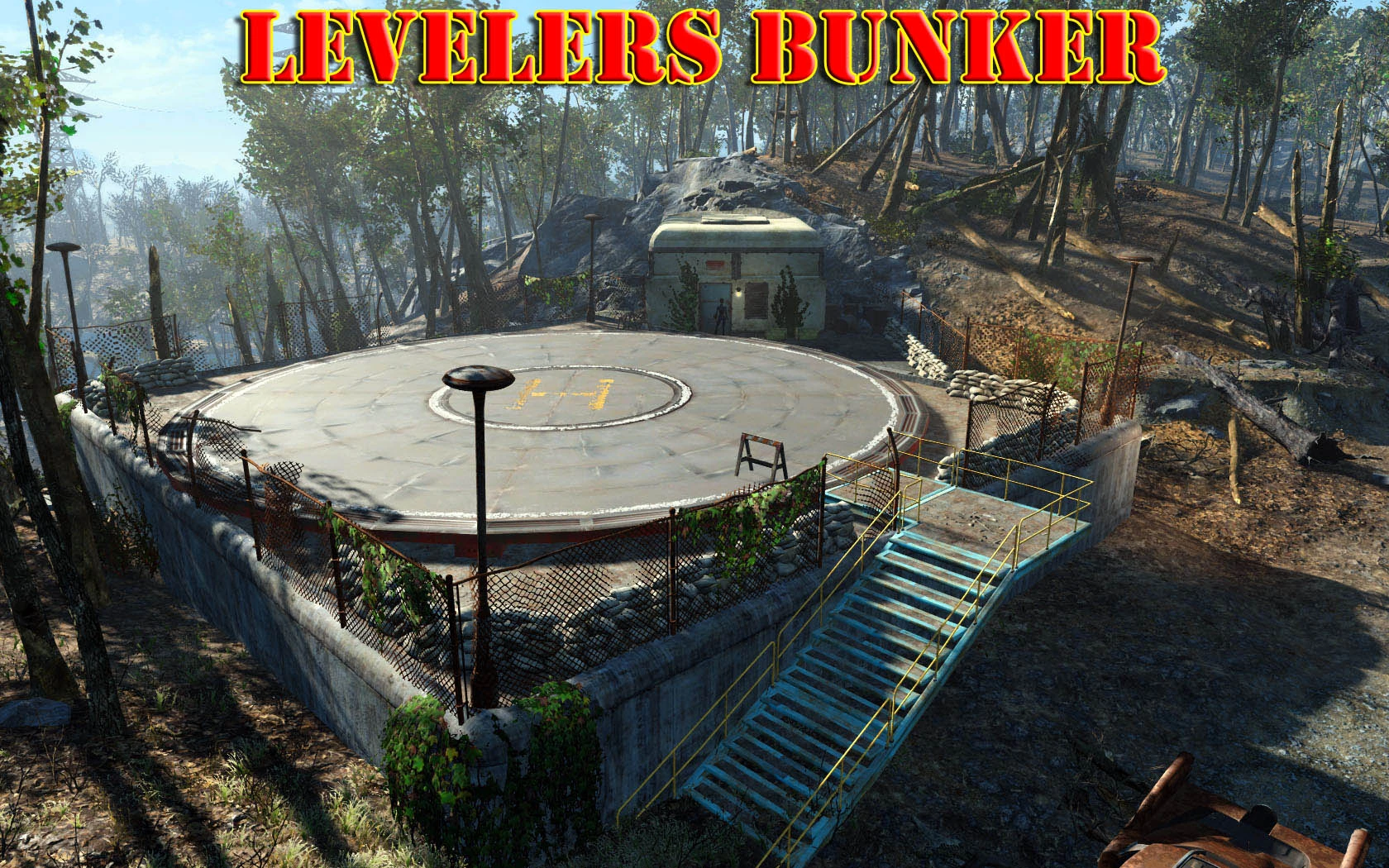
The bunker is located outside the Vault 111 entrance. Look to the South.
Trouble finding the key? Check the army skeleton outside the bunker.
-DESCRIPTION---------
Player Home Base with many features. You can quickly create test characters for testing your own mods, re-
create a lost character due to hardware failure or save game corruption, or just have fun making up any level of
character you like.
This readme document should have all the information you need to play the mod to its full advantage. Please
read it before asking questions.
-REFRESH Mod---------
Why is a refresh necessary sometimes?
This mod is currently being developed, and sometimes I modify things and they will not show up in your save game.
Why don't they show up in my save game?
Because, the save game is loaded into memory last. Think of your save game as the last item in your load order. So, if something is saved in your saved game, such as a container location, the position of that container will be taken from your save game, not the mod. So you need to remove all mod information from your save game, or refresh it.
How do I refresh the mod in my save game?
1.. First, make sure you clear out all the containers, displays, everything from the mod interiors. With a refresh, everything will be reset to new.
2. Disable the mod in your load order and then load up your save game. Once loaded, save it as a new save game.
Levelers Bunker is a player home base mod for Fallout 4 that lets you quickly create test characters for mod testing, recover lost characters, or craft characters at any level. With over 2,000 endorsements and 55,000 downloads, it's a well-established utility for players who want flexibility in character progression.
✨ Key Features
📊 Pros & Cons
✅ Pros
- Community favorite with 2,095 endorsements and 55,405 downloads.
- Solves real problems: test mods without grinding or recover lost saves.
- Gives you total control over character level—perfect for sandbox play.
⚠️ Cons
- Last updated in 2016—may have compatibility issues with current game patches.
- Requires manual installation; no mod manager integration mentioned.
For Fallout 4 modders who need a fast way to test their creations without replaying the early game. Also for players who lost a save and want to rebuild their character quickly. Skip if you're looking for a traditional player home with crafting and storage—this is more of a utility base.
💡 Beginner Tips
- Since it's a player home, fast travel to the bunker after installing to access its features.
- Use it to back up your character's level and perks before testing risky mods.
- If you're on PC, consider using a mod manager for easier uninstallation, though manual works.
📊 Mod Details
- Game
- Fallout 4 Mods
- Author
- WillieSea
- Version
- 0.13
- Downloads
- 55,405
- Endorsements
- 2,095
- Category
- Locations - New
- Created
- 10/2/2016
- Updated
- 10/30/2016
🔧 How to Install Fallout 4 Mods
Download from Nexus.
📖 Full step-by-step install guide for Fallout 4 →
Visit the official mod page for specific installation instructions for this mod.
🎮 Need cheat codes or console commands? Check ur gaming wiki for Fallout 4 commands, item IDs, and more.
Keep browsing — more Fallout 4 mods await