Kamuro Neon
⚪ Last updated 2020⚠️ Install Order · 2 steps
Install in this order, then this mod last — most mods fail to load without their framework and dependencies in place.
Preview
🔍 Analysis
- 👍 4.1% endorsement rate — high engagement, a strong quality signal
- 🏆 #22 of 133 Crafting - Home/Settlement mods in this game by downloads
📋 About This Mod
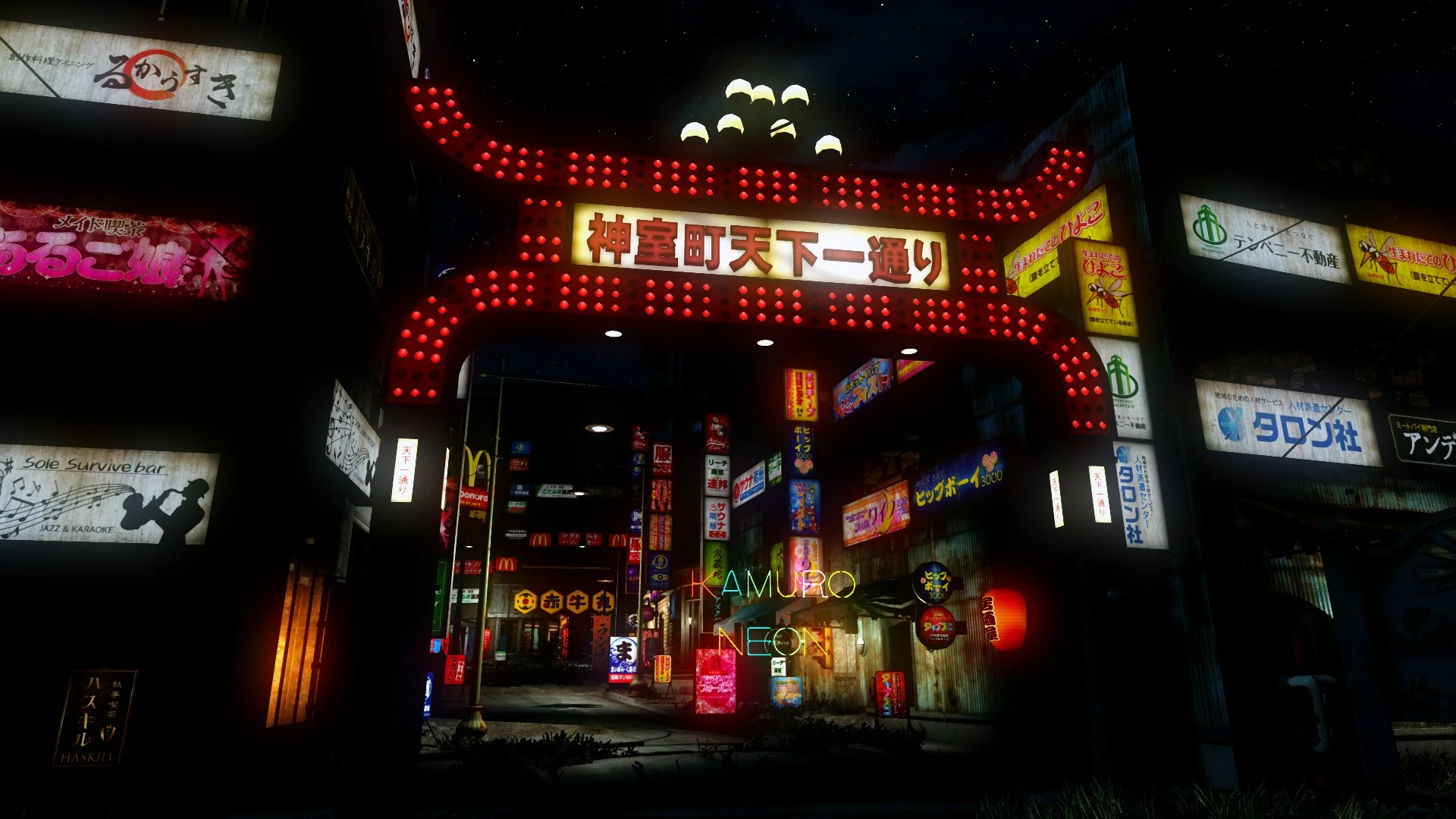
We will add a lot of signboards made in the image of Kamurocho, the stage of SEGA's game "YAKUZA series", to the workshop.
Most of the signs are written in Japanese.
All signs require electricity.
To account for the load, the sign will not be a light source.
They only appear to glow, so the game shouldn't get heavy even if you place a lot of them.
INSTALLATION
This mod uses a script injected menu to add our own custom menu to the workshop Decorations category.
UNINSTALL
1. Use an Kamuro Neon Uninstaller chem, that can be crafted at the chem station.
2. Save/Quick save the game
3. Now you can quit the game and disable the plugin (esp)
ANNOTATION
There is no misappropriation of data from Yakuza.
All the original meshes and textures were created by me.
日本語版でプレイ中の皆さんへ
ファイルヘッダーを修正しましたので、日本語版Fallout4で動作するようになりました。
Kamuro Neon adds numerous Japanese signboards inspired by SEGA's Yakuza series to the Fallout 4 workshop, letting players recreate the neon-lit streets of Kamurocho in their settlements. With 888 endorsements and 21,834 downloads, it's a popular cosmetic mod for fans of the series.
✨ Key Features
📊 Pros & Cons
✅ Pros
- Community favorite with 888 endorsements and over 21k downloads
- Perfect for Yakuza fans wanting to build authentic Kamurocho-style settlements
- Simple workshop integration—just build and place signs
⚠️ Cons
- Last updated in 2020—may have compatibility issues with current game versions
- Japanese text on signs may not appeal to players who prefer English or other languages
For Fallout 4 settlement builders who are also Yakuza fans and want to recreate the iconic neon-drenched streets of Kamurocho. Also great for anyone looking to add a unique Japanese aesthetic to their builds. Skip if you're not interested in cosmetic settlement items or prefer English signage.
💡 Beginner Tips
- Since it's a workshop mod, just download and install, then look for the signs under the Crafting menu in a settlement.
- If you're using a mod manager, make sure to enable the plugin before launching the game.
- Combine with other neon or Japanese-themed mods to enhance the Kamurocho vibe.
📊 Mod Details
- Game
- Fallout 4 Mods
- Author
- Higeyosi
- Version
- 1.1
- Downloads
- 21,834
- Endorsements
- 888
- Category
- Crafting - Home/Settlement
- Created
- 4/29/2020
- Updated
- 11/25/2020
🧩 Commonly Used Together
Users add these mods to the same collections — a real compatibility signal, not an AI guess.
🔧 How to Install Fallout 4 Mods
Download from Nexus.
📖 Full step-by-step install guide for Fallout 4 →
Visit the official mod page for specific installation instructions for this mod.
🎮 Need cheat codes or console commands? Check ur gaming wiki for Fallout 4 commands, item IDs, and more.
Keep browsing — more Fallout 4 mods await