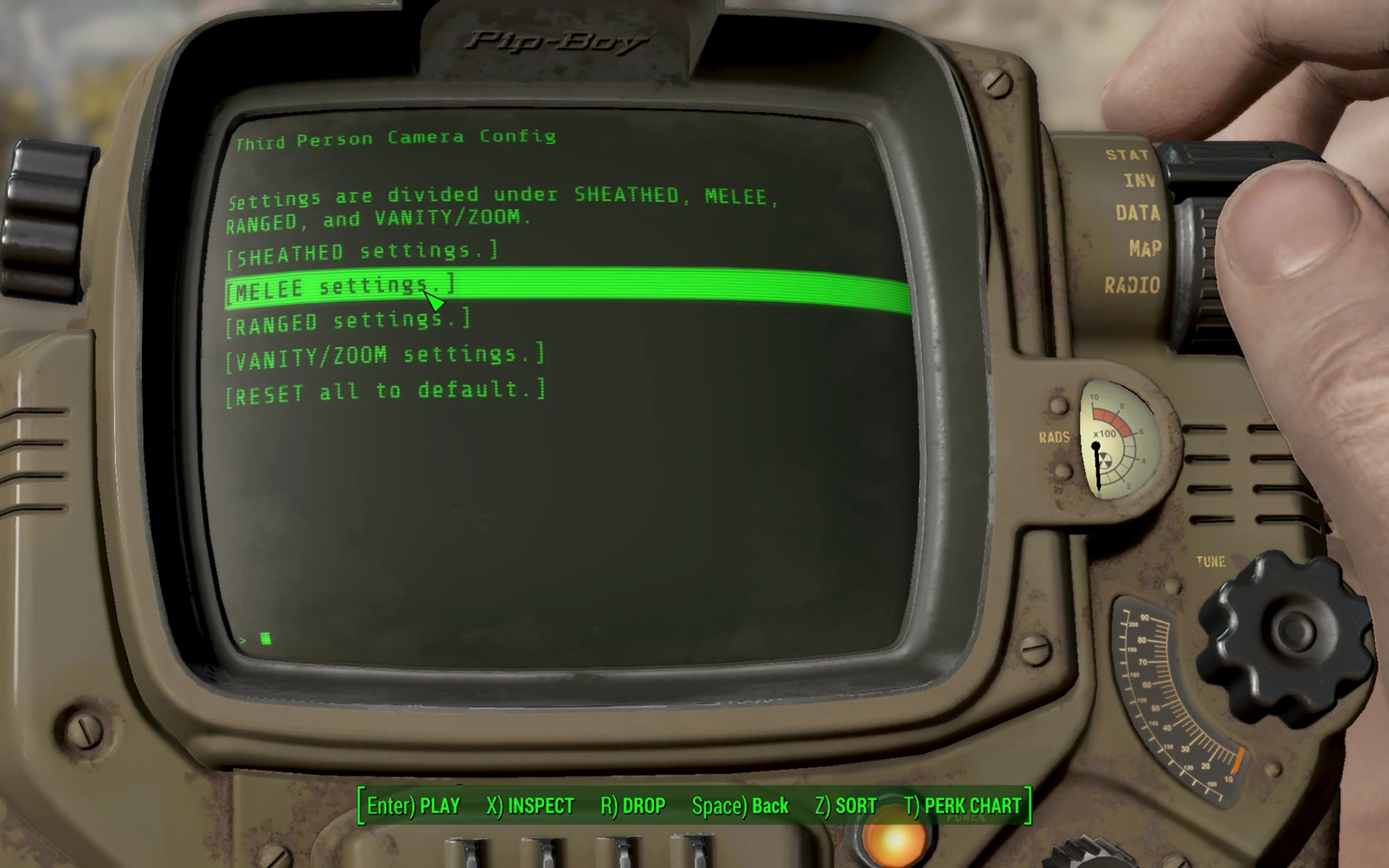
In-game Third Person Camera Config
⚪ Last updated 2016⚠️ Install Order · 2 steps
Install in this order, then this mod last — most mods fail to load without their framework and dependencies in place.
Preview
🔍 Analysis
- 👍 3.2% endorsement rate — high engagement, a strong quality signal
- 🏆 #50 of 193 Gameplay mods in this game by downloads
📋 About This Mod
If you are upgrading from version 080 you need to enter the 'Danger Zone' and click on reinstall.
----In-game Third Person Camera Config----
- ---Description----
- This mod allows you to modify the third person camera settings and FOV in-game rather than having to exit the game every time.
- I also included in ITPCC, a fix for using custom camera settings and the DLC surgery and haircut chairs.
- -------
- ---Requirements----
- 1. *Add the following to your Fallout4Custom.ini file:
- bApplyCameraNodeAnimations=0
- 2. Barber and Surgeon Camera Fix
- While this mod works perfectly fine without it, custom camera settings will cause bugs when using the barber, surgeon, or during character generation without the fix.
- *Included in ITPCC is a fix for the DLC surgery and haircut chairs that isn't included in the Barber and Surgeon Camera Fix mod.
- -------
- ---Installation----
- 1. Add the following to your Fallout4Custom.ini file:
- bApplyCameraNodeAnimations=0
- 2. Extract files to Data folder.
- -------
- ---Uninstall----
- 1. Use the in-game holotape added by this mod.
- 2. Go to the danger zone.
- 3. Click on Uninstall.
- 4. Remove this mod's files added to the Data folder.
- -------
- ---Other Mods----
- State-based Automatic Camera Switching
- This mod allows the game to switch from the first to the third person camera and vice versa automatically, depending on how you configure it.
- -------
This mod lets you tweak third-person camera and FOV settings without exiting the game. It's a quality-of-life tool for players who frequently adjust their view. With 1,339 endorsements and 41,838 downloads, it's a proven utility for its niche.
✨ Key Features
📊 Pros & Cons
✅ Pros
- Saves time by eliminating the need to exit to change camera settings
- Solid community trust with 1,339 endorsements
- High download count (41,838) shows real demand
⚠️ Cons
- Last updated in 2016, so may not be compatible with newer game versions
- Limited to camera and FOV tweaks—no other gameplay changes
For players who frequently tweak their third-person camera or FOV and want a quicker way to do it. Skip if you're looking for broader gameplay overhauls—this is a focused utility.
💡 Beginner Tips
- If the game updates, check for a newer version or community patches to ensure compatibility.
- Test different FOV values to find what feels comfortable for your playstyle.
📊 Mod Details
- Game
- Fallout 4 Mods
- Author
- MrSaitama
- Version
- 091
- Downloads
- 41,838
- Endorsements
- 1,339
- Category
- Gameplay
- Created
- 9/9/2016
- Updated
- 9/21/2016
🔧 How to Install Fallout 4 Mods
Download from Nexus.
📖 Full step-by-step install guide for Fallout 4 →
Visit the official mod page for specific installation instructions for this mod.
🎮 Need cheat codes or console commands? Check ur gaming wiki for Fallout 4 commands, item IDs, and more.
Keep browsing — more Fallout 4 mods await