Heinz Beanz Texture (Pork and Beans)
⚪ Last updated 2015⚠️ Install Order · 2 steps
Install in this order, then this mod last — most mods fail to load without their framework and dependencies in place.
Preview
🔍 Analysis
- 👍 7.0% endorsement rate — high engagement, a strong quality signal
- 🏆 #61 of 219 Models and Textures mods in this game by downloads
📋 About This Mod
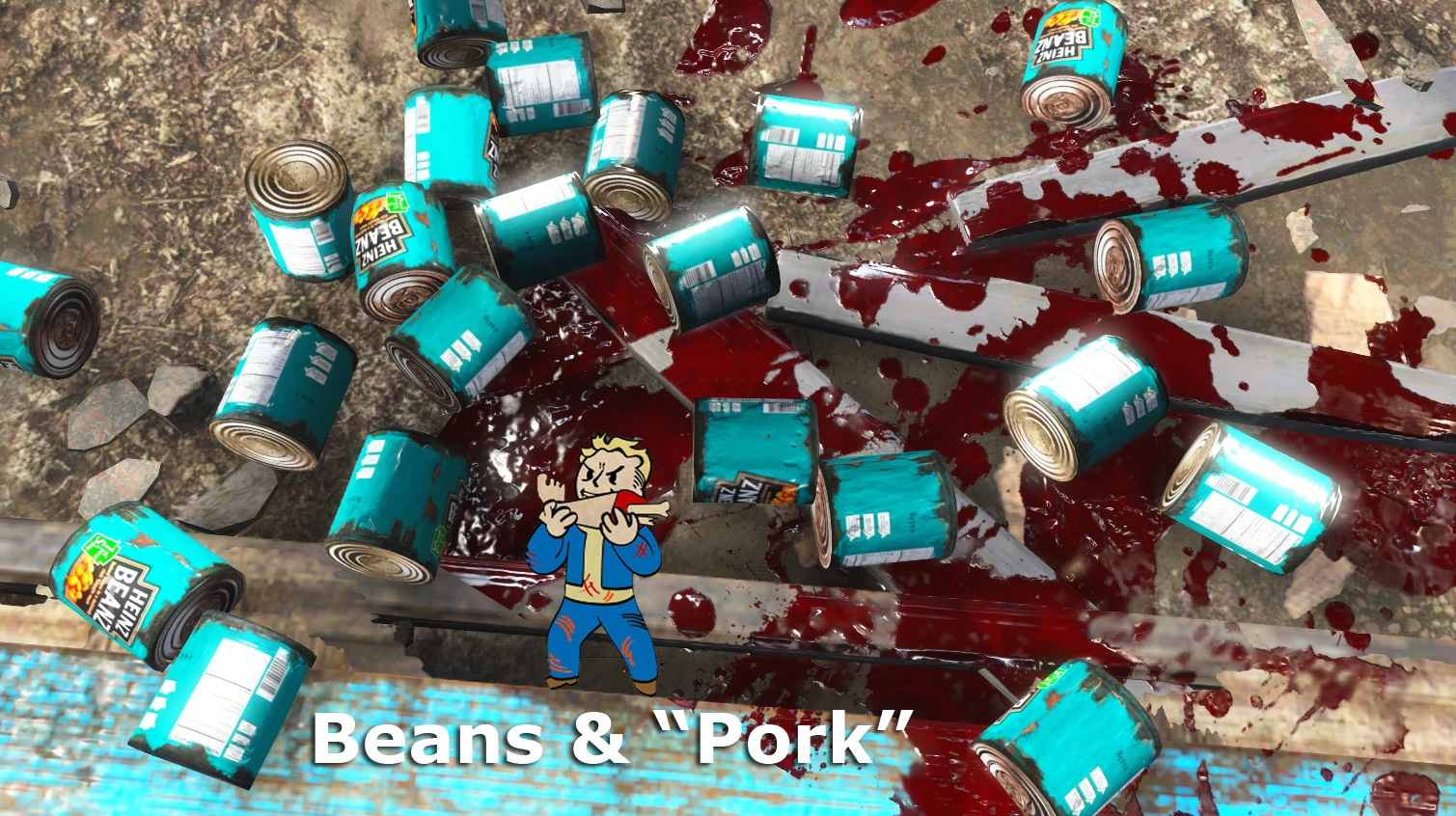
HEINZ BEANZ
Pork & Beans TEXTURE texture mod by g r e e n t e a
Details: The always present Heinz Beans are now available in the Wastelands. HD Re-Texture for the regular Pork & Beans can in 2k and 1k New vibrant colours and details for your provisions
Installation: Edit your fallout4.ini (%userprofile%\Documents\My Games\Fallout4) adding TEXTURES\ to sResourceDataDirsFinal=STRINGS\, TEXTURES\
Extract the files into Fallout 4 /Data/textures/setdressing/FoodAndFoodWare
or use mod Installer
Heinz Beans, delicious, nutritious and a perfect Ghoul bate
I hope you have fun and enjoy this mod as much I enjoy making them Have a great day!
Check out my other mods for more fun!
Dirty Water Box
Alien Blaster Pistol
Pringles New Flavours
Mac & Cheese
Frosties by Kellogg's
P r i n g l e s
S l u r m
A simple texture replacement for the Pork and Beans item in Fallout 4, turning it into a Heinz Beanz can. With 397 endorsements and over 5,600 downloads, this cosmetic mod adds a touch of British humor to your wasteland scavenging. Last updated in 2015, it's a lightweight, no-frills addition for fans of the iconic brand.
✨ Key Features
📊 Pros & Cons
✅ Pros
- Community favorite with 397 endorsements and over 5,600 downloads
- Adds a fun, nostalgic touch for British players or Heinz fans
- Zero performance impact—it's just a texture swap
⚠️ Cons
- Only affects one item, so the visual change is minimal
- Texture quality may not match modern HD mods since it's from 2015
- Potential conflicts with other mods that alter the same Pork and Beans texture
For Fallout 4 players who want a bit of British humor in their wasteland and don't mind a simple texture swap. It's perfect for those who appreciate small, quirky details. Skip if you're looking for major visual overhauls or gameplay changes—this is purely cosmetic.
💡 Beginner Tips
- Make sure to place the texture files in your Fallout 4 Data folder, typically found at 'C:\Program Files (x86)\Steam\steamapps\common\Fallout 4\Data'.
- If you're using a mod manager like Nexus Mods' Vortex, you can install this mod directly through the manager for easier uninstallation.
- Check if you have other texture mods that affect food items—this mod might conflict with them, so load order matters.
📊 Mod Details
- Game
- Fallout 4 Mods
- Author
- G r e e n t e a
- Version
- 1.0
- Downloads
- 5,656
- Endorsements
- 397
- Category
- Models and Textures
- Created
- 11/24/2015
- Updated
- 11/24/2015
🔧 How to Install Fallout 4 Mods
Download from Nexus.
📖 Full step-by-step install guide for Fallout 4 →
Visit the official mod page for specific installation instructions for this mod.
🎮 Need cheat codes or console commands? Check ur gaming wiki for Fallout 4 commands, item IDs, and more.
Keep browsing — more Fallout 4 mods await