Ghoul Skin - LM Tint API
🟡 Updated this year⚠️ Install Order · 2 steps
Install in this order, then this mod last — most mods fail to load without their framework and dependencies in place.
Preview
🔍 Analysis
- 👍 2.0% endorsement rate — high engagement, a strong quality signal
- 🏆 #73 of 83 Body, Face, and Hair mods in this game by downloads
📋 About This Mod
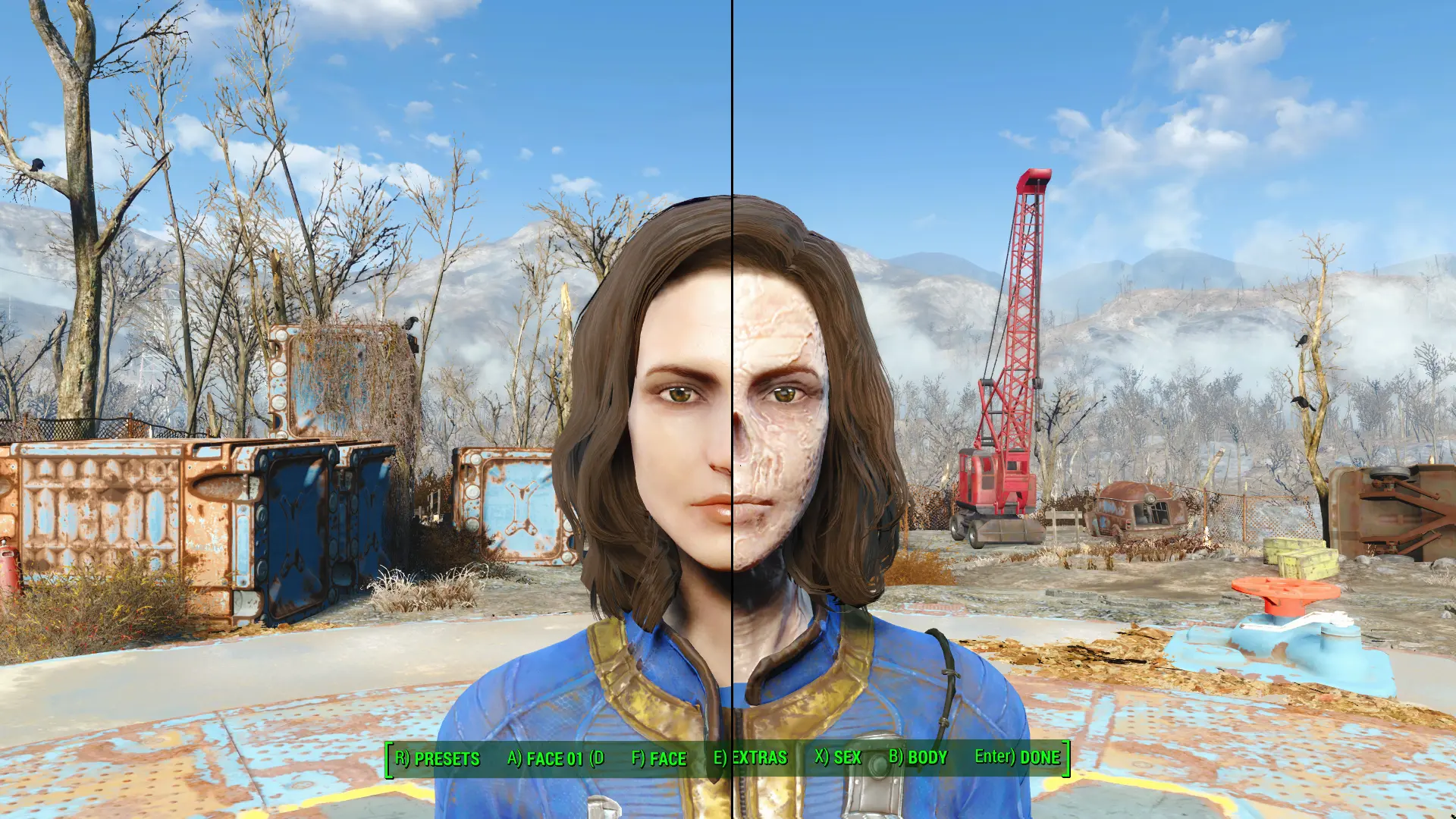
Turn your character into a ghoul by using LooksMenu.
This requires some manual editing of your face presets. Load the face preset that you want to turn into a ghoul. Save it again under different name. Now you are going to edit that outside of the game. Go to <Data\F4SE\Plugins\F4EE\Presets> and find the newly saved preset. Open it. To do that I usually add txt extension at the end of the file name. Alternatively skip any renaming and just use Notepad++. You need to replace two "HeadParts" inside the json file - the face and rear head.
For females:
"Fallout4.esm|04D0E9" -> "Ghoul_Skin.esp|F9B"
"Fallout4.esm|0CFB3F" -> "Ghoul_Skin.esp|F9A"
"Fallout4.esm|01F735" -> "Ghoul_Skin.esp|F6C"
"Fallout4.esm|01EEBB" -> "Ghoul_Skin.esp|F6B"
Check screenshot with example. After that's done, save the file. Rename it again to its proper extension. Start the game, open LooksMenu and load that preset. Go in Extras->Ghoul Skin and apply "Ghoul Face Texture". While in LooksMenu, go to Body->Overlays->Add and enable "Ghoul Skin". Confirm the changes and you got yourself a playable ghoul, minus the voice of course.
The plugin has ESL flag. It's compatible with LMCC. For modders that adapt LM Tint API: IDs in templates.json - from 8350 to 8379, ID taken for Ghoul Skin category is 114.
Known issues:
1. Female ghoul and human head are similar(share the same morphs for the face, same meshes for the eyes, same rear head). However, the ghoul head is not meant to have different types for all face parts. Some minor graphical glitch can be seen at the bottom of the nose(present on the screenshots). Change the nose to Prominent 1 and it should be fine.
2. Face mesh and morphs for male ghoul head are more different from human one. Thus your ghoulish face may resemble less the human preset source. Not many types for face parts will work here. But you are free to use manual sculpting. While at the neck they match the body, as you go up, the face and rear head meshes become slightly bigger(compared to human ones). This is a reason some hairstyles don't fit well the male ghoul head. Also because of this, normal eyes will look weird. Ghoul male eyes have their own mesh, it is recommended to use those.
3. With overlays for body textures, when you change the skin tone in 3rd person, it's not updated in 1st person right away. The skin tone will update on its own next time you load your game. Or, inside LooksMenu go to Overlays, select the Ghoul Skin and press X)Edit, then go back without changing anything.
4. Saving changes to your ghoul preset in the game, makes load order part of the FormIDs in the json file. Keep that in mind. Example: "Ghoul_Skin.esp|F9B" -> "Ghoul_Skin.esp|005F9B". In this case 5 is the load order of Ghoul_Skin.esp. If th
📊 Mod Details
- Game
- Fallout 4 Mods
- Author
- robotized
- Version
- 1.3
- Downloads
- 3,521
- Endorsements
- 72
- Category
- Body, Face, and Hair
- Created
- 1/19/2020
- Updated
- 4/8/2026
🔧 How to Install Fallout 4 Mods
Download from Nexus.
📖 Full step-by-step install guide for Fallout 4 →
Visit the official mod page for specific installation instructions for this mod.
🎮 Need cheat codes or console commands? Check ur gaming wiki for Fallout 4 commands, item IDs, and more.
Keep browsing — more Fallout 4 mods await