FPS Boost - Free FOV
⚪ Last updated 2020⚠️ Install Order · 2 steps
Install in this order, then this mod last — most mods fail to load without their framework and dependencies in place.
Preview
🔍 Analysis
- 👍 1.6% endorsement rate — high engagement, a strong quality signal
- 🏆 #22 of 26 Performance mods in this game by downloads
📋 About This Mod
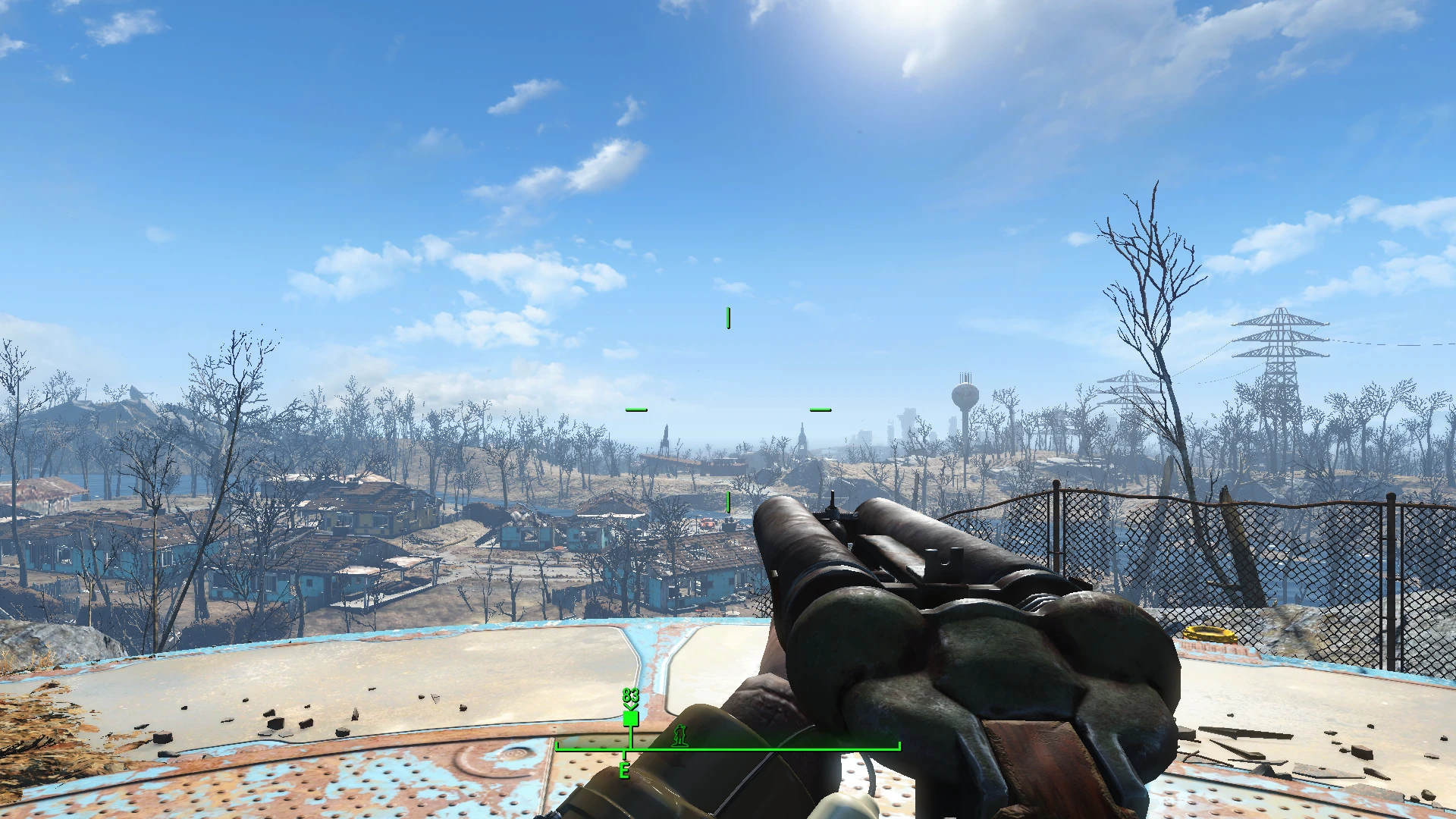
Alters the first person skeleton to see more of your surroundings that your GPU was rendering anyway, this is done without altering FOV so there is no performance impact.
Moving the camera node on the first person skeleton.nif back by 4 units reveals more of the world that was already being rendered, granting an increased FOV with no performance cost. There is a ton of rendered geometry not visible, but beyond 4 units I ran into clipping issues with the previs system.
This mod is fully compatible with body replacers such as CBBE as they don't modify the first person skeleton.nif
7/1/2020 - Added Free FOV for Power Armor as a separate file, both files can be used at the same time.
FPS Boost - Free FOV is a performance mod for Skyrim that expands the first-person view by altering the skeleton, letting you see more of your surroundings without changing the FOV setting, so there's no performance hit. It has 2,532 endorsements and 160,607 downloads, last updated in July 2020.
✨ Key Features
📊 Pros & Cons
✅ Pros
- Huge community trust: 2,532 endorsements and 160k downloads show it's a go-to for many players.
- Zero performance cost—you get a wider view without touching FOV or losing frames.
- Simple concept that just works: no complex settings, just install and enjoy.
⚠️ Cons
- Last updated in 2020—might not be compatible with the latest Skyrim version or mods that alter the skeleton.
- Only affects first-person view; third-person players won't see any benefit.
- No detailed instructions or compatibility notes from the author, so you're on your own if issues arise.
For Skyrim players who want a wider first-person view without sacrificing performance. Perfect for those who play in first-person and feel the default view is too zoomed in. Skip if you're a third-person player or if you use mods that heavily modify the skeleton.
💡 Beginner Tips
- Make sure to place this mod after any skeleton mods in your load order to avoid conflicts.
- If you use a mod manager like Vortex or MO2, let it handle the file placement to keep things clean.
- Test in a busy area like Whiterun to see the expanded view without any FPS drops.
📊 Mod Details
- Game
- Fallout 4 Mods
- Author
- Tom Gerard
- Version
- 1.1
- Downloads
- 160,607
- Endorsements
- 2,532
- Category
- Performance
- Created
- 6/28/2020
- Updated
- 7/1/2020
🔧 How to Install Fallout 4 Mods
Download from Nexus.
📖 Full step-by-step install guide for Fallout 4 →
Visit the official mod page for specific installation instructions for this mod.
🎮 Need cheat codes or console commands? Check ur gaming wiki for Fallout 4 commands, item IDs, and more.
Keep browsing — more Fallout 4 mods await