FO4Edit - Plugins JSON Import and Export
⚪ Last updated 2020⚠️ Install Order · 2 steps
Install in this order, then this mod last — most mods fail to load without their framework and dependencies in place.
Preview
🔍 Analysis
- 👍 5.6% endorsement rate — high engagement, a strong quality signal
- 🏆 #17 of 34 Utilities mods in this game by downloads
📋 About This Mod
Export your plugins to JSON or import your JSON back to plugin
What Is This
This mod is a utility script for FO4Edit that allows import and export of the plugins from/to JSON. In essence these are just two scripts with assigned hotkeys that you will need to use from FO4Edit.
Regex replacement? Validation? Batch update? Major tweaks? Programmatic creation of patches? You name it. You can do a lot with JSON. The idea is:
-
[]Export the plugin to JSON
[
]Do your work on it - change your values, update your module[]Import it back to plugin
[]Save, done
Wait, but FO4Edit scripts!
Yes. And no. There are severe limitations on what they can do and adding absolute lack of guidance regarding those and a castrate version of the built-in Delphi compiler and it can become very frustrating to use scripting (eh, no offense to the authors, I did spend a lot of time on user scripts and it's a great feature). JSON, on the other hand.. it's hard to imagine any solid tech that does not support it. This mod is an attempt to bridge plugin scripting to other tech you might want to use.
Installation
Install to your FO4Edit/Edit Scripts folder. You must put it there or else it will do nothing. If you don't know what that is - you probably aren't a target audience (no offense)
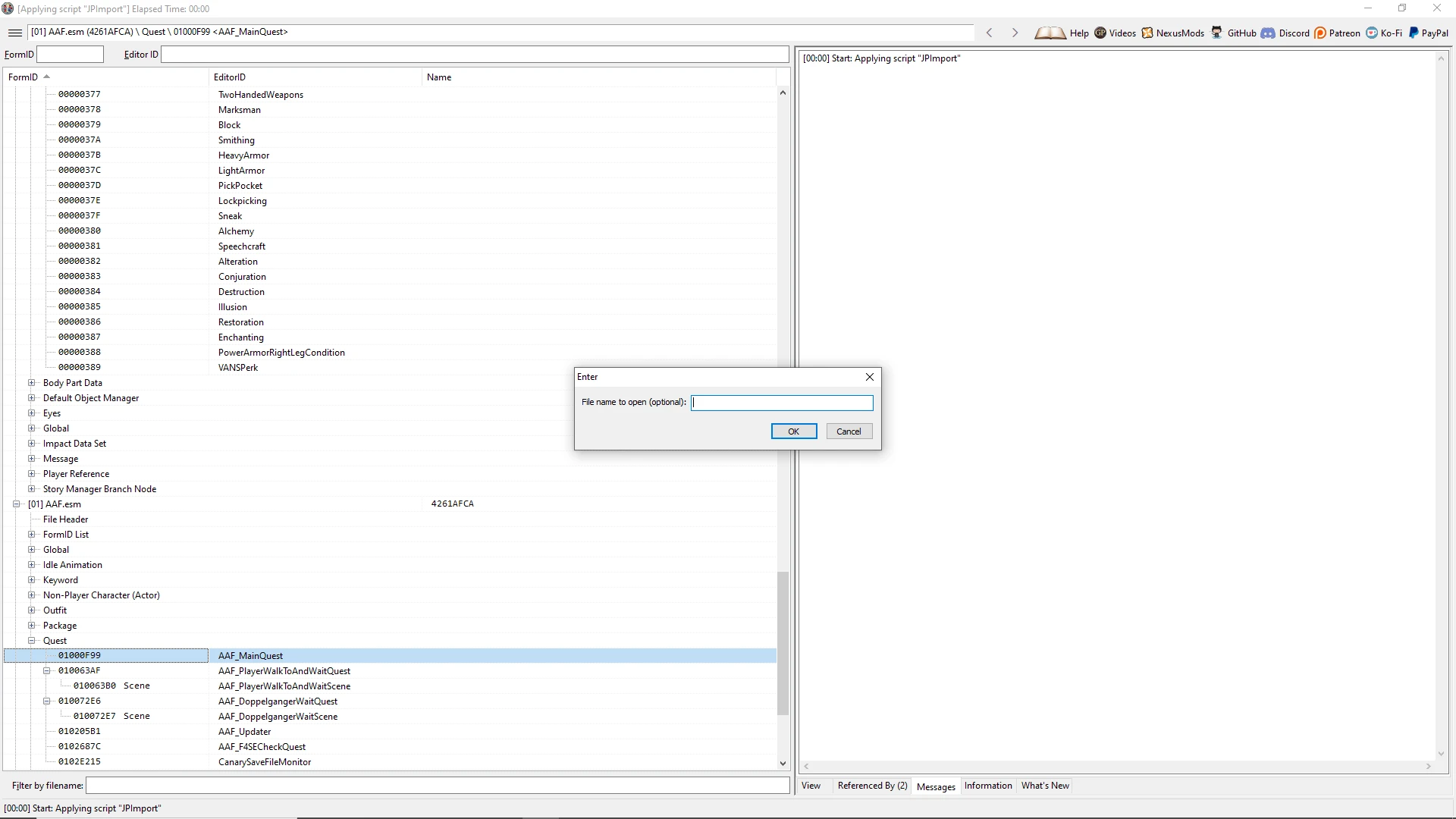
You can R-Click in the FO4Edit in the left side and then Apply Script and select JPImport or JPExport. Alternatively, Ctrl+J will launch exporter and Ctrl+Alt+J will launch importer.
Exporter will write your files into your FO4Edit directory (and importer will read from there). You can change the name of the file, but that is optional. If you just leave the field empty then the name to write to / read from will be assumed as PluginName.esp.json
You can select a record at any level, including the file itself (in this case everything underneath will be included). You cannot select multiple records, the root of the tree must be one thing.
If you are importing from JSON, you must select the record that was the root for the exporter, otherwise it will do nothing. This is a safety precaution.
Since version 0. 1. 0 there is also a new way of importing files. JPImportFiltered will offer the fields you want to import (i.e. whatever was not selected will be ignored). Hotkey Ctrl+Shift+J. Be carefull though as it is much, much slower that the regular import.
Limitations
Unfortunately, xEdit isn't the definition of consistency. There are many issues such as element type determination. Therefore it is possible that exporter will generate inaccurate JSON (most likely data will be missing). Good news are - I created ways to fix this, you will need to look into JPUtils. If you don't know what it is - then just report the missing
📊 Mod Details
- Game
- Fallout 4 Mods
- Author
- ID8879488948574
- Version
- 0.1.2
- Downloads
- 3,072
- Endorsements
- 172
- Category
- Utilities
- Created
- 8/2/2020
- Updated
- 8/31/2020
🔧 How to Install Fallout 4 Mods
Download from Nexus.
📖 Full step-by-step install guide for Fallout 4 →
Visit the official mod page for specific installation instructions for this mod.
🎮 Need cheat codes or console commands? Check ur gaming wiki for Fallout 4 commands, item IDs, and more.
Keep browsing — more Fallout 4 mods await