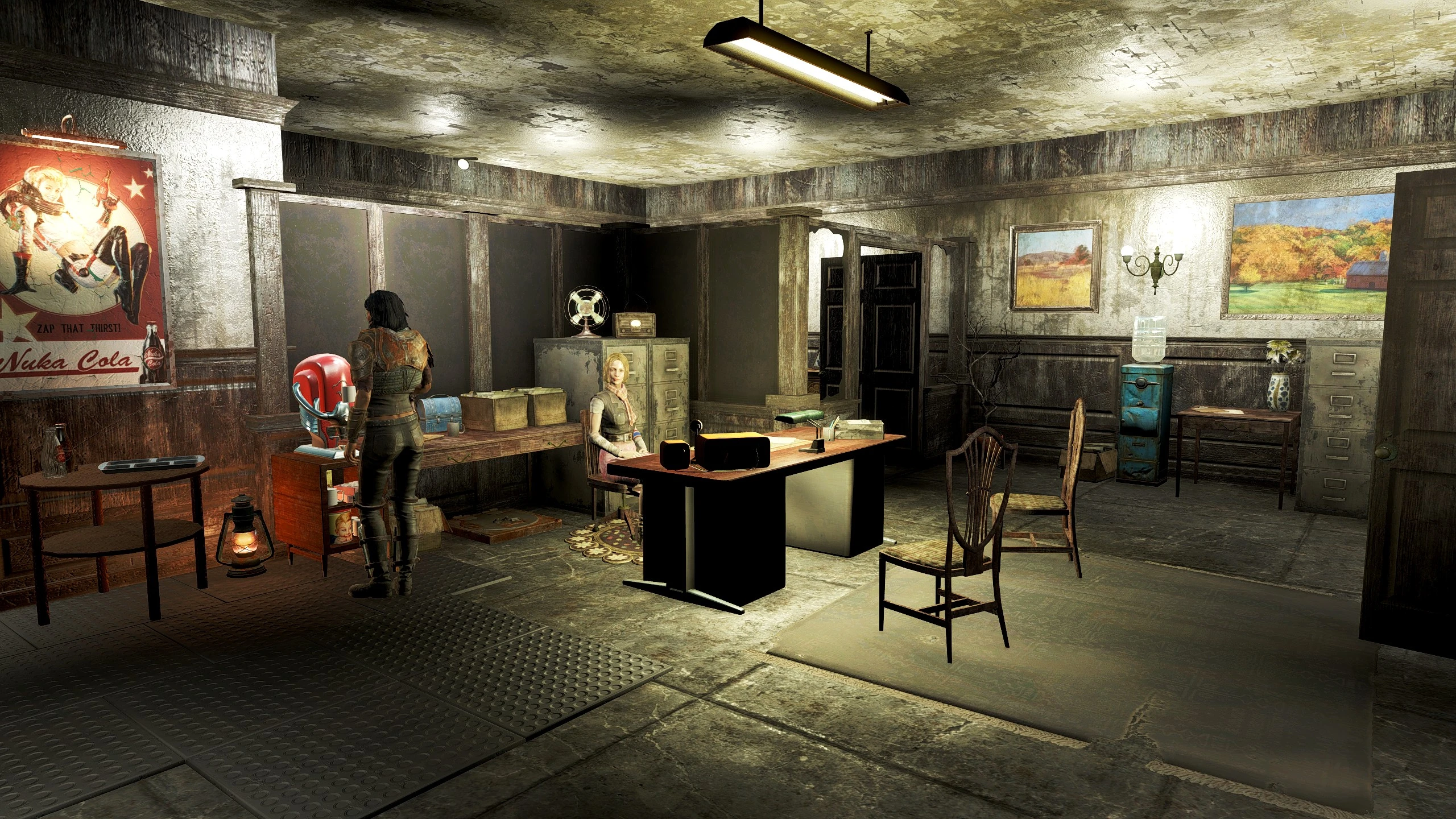
Fiddleflaps Vids - Gun For Hire Office Blueprint
⚪ Last updated 2024⚠️ Install Order · 3 steps
Install in this order, then this mod last — most mods fail to load without their framework and dependencies in place.
Preview
🔍 Analysis
- 👍 0.2% endorsement rate
📋 About This Mod
I recorded a tour of the build for my YouTube channel which also features my other settlement builds:
HZYvXRxULB4
Installation
-
[]Either install with a Mod Manager or extract the files and copy to your Fallout 4 game folder.
[
]Ensure you have Transfer Settlements, HUDFramework, F4SE (including the script files) and Gun For Hire installed.[]The blueprint uses Slot 38, if you have an existing blueprint using this slot you will need to move the blueprint .json file to different folder
[]Download and extract the files from 'FFV - GFHO Furniture Batch Files.zip' to your Fallout 4 Game Folder, or enable using the Injector method within Vortex.
-
[]Enable 'Import DLC items / Import mod-added items'.
[
]Enable 'Import wired power connections'.[]Enable 'Restore snapped power connections'.
-
[]Assistants Bed – BAT GFHO-Bed
[]Assistants Desk – BAT GFHO-Desk
[]Assistants Chair – BAT GFHO-Chair
Restoring Power After Importing
Once the blueprint has been imported there will be no power, running a wire from the fusebox (next to the workbench) to the nearby power conduit will restore it:
Alternatively, if you use Workshop Framework you can use its‘Restore Power Grid’ option from the workbench. Thanks to Waya555 for pointing this out and also for bringing some issues with the previous versions of this blueprint to my attention.
My Other Settlement Blueprints
-
[]Abernathy Farm
[
]Boston Airport[]Croup Manor
[]Costal Cottage
[]Covenant
[]Egret Tours Marina
[]Greentop Nursery
-
[]Hangman's Alley
[]Home Plate
[]Jamaica Plain
[]Kingsport Lighthouse
[]Murkwater Construction Site
[]Oberland Station
[]Outpost Zimonja
[]Red Rocket Truck Stop
[]Sanctuary Hills
[]Starlight Drive In
[]Sunshine Tidings Co-Op
[]Taffington Boathouse
[]Tenpines Bluff
[]The Castle
[]The Slog
-
[]Abernathy Farm
This is a blueprint for the Gun For Hire office location, using only Vanilla and DLC assets plus objects from the Gun For Hire mod. It's a popular choice with 341 endorsements and nearly 148k downloads, last updated in June 2024.
✨ Key Features
📊 Pros & Cons
✅ Pros
- Huge community trust with 147,838 downloads and 341 endorsements
- Sticks to Vanilla and DLC assets, so it should blend seamlessly with the base game
- Specifically designed for the Gun For Hire office, so it's a perfect fit for that mod
⚠️ Cons
- Requires the Gun For Hire mod by Flashy(JoeR) to be installed, so it's not standalone
- No screenshots or detailed description provided, so you're going in blind
- Last updated in June 2024, so it may not be compatible with the latest game patches
For Fallout 4 settlement builders who use the Gun For Hire mod and want a pre-designed office layout. Skip if you don't use that mod or prefer to build from scratch.
💡 Beginner Tips
- Make sure you have the Gun For Hire mod installed and loaded before placing this blueprint.
- Use the settlement menu's blueprint feature to place it in the office location.
- Check that you have all DLCs enabled, since the blueprint uses DLC assets.
📊 Mod Details
- Game
- Fallout 4 Mods
- Author
- Fiddleflap
- Version
- 1.0
- Downloads
- 147,838
- Endorsements
- 341
- Category
- Transfer Settlement Blueprints
- Created
- 8/9/2022
- Updated
- 6/25/2024
🔧 How to Install Fallout 4 Mods
Download from Nexus.
📖 Full step-by-step install guide for Fallout 4 →
Visit the official mod page for specific installation instructions for this mod.
🎮 Need cheat codes or console commands? Check ur gaming wiki for Fallout 4 commands, item IDs, and more.
Keep browsing — more Fallout 4 mods await