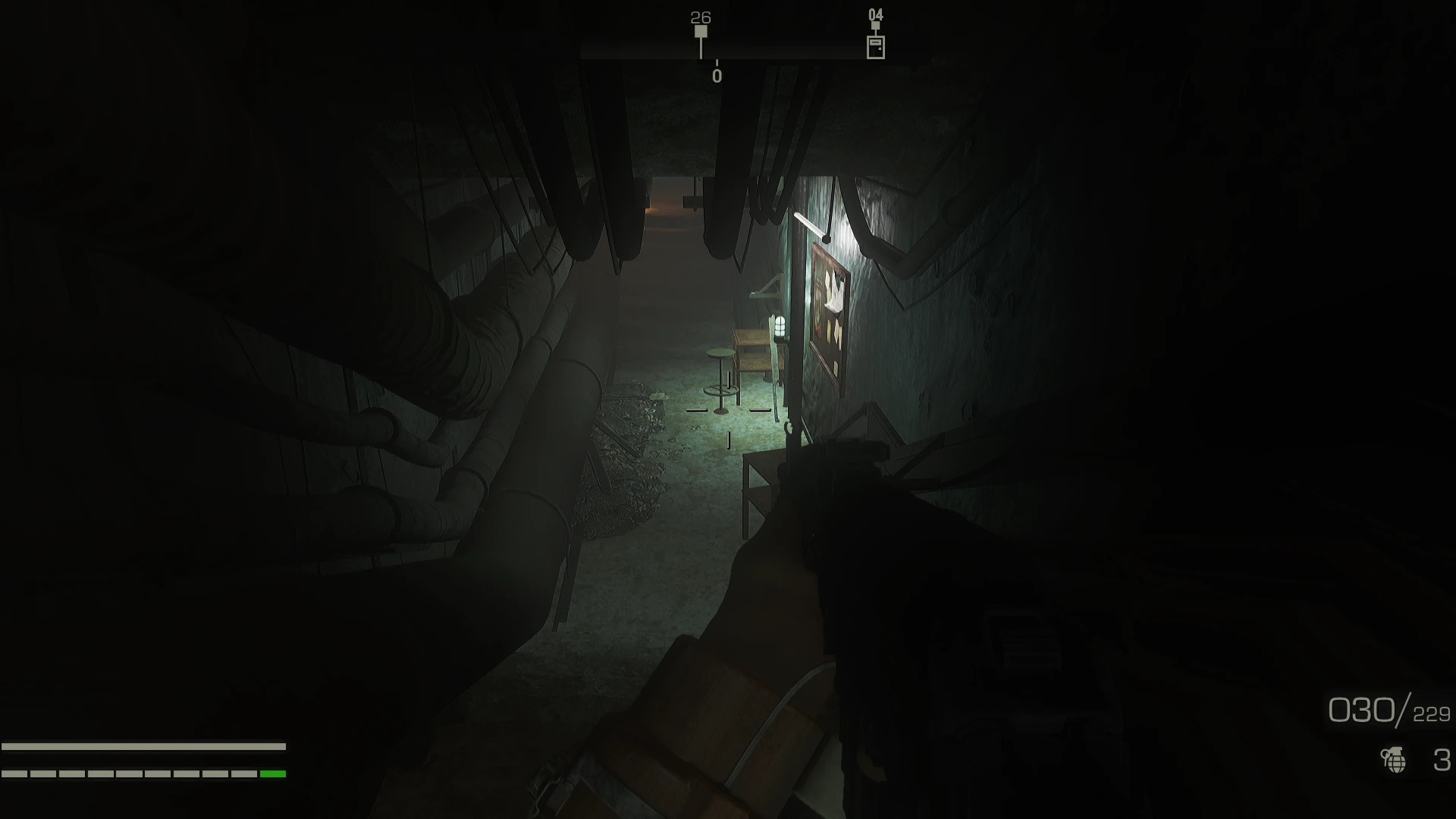
FALLUI HUD - TacticalOperations - LAYOUT PRESET
⚪ Last updated 2021⚠️ Install Order · 3 steps
Install in this order, then this mod last — most mods fail to load without their framework and dependencies in place.
Preview
🔍 Analysis
- 👍 3.7% endorsement rate — high engagement, a strong quality signal
- 🏆 #24 of 40 Visuals and Graphics mods in this game by downloads
📋 About This Mod
Every support can really help me out, even a coffee. Thank you so much!
JOIN MY DISCORD
RECOMMENDATIONS
- FallUI - HUD
- I recommend to set your HUD to the follow color:
1) HUD COLOR: GREY = (R: 127, G: 127, B: 114)
Search or add inside your Fallout4Prefs.ini the following lines and set as below:
iHUDColorR= 127
iHUDColorG= 127
iHUDColorB= 114
2) HUD Warning Color: BLOOD RED = (R: 169, G: 7, B: 8)
Search or add inside your Fallout4Prefs.ini the following lines and set as below:
iHUDColorWarningR= 169
iHUDColorWarningG= 7
iHUDColorWarningB= 8
It will be just like the images
INSTALLATION
Install with your MOD MANAGER, then you can find the Layout in the MCM> FallUI-HUD> Layout> TacticalOperations
If you don't use MCM:
-
[]Open the file "data\MCM\Settings\FallUIHUD.ini"
[
]If you want to use a existing or downloaded FallUI HUD Layout: - Set sEasyModeUseLayout to the basename (without extension .ini) of your wanted Layout file (e.g.: sEasyModeUseLayout=TacticalOperations )
Please Endorse if you like and type me for everything you need!
OTHER MODS
- FALLUI SERIE
- COMPLEX SORTER
- QUICKTRADE REDUX
For other mods that you see in images, just ask me!
Devi assolutamente andare a vedere le mod tradotte di
SPECIAL THANKS
m8r98a4f2 for his excellent job with the FallUI Serie (I recommend install all the serie!)
Bethesda for Fallout 4
TACTICAL JACKET OUTFIT - STAND ALONE
VAULT-TEC CLOTHING - STAND ALONE
FALLUI HUD - VIGOR - LAYOUT PRESET
FALLUI HUD - TacticalOperations - LAYOUT PRESET
Wicked Shipping Stations
A minimal, compact, and elegant layout preset for FallUI - HUD, designed to enhance the visual experience of Fallout 4. With 193 endorsements and over 5,000 downloads, it's a community-approved choice for players seeking a cleaner HUD. Last updated in December 2021, it remains a stable option for those using FallUI.
✨ Key Features
📊 Pros & Cons
✅ Pros
- Clean and compact design that declutters your screen.
- Solid community backing with 193 endorsements.
- Over 5,000 downloads show it's a popular choice.
⚠️ Cons
- Requires FallUI - HUD as a dependency, so you'll need to install that first.
- Last updated in 2021, so it may not be compatible with the latest game patches.
- Potential conflicts with other HUD mods that alter the same interface elements.
For Fallout 4 players who want a cleaner, more streamlined HUD without sacrificing functionality. If you're already using FallUI - HUD and want a preset that looks minimal and elegant, this is for you. Skip if you prefer a feature-rich HUD with lots of on-screen info.
💡 Beginner Tips
- Make sure FallUI - HUD is installed and working before adding this preset.
- Use a mod manager like Vortex or MO2 to handle the file placement and avoid overwriting issues.
- Check the mod's description page for any specific load order instructions.
📊 Mod Details
- Game
- Fallout 4 Mods
- Author
- Nick Primavera
- Version
- 2.0
- Downloads
- 5,169
- Endorsements
- 193
- Category
- Visuals and Graphics
- Created
- 12/21/2021
- Updated
- 12/28/2021
🔧 How to Install Fallout 4 Mods
Download from Nexus.
📖 Full step-by-step install guide for Fallout 4 →
Visit the official mod page for specific installation instructions for this mod.
🎮 Need cheat codes or console commands? Check ur gaming wiki for Fallout 4 commands, item IDs, and more.
Keep browsing — more Fallout 4 mods await