Fallout New Vegas - A FallUI HUD layout
⚪ Last updated 2022⚠️ Install Order · 2 steps
Install in this order, then this mod last — most mods fail to load without their framework and dependencies in place.
Preview
🔍 Analysis
- 👍 1.0% endorsement rate — high engagement, a strong quality signal
- 🏆 #22 of 82 User Interface mods in this game by downloads
📋 About This Mod
Fallout New Vegas - A FallUI HUD layout
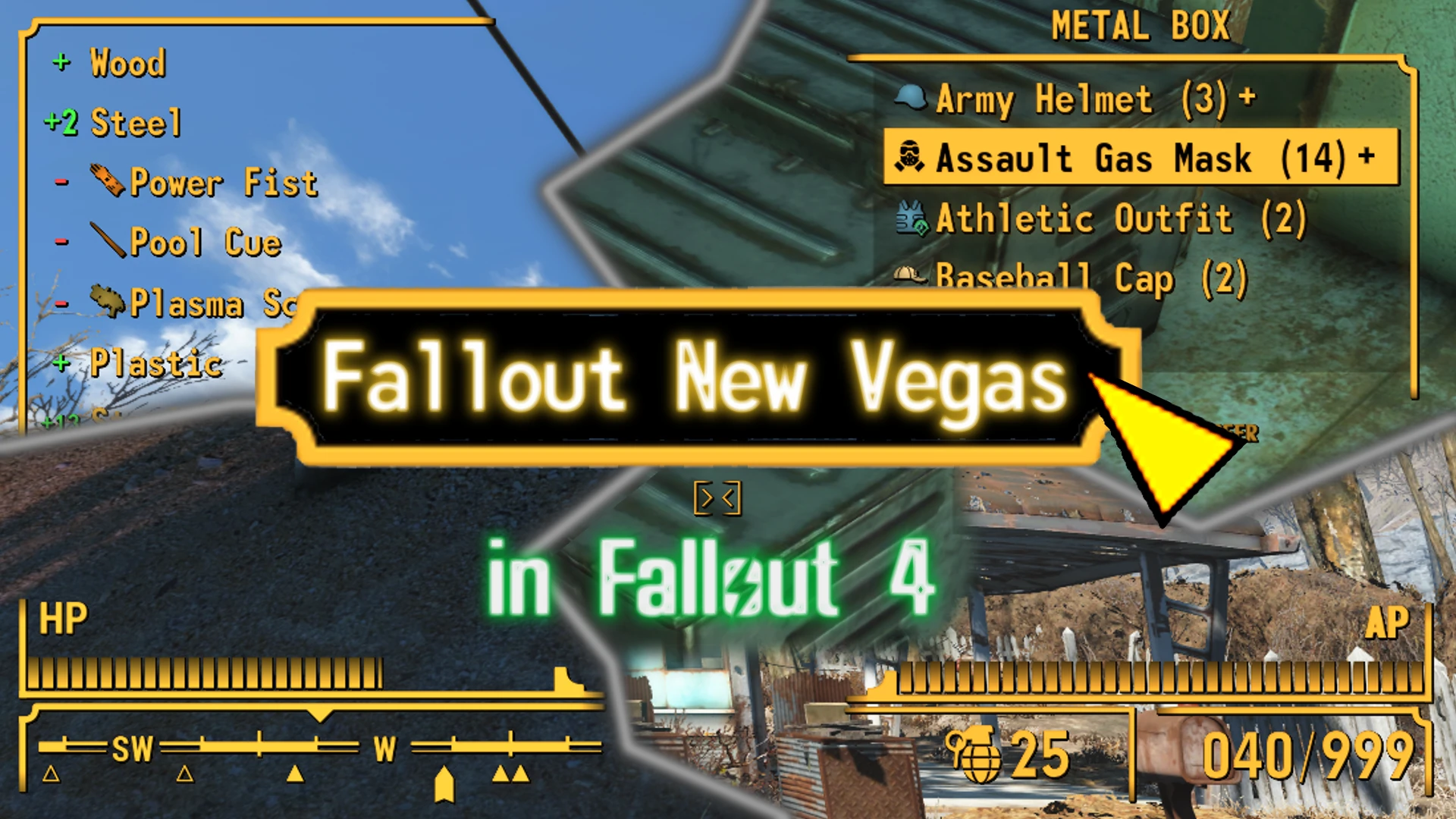
A Fallout New Vegas HUD layout for FallUI HUD.
Description
This is the standalone version of the F4NV HUD layout for FallUI HUD, that recreates the look of Fallout New Vegas in Fallout 4.
Overall style
The layout uses the typical two side bordered boxes, the inlaying edge shape and the special shaped cone at one side on bars. Also the widgets are placed where they are in Fallout New Vegas where possible.
Compass
This layout uses the new UI-Framework technology of FallUI which allows advanced customization.
So this layout resembles the compass as in Fallout New Vegas. Including new sky marks, the stripe between sky marks, triangles as location marker and new shapes for enemy and quest marker.
Crosshair
The crosshairs are adapted, so they look like FNV. The default is the well-known "> <". The aiming uses the same shape, but will be spreaded out according to the spread of the current weapon. And finally the activation crosshair is also reshaped to look like in Vegas.
And of course you can change any of that editions in the game-integrated FallUI HUD Layout Editor. (Just go to "Edit Mode" and import the "Fallout New Vegas" layout)
Requirement
Requires only FallUI - HUD (min version 1. 7).
Installation
-
[]Install FallUI - HUD (Important: requires the latest version 1. 7)
[
]Install this layout using any mod manager - Click on layout "Fallout New Vegas" in "MCM > FallUI - HUD > Layout" or import it - Reload and your new layout is ready!
Immersive coloration
For a just more nostalgic feeling use one of the original Fallout 3/NV HUD colors as your HUD color:
Amber: RGB - 255, 182, 66 (My personal recommendation for Fallout New Vegas)
Blue: RGB - 46, 207, 255
Green: RGB - 25, 255, 128
White: RGB - 192, 255, 255
Note: The first value is red, the second is green, and the third is blue.If your settings bar have no value, you can specify the exact values in the INI (see below) - or just approximate it (The bar goes from 0 to 255. So 128 is exactly the middle, 64 is 1/4 and so on).
INI Values
If you like to have the exact color, change these three lines in your Fallout4Prefs.ini in the section :
Note: The HUD color lines probably already exist in your INI. You can disable it (with
A HUD layout preset for Fallout New Vegas that integrates with FallUI, offering a customized interface arrangement. With 1,093 endorsements and 106,457 downloads, it's a popular choice for players using FallUI. Last updated in 2022, it remains a solid option for enhancing the game's UI.
✨ Key Features
📊 Pros & Cons
✅ Pros
- Community-approved with 1,093 endorsements
- High download count (106,457) shows widespread use
- Focused on UI customization for Fallout New Vegas
⚠️ Cons
- Last updated in 2022 — may not be compatible with the latest game patches or FallUI updates
- Requires FallUI as a dependency, so you need to install that first
- No detailed description of what the layout changes — you'll have to try it to see if it fits your style
For Fallout New Vegas players who already use FallUI and want a pre-made HUD layout without tweaking everything themselves. Skip if you prefer default UI or don't want to install additional frameworks.
💡 Beginner Tips
- Make sure FallUI is installed and working before adding this layout, or the mod won't show up.
- Use a mod manager like Mod Organizer 2 to keep your UI mods organized and avoid conflicts.
- Check the mod's comments section for any user-reported compatibility issues with other HUD mods.
📊 Mod Details
- Game
- Fallout 4 Mods
- Author
- m8r98a4f2
- Version
- 1.0
- Downloads
- 106,457
- Endorsements
- 1,093
- Category
- User Interface
- Created
- 10/25/2022
- Updated
- 10/29/2022
🔧 How to Install Fallout 4 Mods
Download from Nexus.
📖 Full step-by-step install guide for Fallout 4 →
Visit the official mod page for specific installation instructions for this mod.
🎮 Need cheat codes or console commands? Check ur gaming wiki for Fallout 4 commands, item IDs, and more.
Keep browsing — more Fallout 4 mods await