FALLOUT 4 HIGH-RES ICON SET (.png and .ico)
⚪ Last updated 2016⚠️ Install Order · 2 steps
Install in this order, then this mod last — most mods fail to load without their framework and dependencies in place.
Preview
🔍 Analysis
- 👍 5.3% endorsement rate — high engagement, a strong quality signal
- 🏆 #5 of 34 Miscellaneous mods in this game by downloads
📋 About This Mod
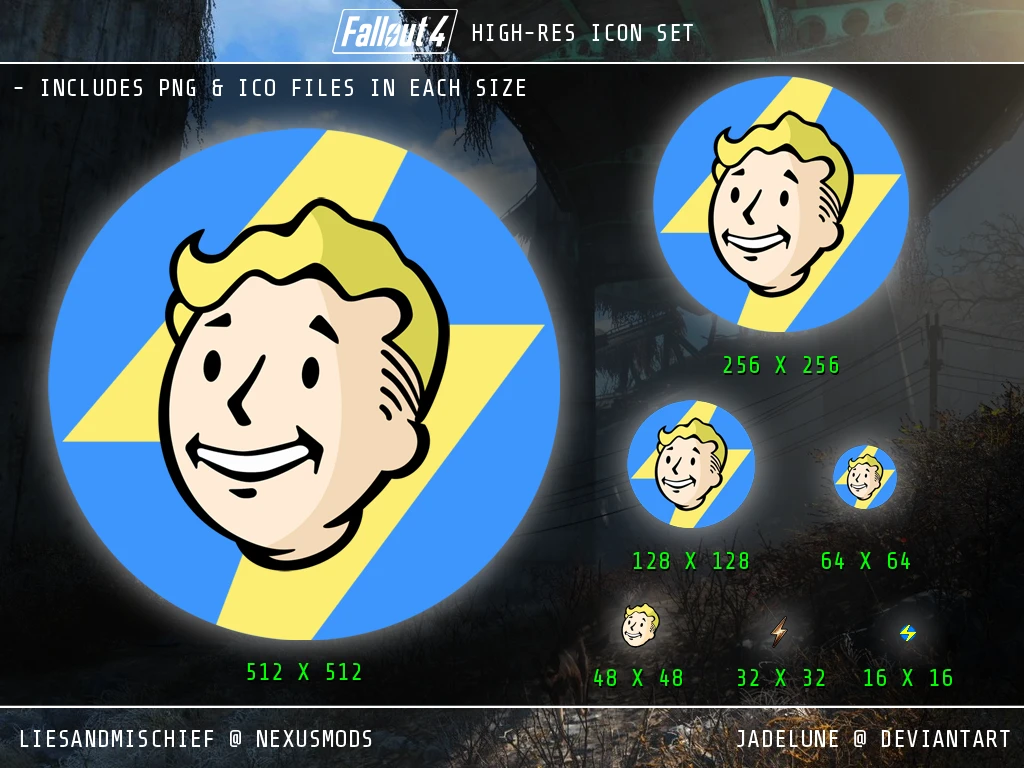
I'm uploading this because it appears that Steam makes Fallout 4's icon 48x48px and it looks very ugly on my desktop. I've seen other people online make their own version of the icon, in high-res to fix the issue, but I extracted this from the .exe in the game files, so it's the official icon. I made the small thunderbolt (32px) and the blue icon with the yellow thunderbolt (16px) myself, because the official icons did not look very good.
The .zip file you download will have 3 folders, one folder contains all the sizes in .png format, another folder contains all the sizes in .ico format, and the last folder contains extra icons in .png format. The .zip also contains an "all-in-one" .ico file which contains all the sizes packaged into it, so when you change your shortcut icon, make sure to use this .ico file, not the others in the .ico folder.
A Fallout 4 icon set with larger sizes for desktop/dock use, including both .ico and .png formats. With 2,255 endorsements and 42,946 downloads, it's a popular choice for customizing your desktop. Last updated in 2016, so it's stable but old.
✨ Key Features
📊 Pros & Cons
✅ Pros
- Community favorite (2,255 endorsements) — clearly a lot of people dig it.
- Both .ico and .png formats mean you can use it on any OS or dock setup.
- High-res sizes actually look crisp on modern displays.
⚠️ Cons
- Last updated in 2016 — might not include any newer Fallout 4 content if you care about that.
- It's just icons, no gameplay impact — so if you're looking for mods that change the game, this isn't it.
- No preview images in the description, so you're flying blind on what the icons actually look like.
For Fallout 4 fans who want to pimp out their desktop with a matching icon set. If you're into visual customization and want your shortcuts to look sharp, this is a quick win. Skip if you're looking for gameplay tweaks — this is purely cosmetic.
💡 Beginner Tips
- Right-click the .ico file and choose 'Properties' > 'Change Icon' to apply it to a shortcut.
- If you're on a Mac, use the .png version and drag it onto the folder or app icon in 'Get Info'.
- Keep the .ico and .png files in a safe folder so you can reapply them if you move your shortcuts.
📊 Mod Details
- Game
- Fallout 4 Mods
- Author
- liesandmischief
- Version
- N/A
- Downloads
- 42,946
- Endorsements
- 2,255
- Category
- Miscellaneous
- Created
- 2/19/2016
- Updated
- 2/20/2016
🔧 How to Install Fallout 4 Mods
Download from Nexus.
📖 Full step-by-step install guide for Fallout 4 →
Visit the official mod page for specific installation instructions for this mod.
🎮 Need cheat codes or console commands? Check ur gaming wiki for Fallout 4 commands, item IDs, and more.
Keep browsing — more Fallout 4 mods await