Face Expression Morphs
⚪ Last updated 2020⚠️ Install Order · 2 steps
Install in this order, then this mod last — most mods fail to load without their framework and dependencies in place.
Preview
🔍 Analysis
- 👍 8.0% endorsement rate — high engagement, a strong quality signal
- 🏆 #35 of 41 Animation mods in this game by downloads
📋 About This Mod
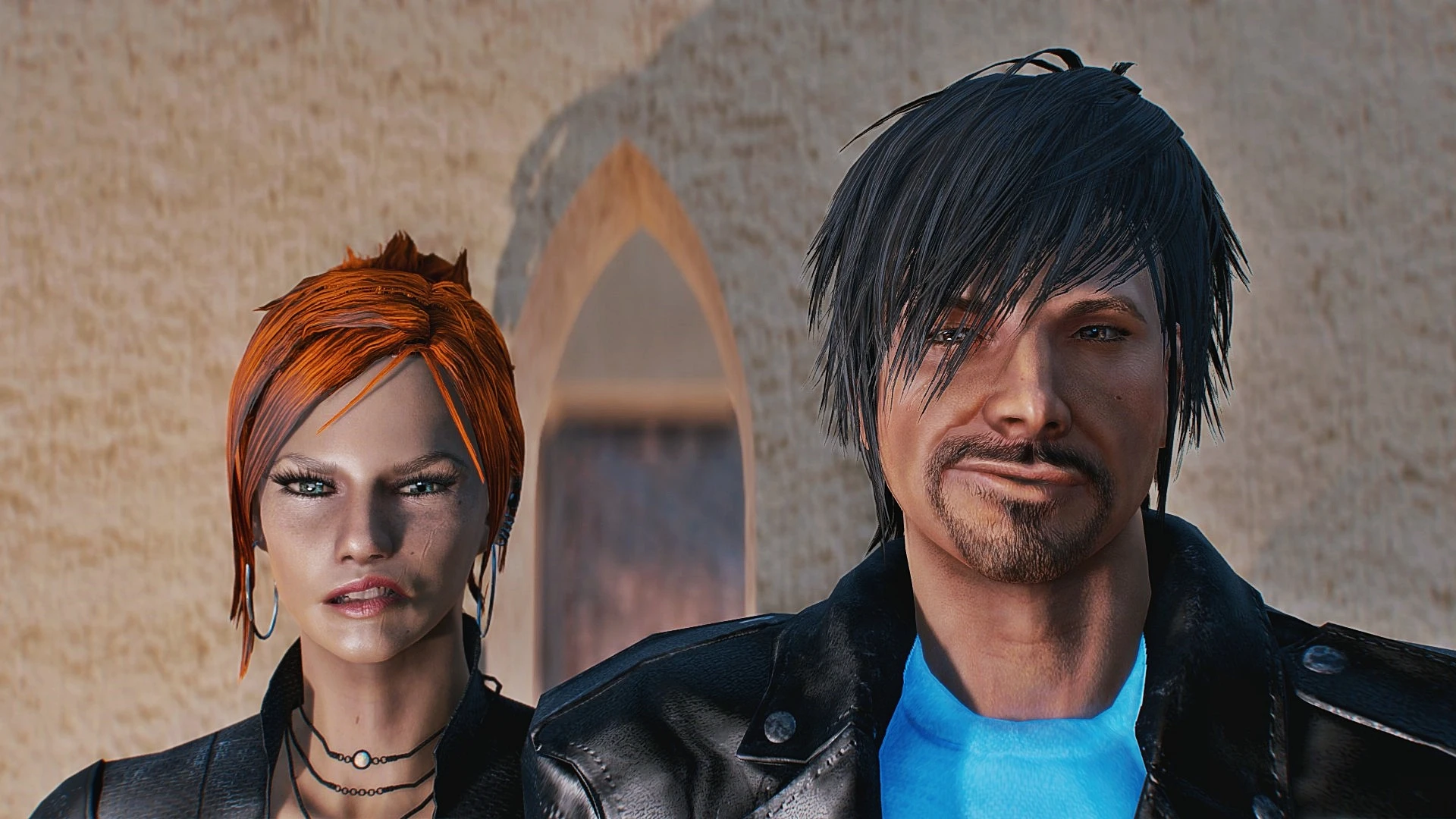
Twenty Three Face Expression Morphs . Add these batch text files to your Fallout4 directory to create expressions that will have your character laughing with glee, smirking, or frowning in disapproval.
Face Expression Morphs
Twenty Three Face Expression Morphs
First and foremost:
Try these out. There are not perfect, but a few are pretty decent. The expressions will look different on your character because of the mouth style, cheeks, eyes, and eyebrows you have chosen for your character or npc. Also the names I have given them are only suggestive. The expressions may convey different attitudes to you.
You can correct the imperfections or change things to your liking by editing the batch files .txt with notepad. (see Tweaks below)
Installation:
Manually download the zip file. Unpack the contents anywhere you like, then copy the .txt files to your Fallout4 top level directory -- not the Data folder.
In game enter the command console by typing ~ (tilde) on a PC. Then type: bat without the brackets. For example:
bat smilesmall
Then exit the console by typing ~ again. The expression will appear on your characters face.
If not, you will probably see the error "command not found." This means you haven't put the txt files in the correct directory.
To remove the face morph enter the console again and type bat resetface. (Also when you exit the game, the expressions will reset.)
I have included the description for each of the morphs as comments in the txt files. So when you execute one of the batch files, you will see which morphs have been applied.
Let's say that you think the smile is too big or too small. Try changing right smile and left smile in the console. This is the syntax:
mfg morphs 17 xx (This morph changes the smile on the left side of the face)
mfg morphs 40 xx (This morph changes the smile on the right side of the face)
Where xx is an integer between 0 and 100. Zero is no morph and 100 is maximum effect of the morph.
When you are happy with the result, you must edit the .txt file to make your changes permanent. Use notepad to edit the .txt file, or create a new batch file with your modification included.
A very useful guide to help you create and edit morphs is a quick reference table from gt9797. I have included a copy in the Image Reference File.
Additonal Mods:
Check out these face expression mods as well. (Let me know if I missed any.)
thrax7454 -- Lots.
deuce2416 -- Four morphs.
joestapf -- Joe has a couple more that you can find at his profile page.
gt9797 -- Hot keys for morphs.
Future Plans:
NONE. I made these for myself and a few friends. I don't plan to add
📊 Mod Details
- Game
- Fallout 4 Mods
- Author
- cormell
- Version
- 1.0
- Downloads
- 3,594
- Endorsements
- 286
- Category
- Animation
- Created
- 6/4/2020
- Updated
- 6/4/2020
🔧 How to Install Fallout 4 Mods
Download from Nexus.
📖 Full step-by-step install guide for Fallout 4 →
Visit the official mod page for specific installation instructions for this mod.
🎮 Need cheat codes or console commands? Check ur gaming wiki for Fallout 4 commands, item IDs, and more.
Keep browsing — more Fallout 4 mods await